The working layer between your systems and your people.
Commergenix connects product data, sales channels, and the plant floor to the ERP and business systems you already run. Your ERP stays the system of record. Commergenix handles the work that moves between systems.
Switch on only the modules you need, each configured for how your business works. Every module shares one sign-in, one job engine, and one set of integrations, so you can start with one and add more on the same foundation.
Your systems stay. The gaps between them close.
Most manufacturers and distributors don’t need another system of record. They need the work between their systems to stop depending on re-keying, spreadsheets, and the few people who know how everything connects.
- Your ERP stays the system of record.Commergenix reads from it and writes back approved changes. Nothing gets ripped out.
- Connect systems without custom code.Admins connect each system with stored, encrypted credentials. A generic REST connector covers the rest.
- Start small, add as you go.Switch on one module to solve one problem. The next module uses the same foundation and connections.
Product data and content
- Product Commander
- Product Sources
- Data Auditor
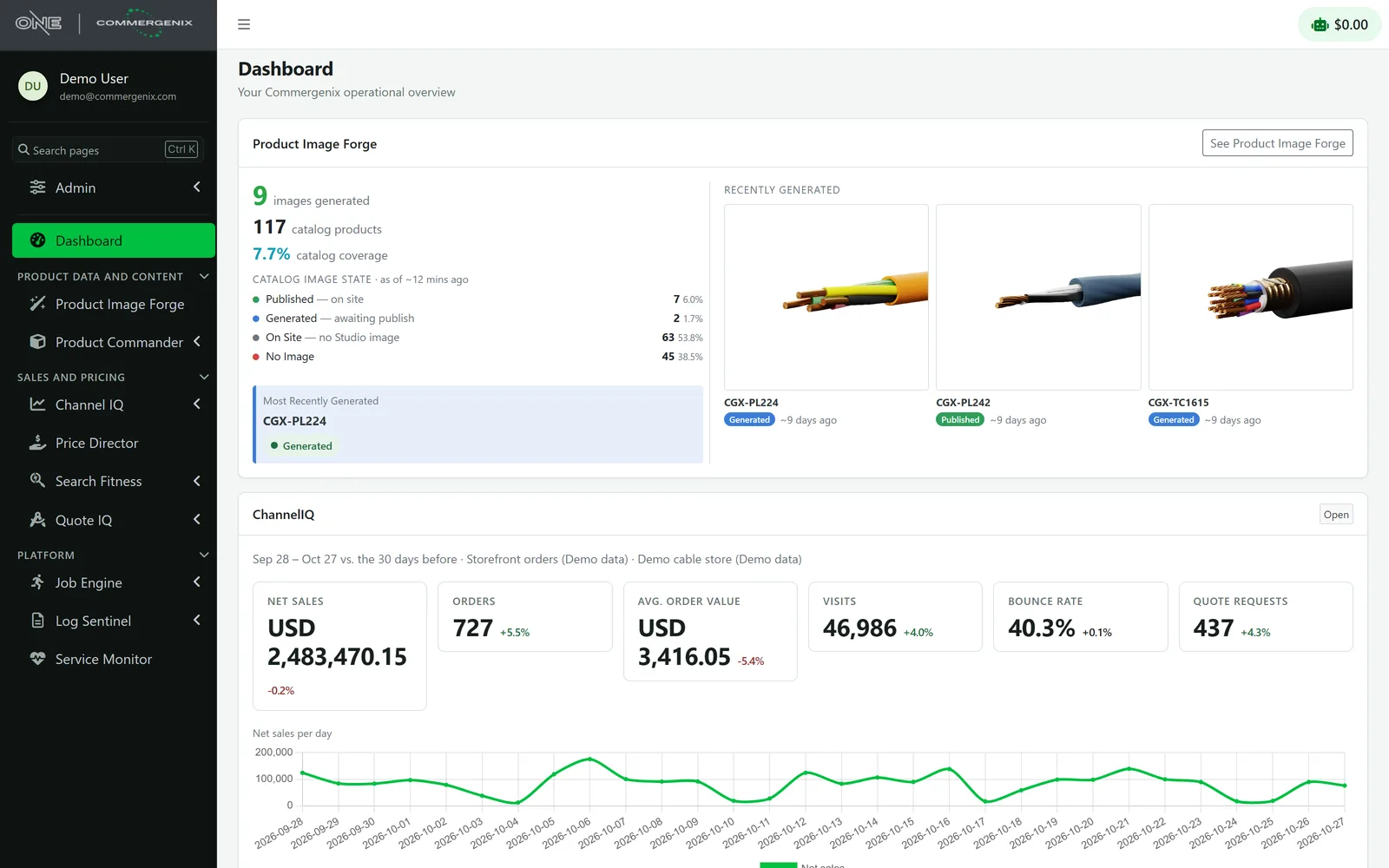
- Product Image Forge
Sales, pricing, and customers
- Quote IQ
- Price Director
- Channel IQ
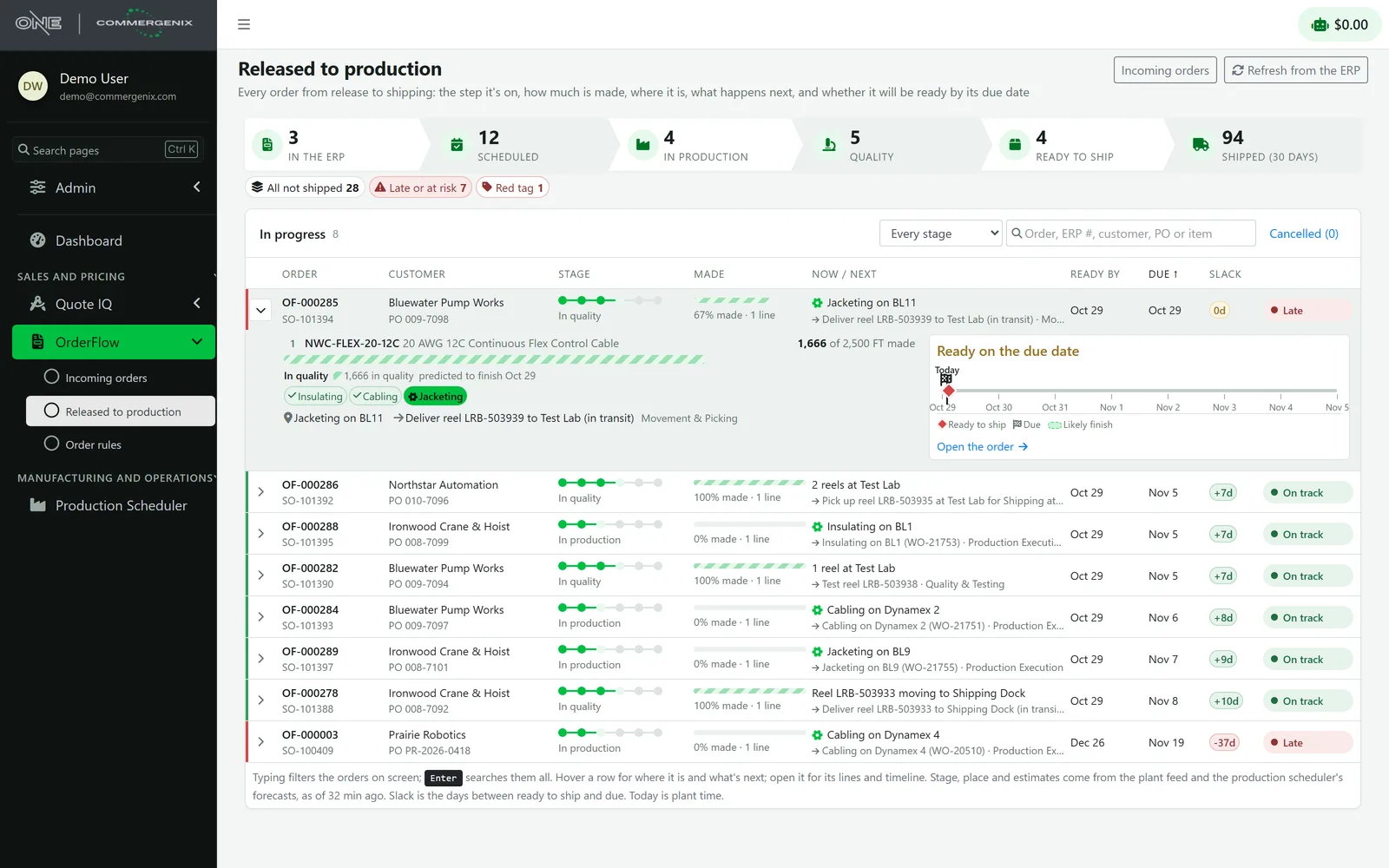
- OrderFlow
Manufacturing and operations
- Production Scheduler
- Production Execution
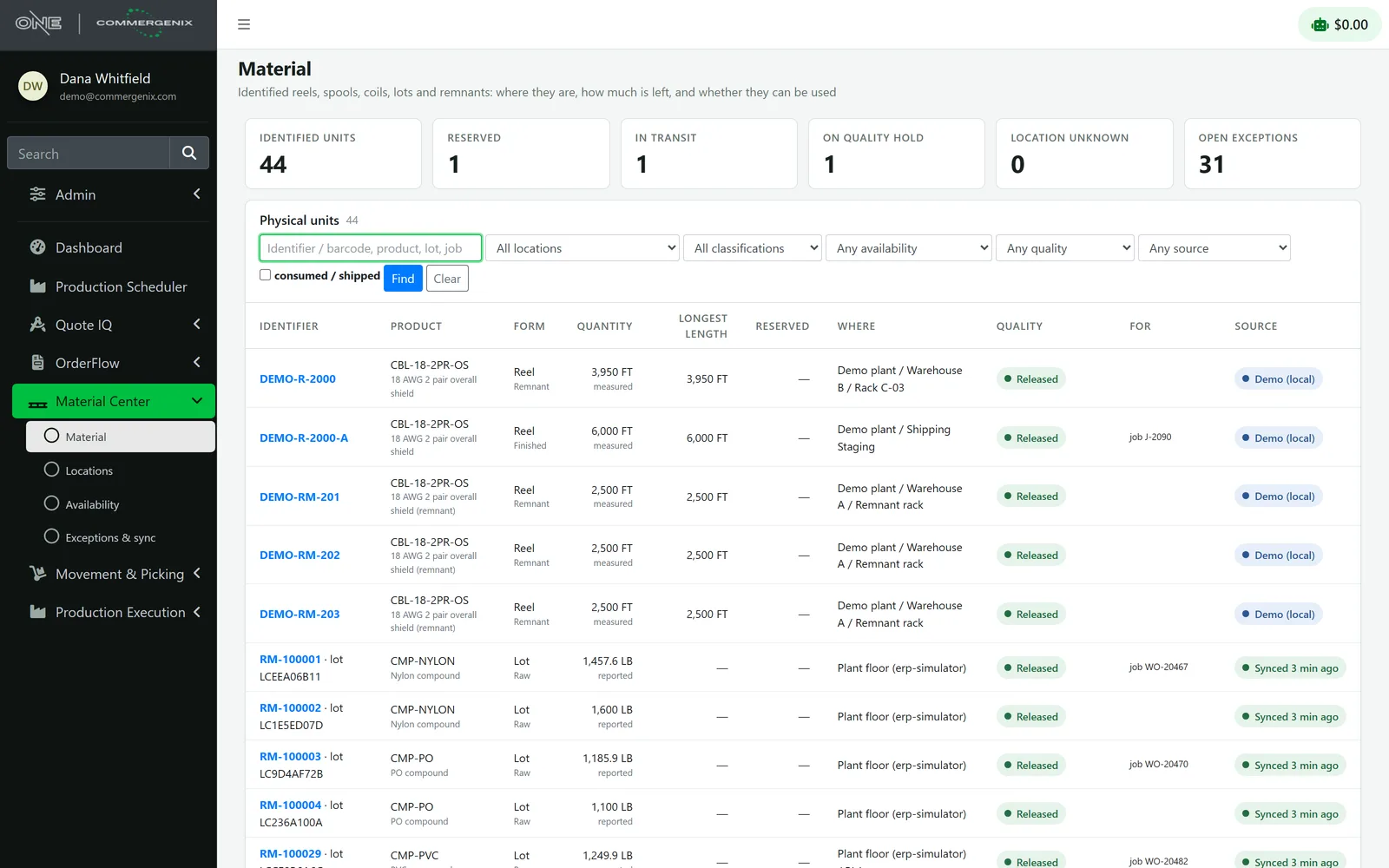
- Material Center
- Movement & Picking
One sign-in and one design for every module, with each customer’s data kept separate.
- Data Fabric
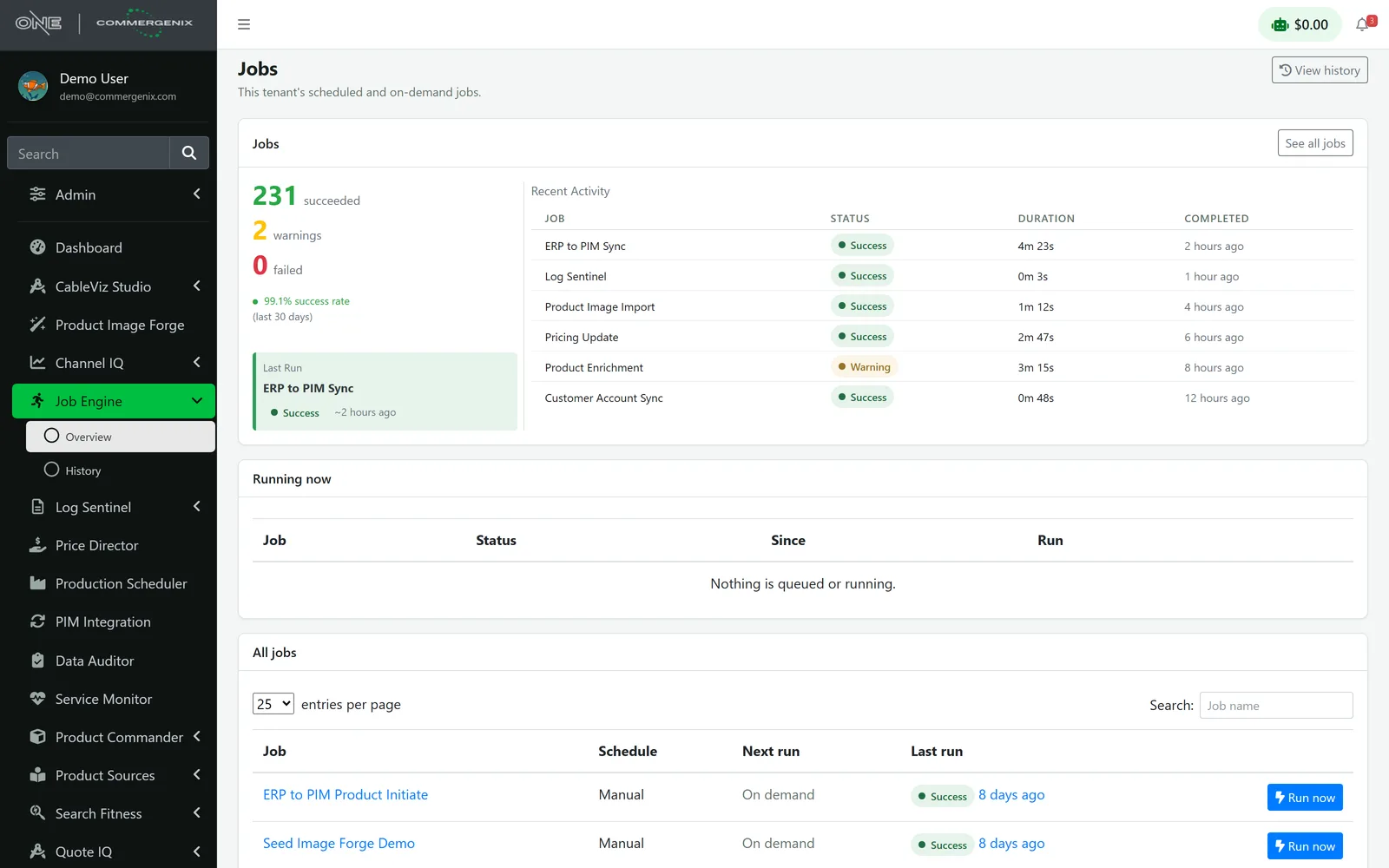
- Job Engine
- Metered AI
- Notifications
- Monitoring
- Usage billing
Switch on what you need.
Thirteen modules in three families. Each solves a specific problem on its own, each is set up for the way your business works, and each one you add makes the others more useful.
Every module is configured for you, not shipped one-size-fits-all.
Each customer runs its own configuration of every module it switches on, with its own rules, workflows, forms, and data, kept separate from everyone else’s. Your admins adjust much of it themselves, and Layer One tailors the rest as part of the deployment.
- OrderFlow checks orders against business rules your admins write and edit.
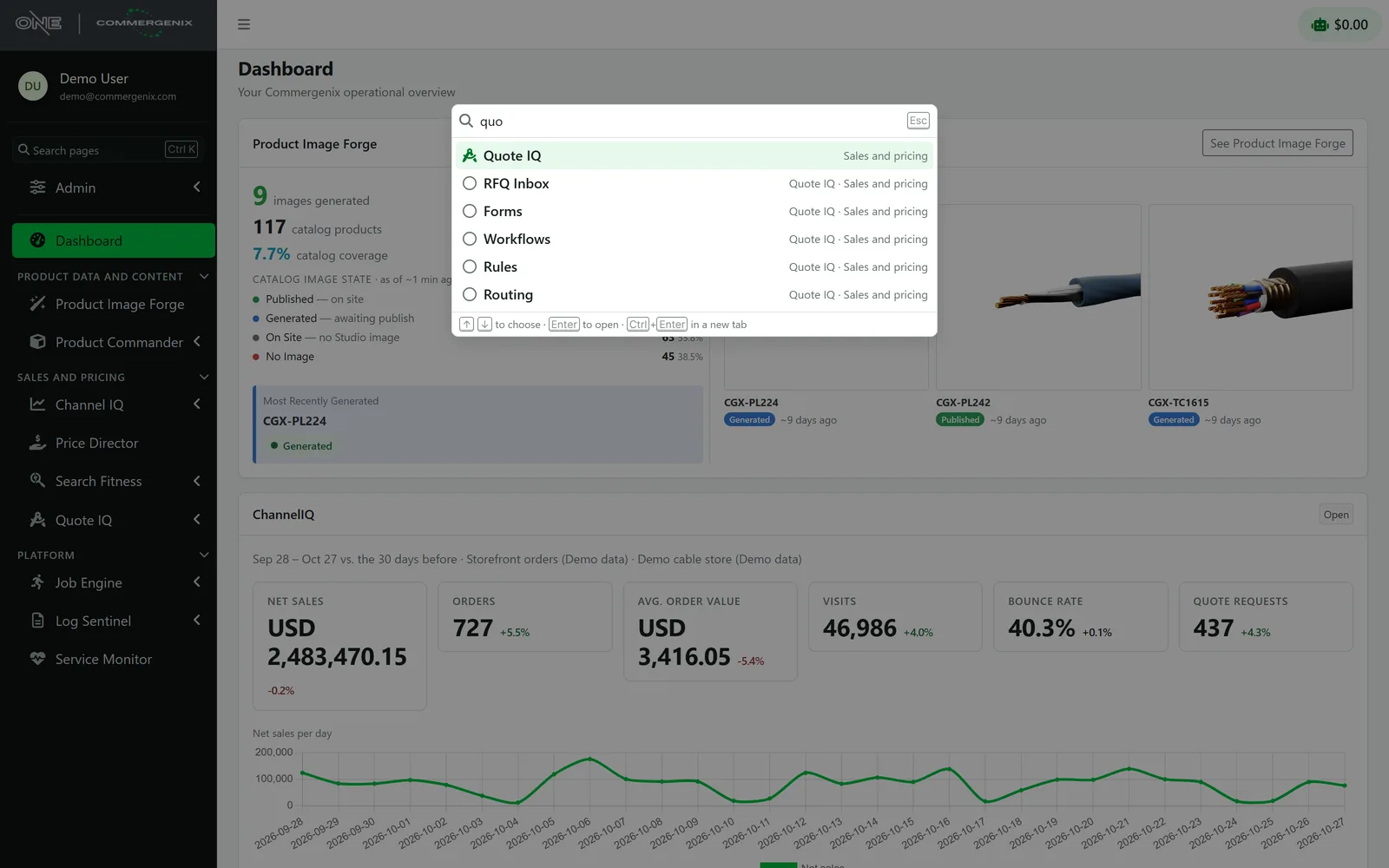
- Quote IQ runs your own intake forms, routing queues, and workflows.
- Price Director applies rule sets by product category, with your multipliers and margin floors.
- Material Center mirrors your own plants, warehouses, and locations.
Product data and content
Complete, accurate product data and visuals, kept in sync with the PIM, ERP, and online store.
Product Commander
Shows what’s missing across your catalog, lines up every source of product data side by side, and saves the right value straight to the system you already sell from.
Learn more →Product Sources
Gathers product information from manufacturer websites and PDF spec sheets, then proposes updates for a person to review and approve.
Learn more →Data Auditor
Rule-based data-quality audits of your PIM, with run history and detail on every issue found.
Learn more →Product Image Forge
Produces catalog images in bulk. For wire and cable, renders come from CableViz Studio, a Layer One service that builds each image from the cable’s actual construction.
Learn more →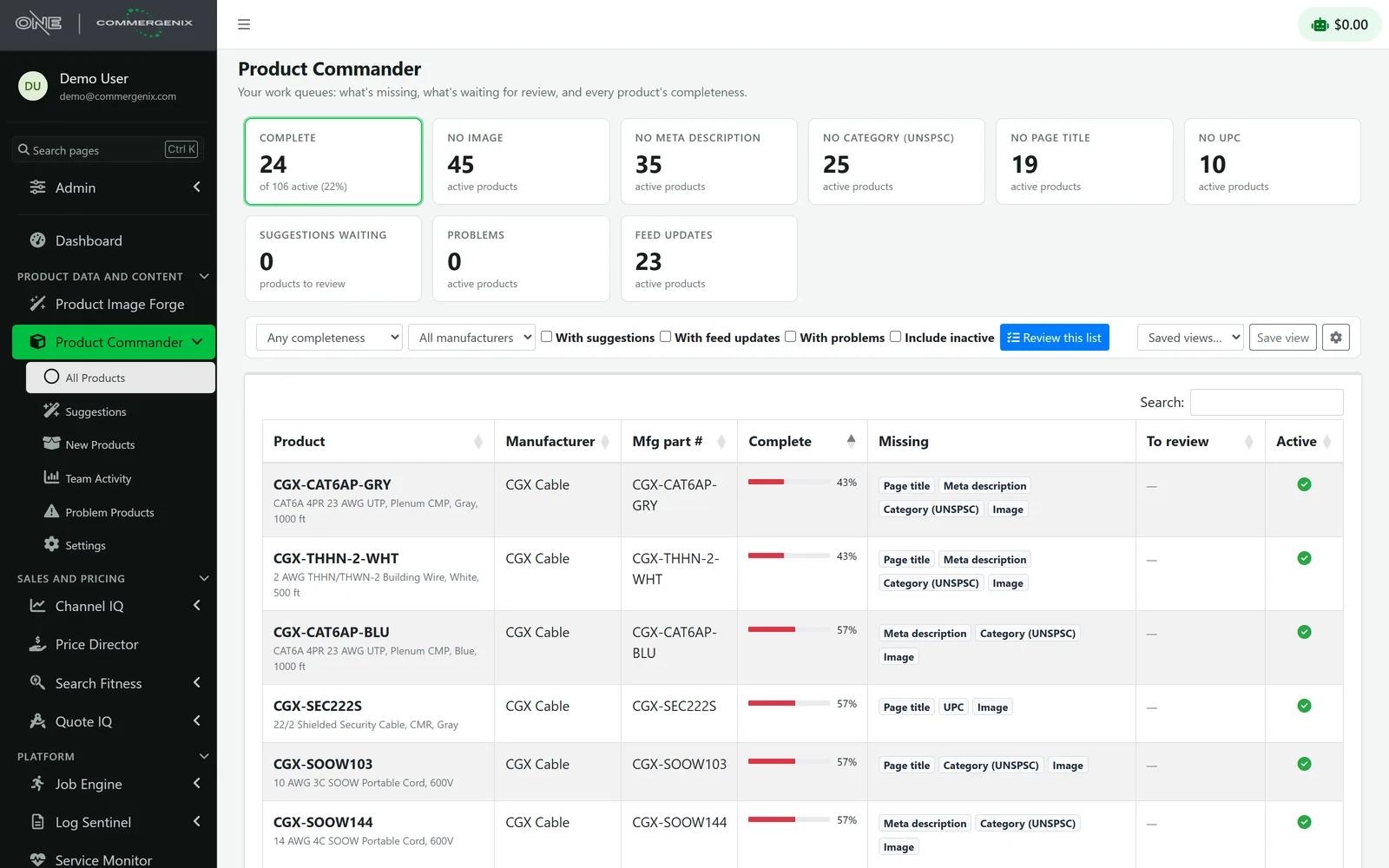
Sales, pricing, and customers
Faster quotes, pricing that follows metal markets, and one view of how every channel performs.
Quote IQ
An embeddable spec-to-quote assistant. It reads a customer’s requirements or documents, asks follow-up questions, and delivers a complete quote request to your team.
Learn more →Price Director
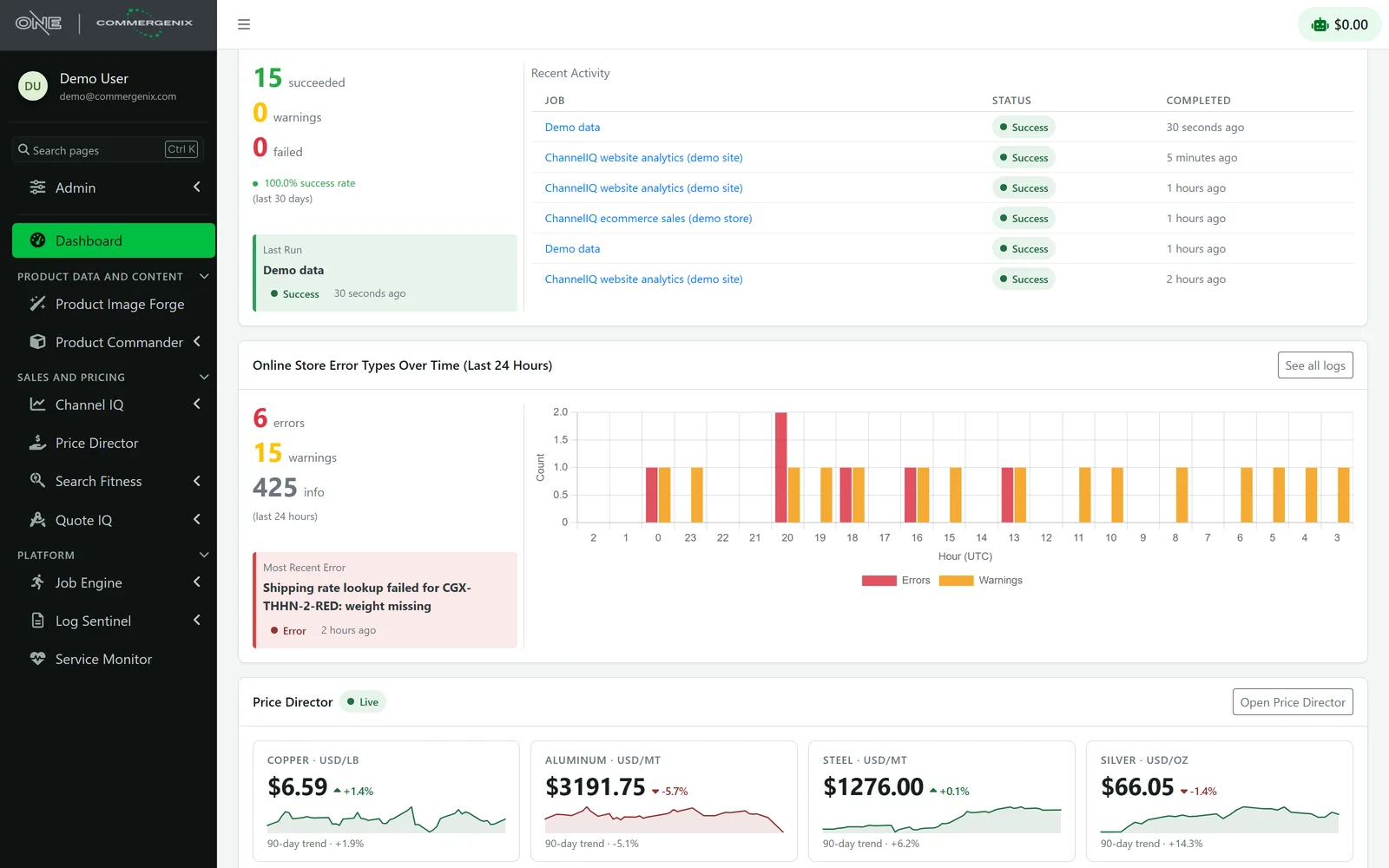
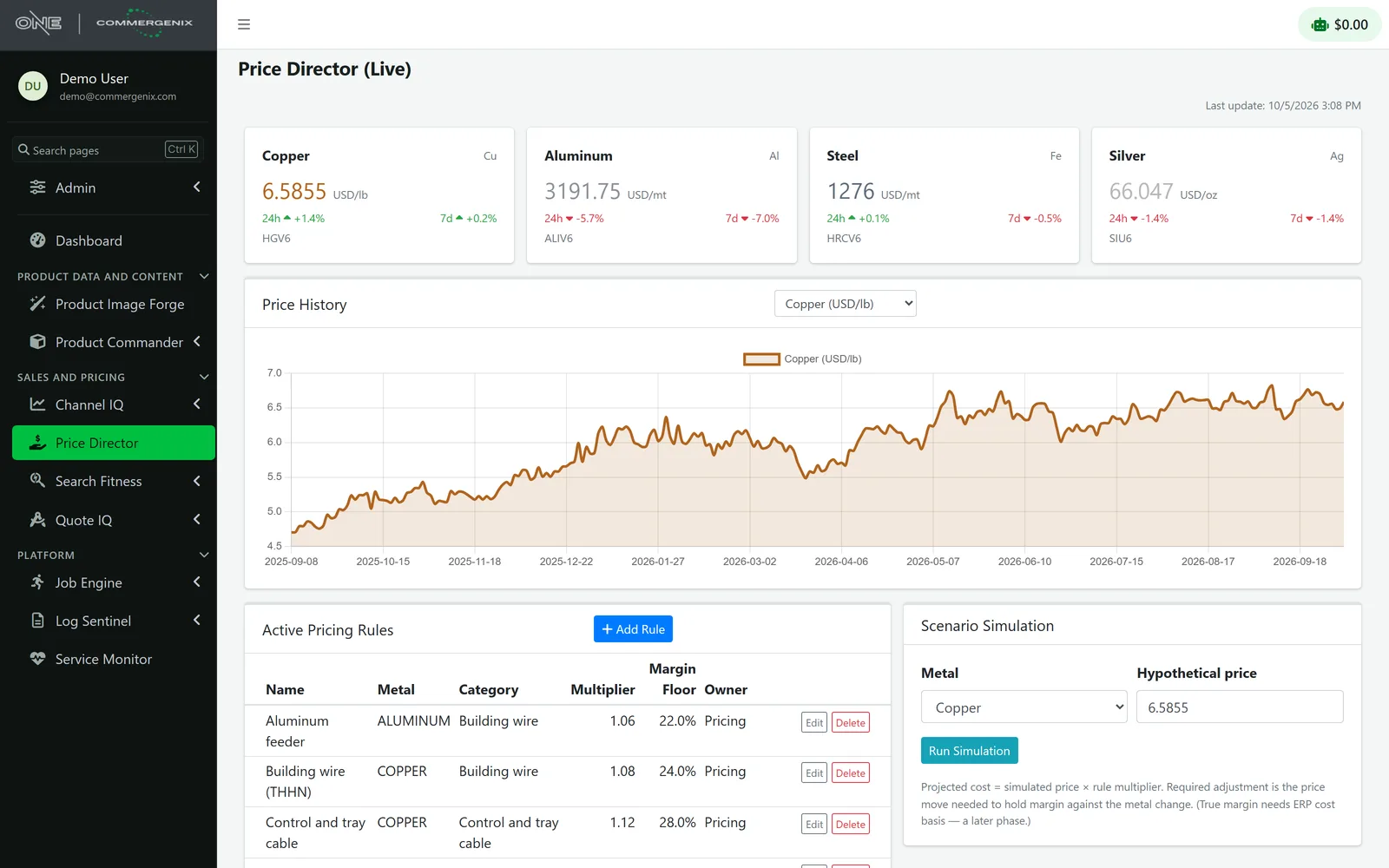
Live metal prices, including copper and aluminum, with 90-day trends and pricing rules that respond to metal costs.
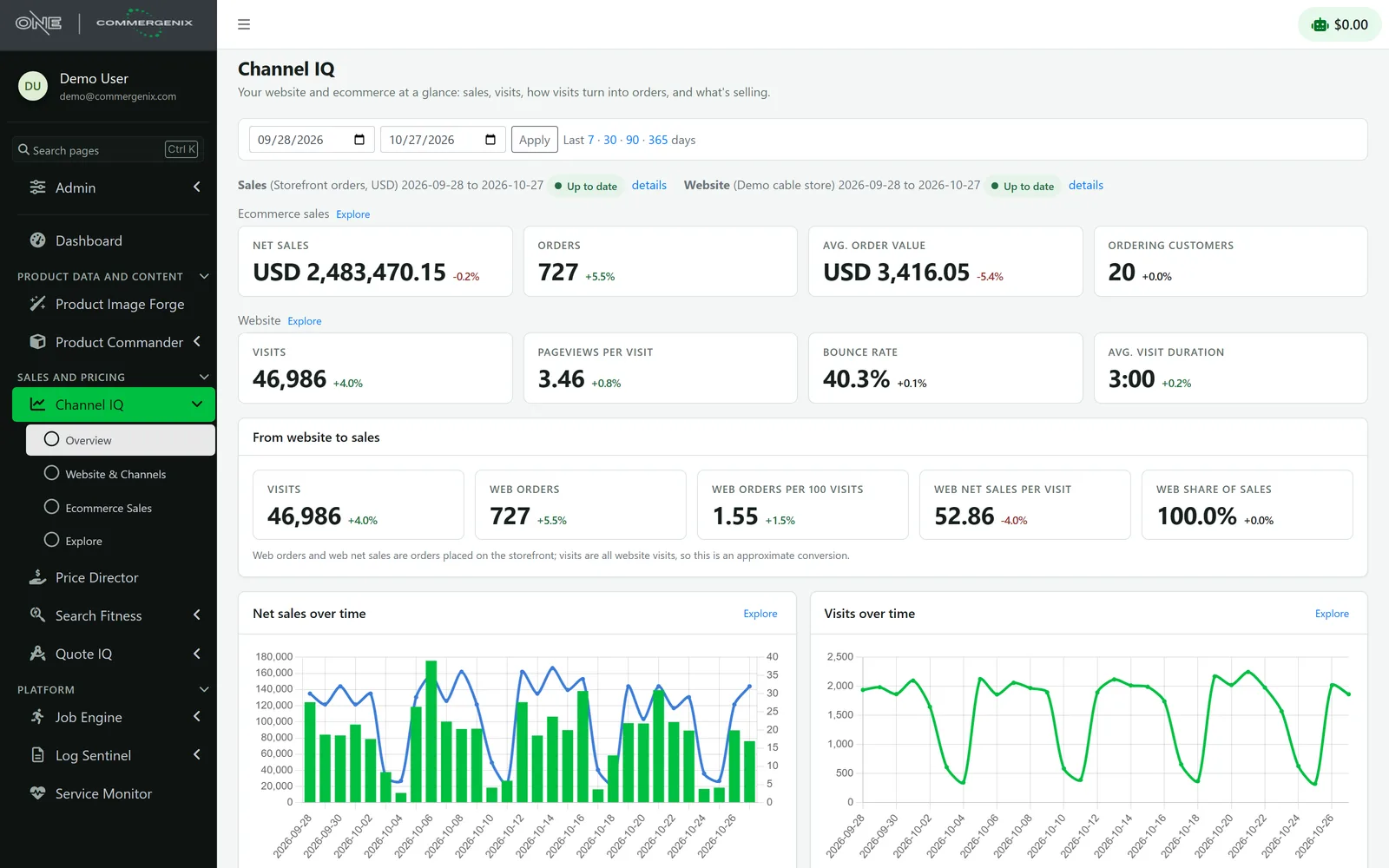
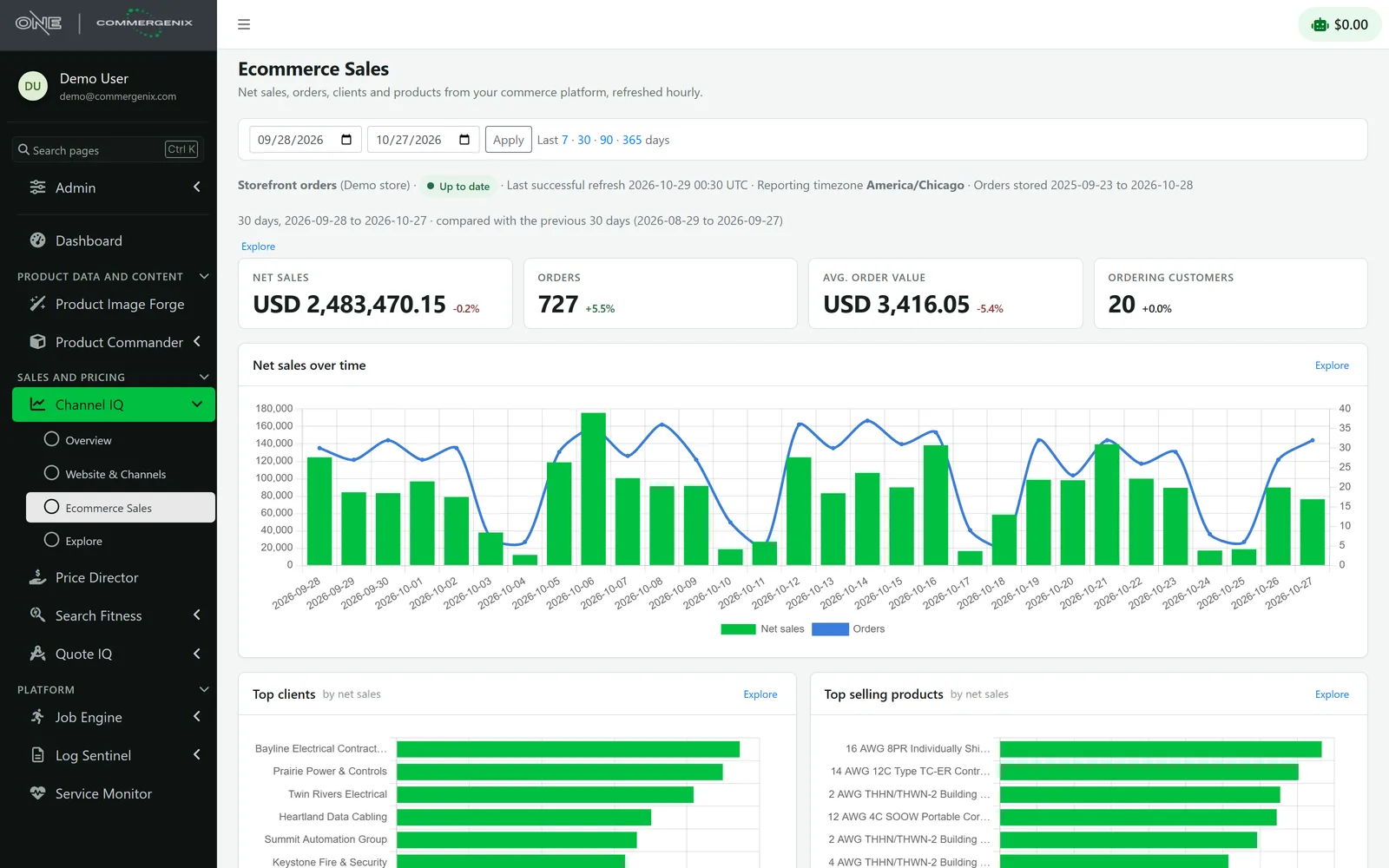
Learn more →Channel IQ
Analytics across sales channels and web traffic, with configurable dashboards, scheduled reports, and plain-English questions.
Learn more →OrderFlow
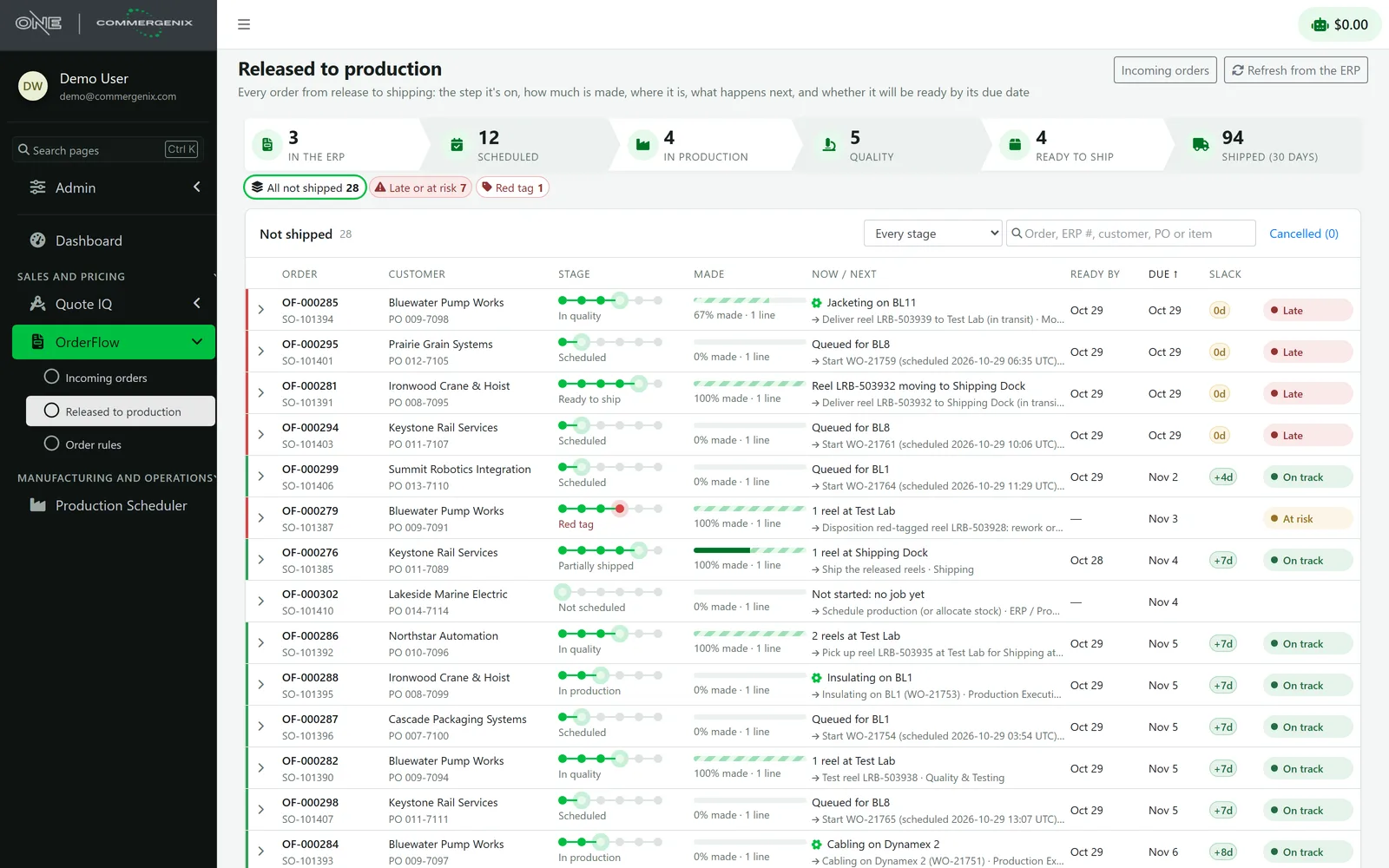
Incoming orders in one stream, checked against business rules your own admins edit, with each order’s conversation and files kept together until release. After release, it tracks each order through production to shipping.
Learn more →Search Fitness
Regular test reports on how well your storefront search performs.
Learn more →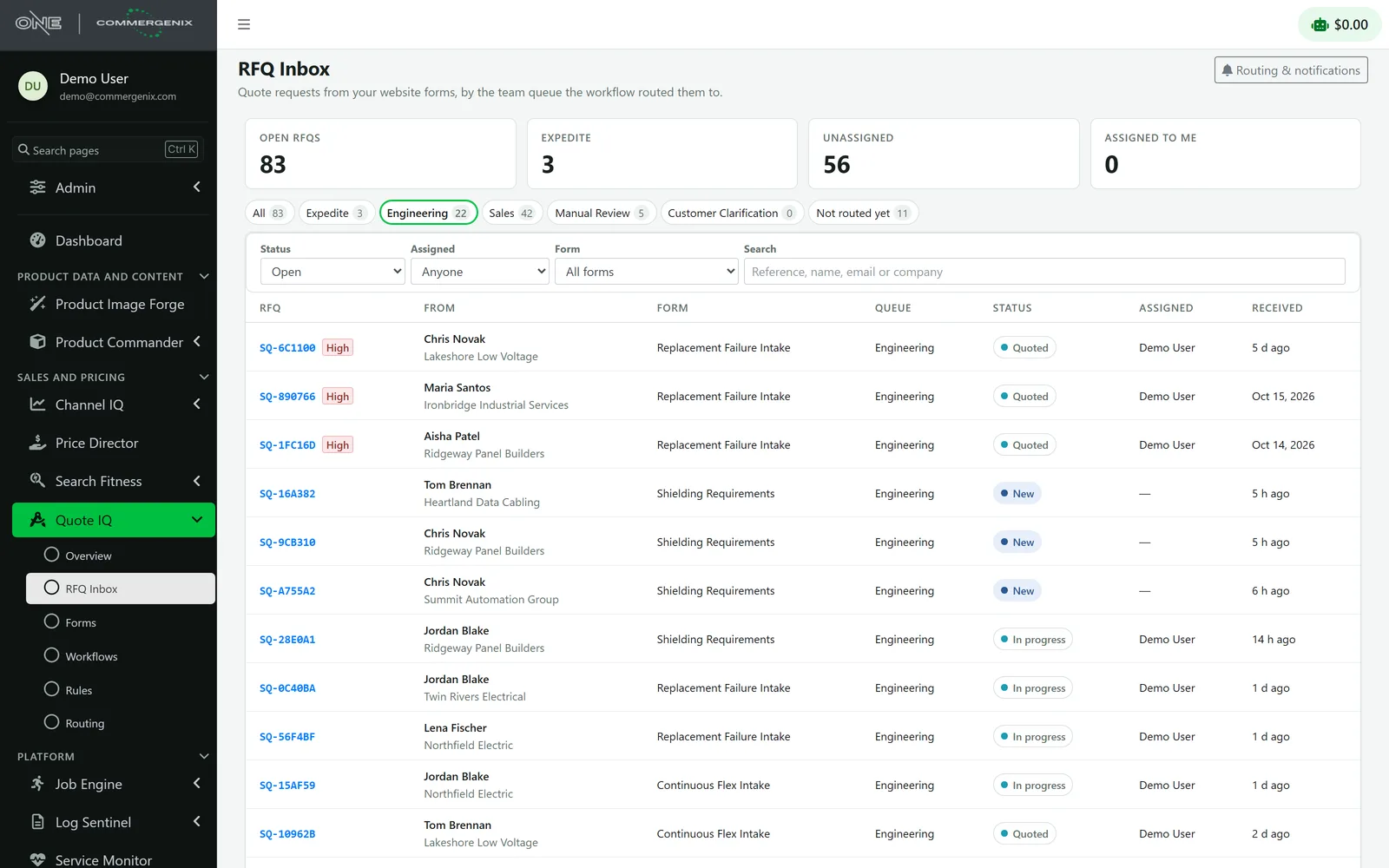
Manufacturing and operations
From the schedule to the machine to the warehouse, with every material lot traceable.
Production Scheduler
Plans wire and cable production with predicted run times and machine-aware sequencing.
Learn more →Production Execution
A terminal at each machine: lot scans, mismatch alerts, and full genealogy from raw material to finished goods.
Learn more →Material Center
Inventory and material status, including red-tag holds, fed by events from the plant floor.
Learn more →Movement & Picking
Picking and dispatch with scan verification, so the right material moves to the right place.
Learn more →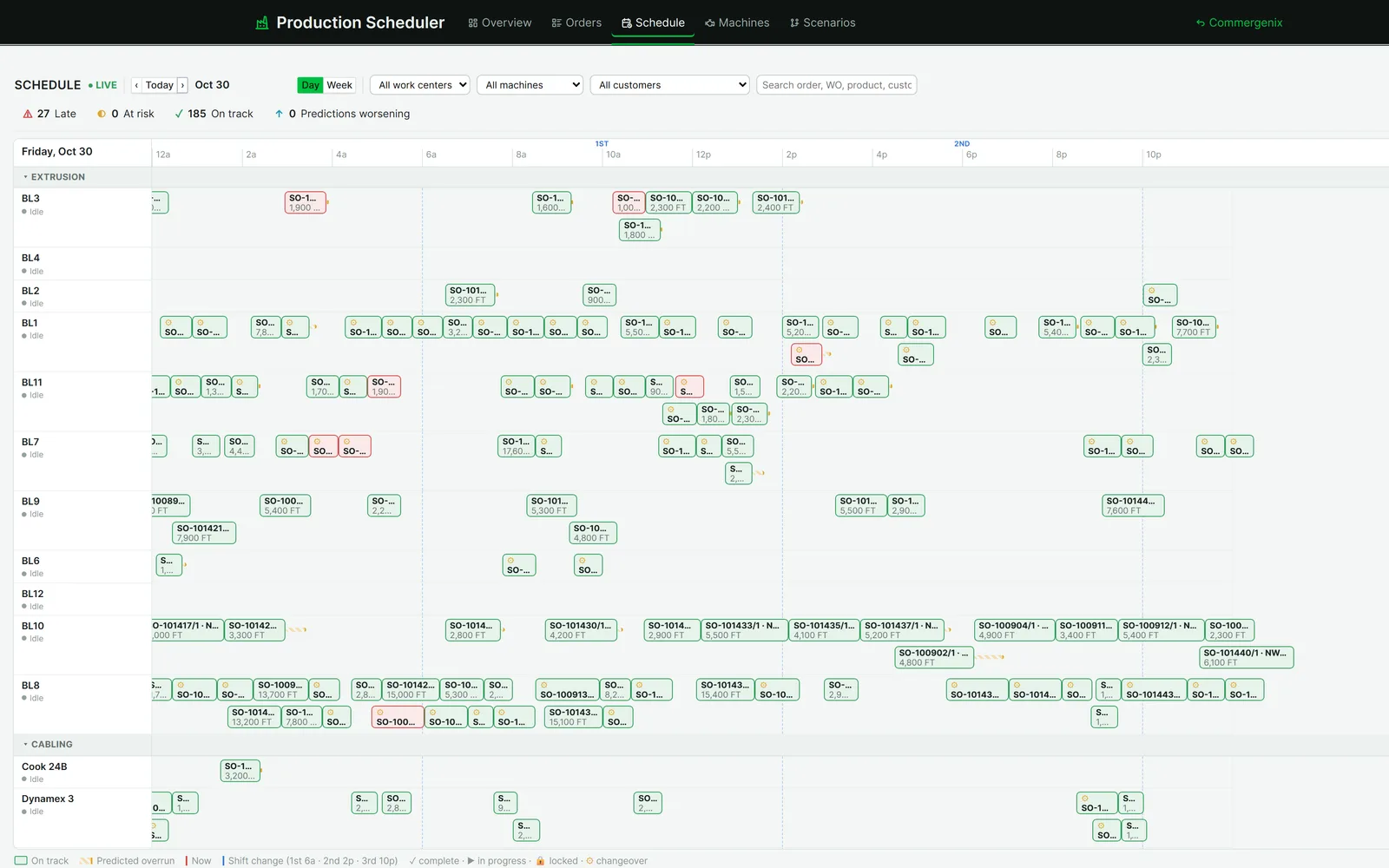
Every module runs on the same foundation.
One sign-in, one design, and one set of integrations. These services come with every module, so the second module you switch on starts further ahead than the first.
Job Engine
Schedules and monitors background work such as syncs, imports, and data refreshes, with run history and alerts.
Learn more →Service Monitor
Uptime and heartbeat checks for websites, APIs, and scheduled processes, including incidents, maintenance windows, and certificate expiry.
Learn more →Log Sentinel
Collects and reviews application logs from connected systems such as your online store.
Learn more →Notifications
In-app alerts with per-channel settings, silencing, and acknowledgement.
Data Fabric
Shares live business data, such as machine status, order forecasts and sales, between Commergenix modules, with current state, history and subscriptions.
Learn more →Usage and AI metering
Usage tracked per company, including AI, so AI use is measured rather than guessed.
AI does the legwork. Your people make the call.
AI runs throughout Commergenix, but always in a specific job with a clear point where a person decides. Here is what it does and who stays in control.
Deep in the industry where pricing, specs, and lots matter most.
Commergenix brings deep wire-and-cable expertise to every module family, from quoting and pricing to the plant floor.
- Price Director keeps prices in step with copper and aluminum markets.
- Quote IQ turns complex cable specs into complete quote requests.
- Product Image Forge delivers catalog images built from each cable’s actual construction, rendered by Layer One’s CableViz Studio.
- Production Execution traces every lot from raw material to finished goods.
- Connects to Rubicon alongside the other ERPs common in the industry.
Connects to the systems you run today.
Your admins connect each system themselves, with encrypted credentials and no custom code. Anything not listed can connect through the generic REST API connector.
ERP
 Epicor P21
 NetSuite
 Microsoft Dynamics 365 Business Central
 Infor CloudSuite Distribution
 Infor Eclipse
 Plex Smart Manufacturing
 Rubicon ERP
 e2open
Commerce and PIM
 Shopify
 Optimizely Configured Commerce
 nopCommerce
 Akeneo PIM
 inRiver PIM
 Sitecore
CRM and marketing
 Salesforce
 HubSpot
 Mautic
Analytics
 Google Analytics
 Google Search Console
 Matomo
Documents and content
 Microsoft 365
 Google Docs
 M-Files
 Epicor ECM (DocStar)
Data and operations
 AD (Digital Assets)
 Massive market data
 ShipStation
 Billtrust
 Dill
 MachineMetrics
 TelemetryTV
 Any REST API
Start with the work, not the software.
Commergenix is deployed by Layer One alongside targeted engineering, training, and ongoing support. Every engagement starts by understanding where work gets stuck.