Production Scheduler
Know when an order will really finish.
Production Scheduler keeps your schedule, and next to every order it shows when the work will most likely finish. That prediction comes from how your machines have actually run. Your planners see which orders are slipping while there’s still time to act, and they see why.
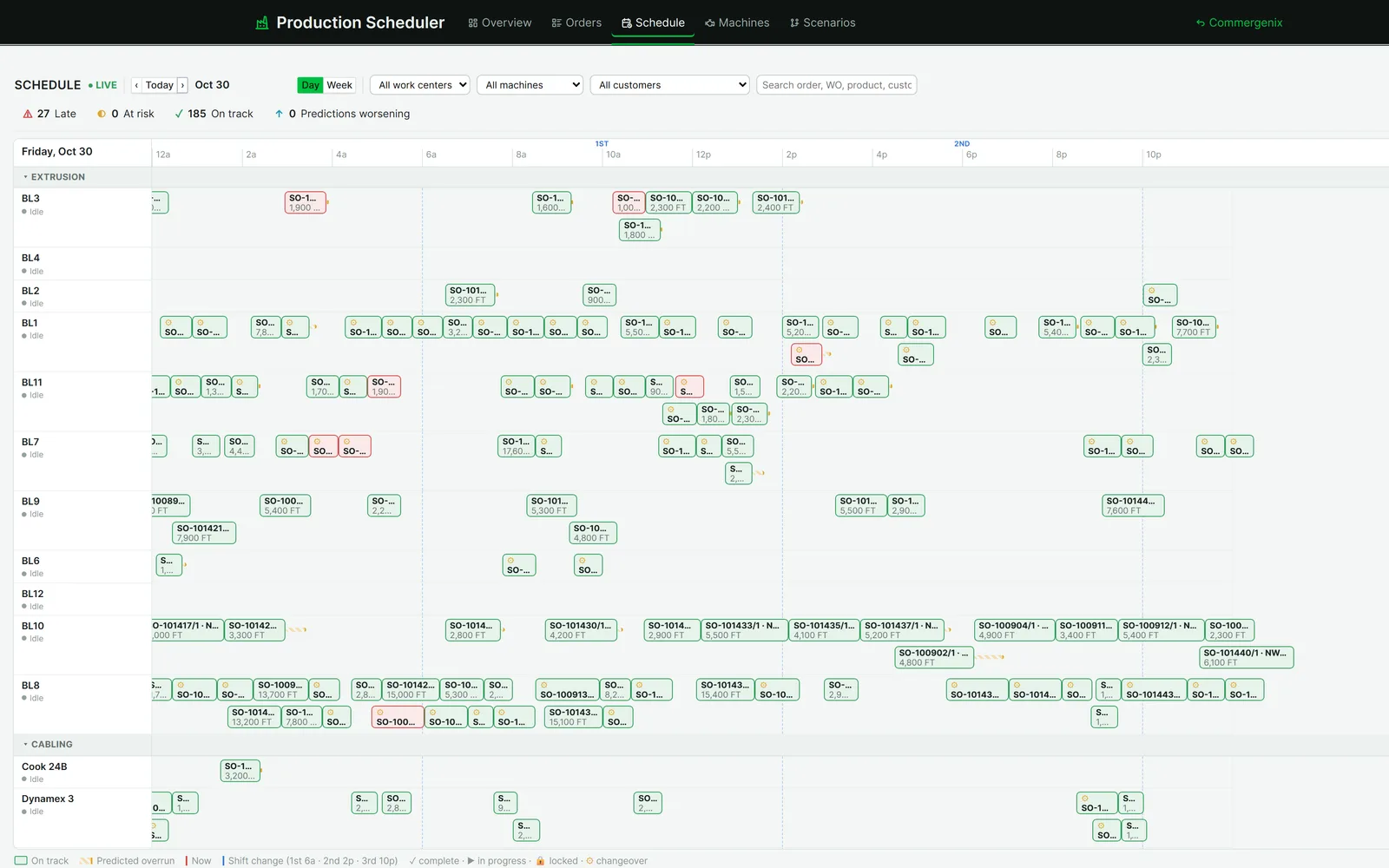
The schedule says one thing. Your machines’ history says another.
Every order gets a predicted finish from real run rates, with a likely range, a confidence and the operation that drives it.
- Order
- SO-101410/1 · 1,900 ft
- Route
- Insulation → Cabling → Shielding → Jacketing
- Finishes
- Thu Oct 29, 3:23 PM
- Braider rate
- 900 /hr (ERP standard)
- Finishes
- Fri Oct 30, 1:03 AM
- Likely range
- 12:56 AM – 1:11 AM
- Braider rate
- 815 /hr, median of 197 real runs
- Confidence
- High · 86%
Shielding is the bottleneck. The customer needs it Nov 3, so the order is still on track, but planners now know it will finish about ten hours after the schedule says.
The schedule is a promise. The floor doesn’t always keep it.
-
Standard rates aren’t real rates
The ERP plans every braider at the same rate, but each machine runs at its own speed and sets up in its own time. The schedule is off before the first reel starts.
-
Late shows up too late
You learn an order slipped when the jacketing line is waiting on it or the customer calls. By then there are no good options left.
-
Every move is a guess
Moving a job to another machine might save the order or sink two others. A whiteboard can’t tell you which.
People schedule, Commergenix predicts, production provides reality.
-
Orders from your ERP
Orders, work orders, operations and machines come in from the ERP and plant on a regular sync, with no rekeying.
-
Rates from real runs
Every completed operation adds to each machine’s history: median run rate, a P10–P90 range and median setup time.
-
A finish for every order
Each order gets a predicted completion, a likely range and an honest confidence. Thin history gets low confidence, with the reason given.
-
Move work, see the impact
Drag an operation to another machine and see the new prediction before you keep the change. Or try it first in a scenario.
-
Check the predictions
As work completes, predictions are scored against what actually happened, so you know how far to trust them.
The whole plant on one board.
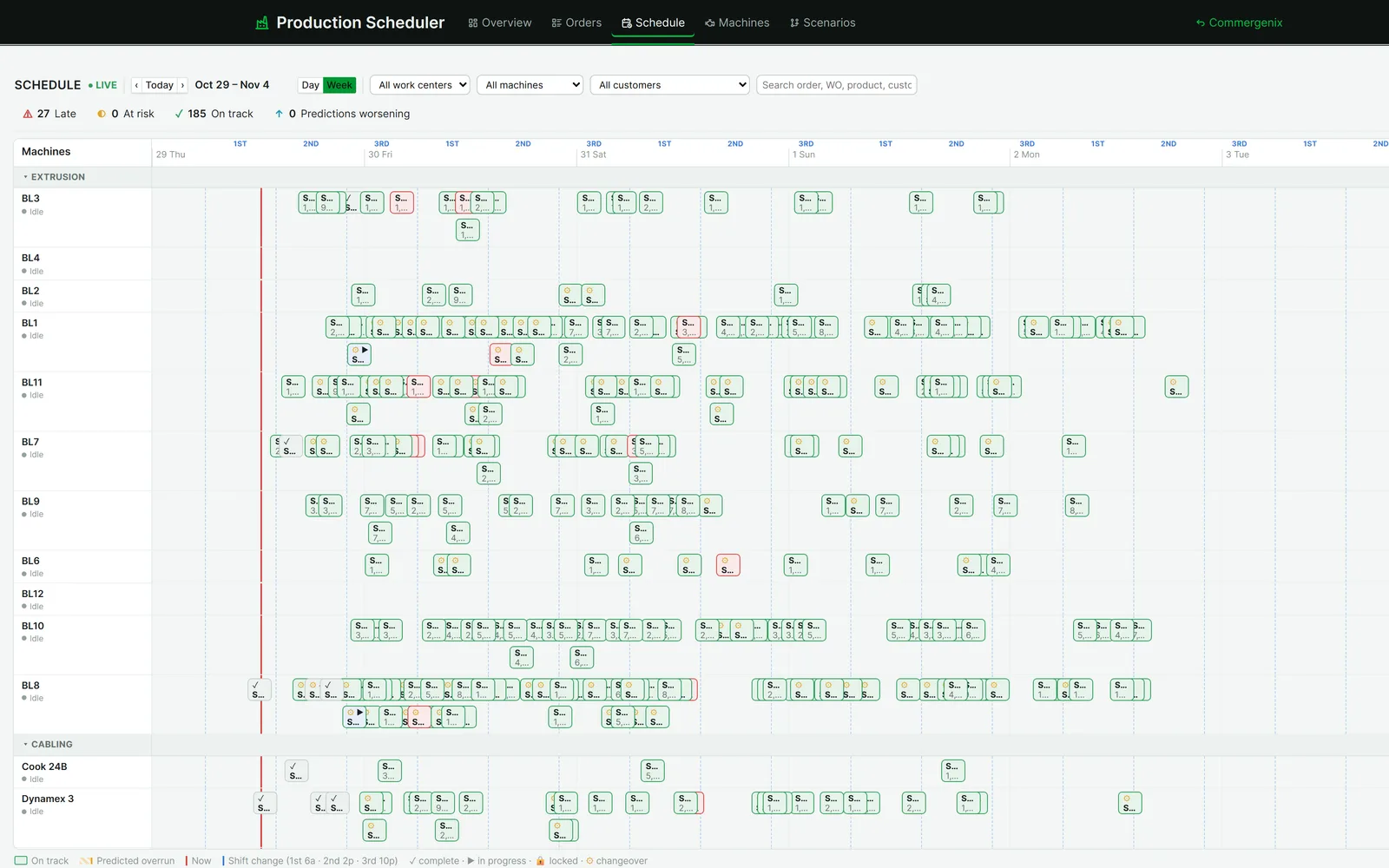
Machines grouped by work center, shifts marked, and every operation drawn where it’s scheduled. A hatched tail shows where the prediction runs past the plan. Filter by work center, machine or customer, or search for an order or work order.
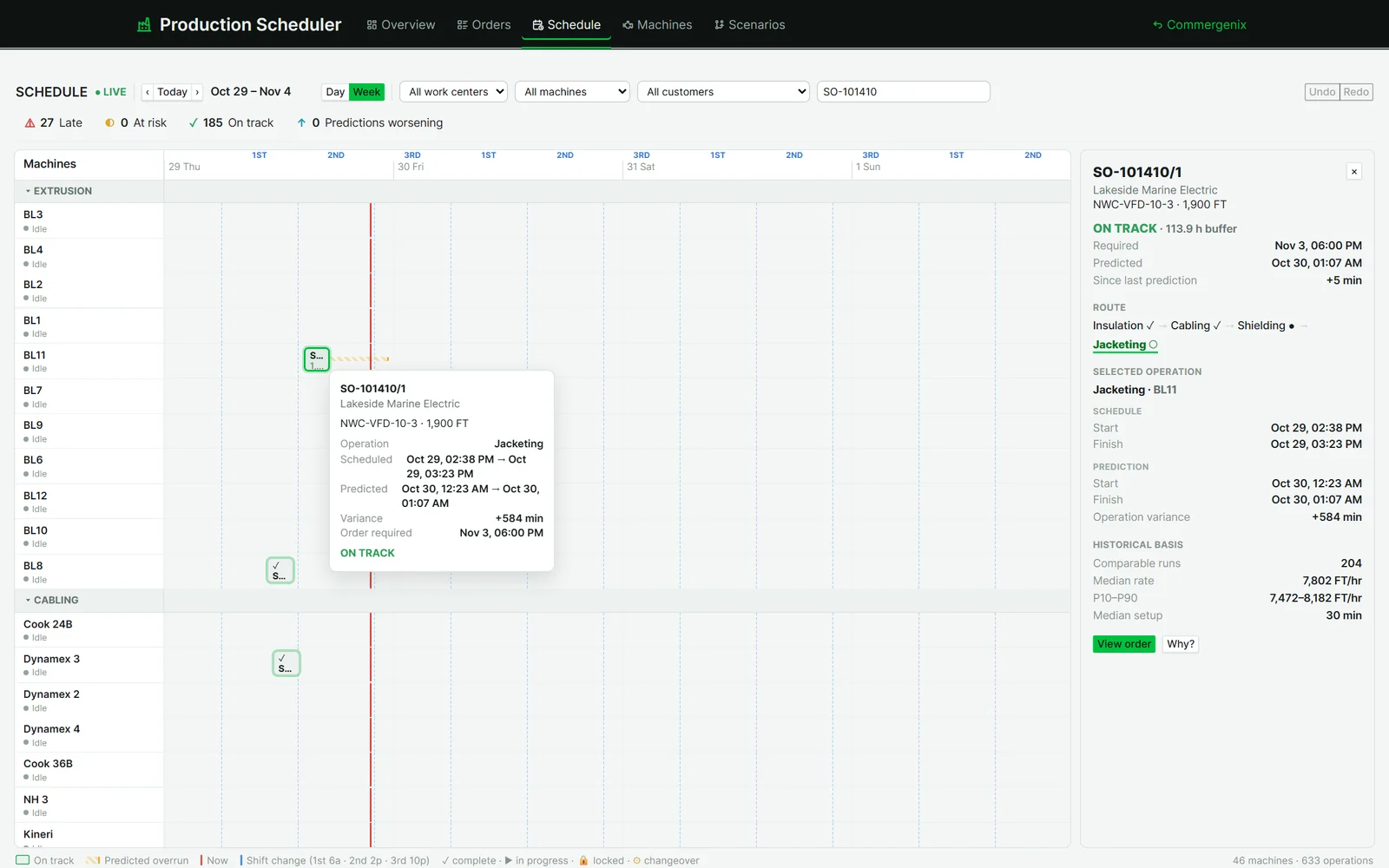
- Click any block for the order, its route, scheduled against predicted times, and the run history behind them.
- Drag to reassign: the move is checked first and shows the new predicted finish and risk. Keep it or leave it, with undo and redo.
- Day or week, with complete, in-progress, locked and changeover marked on each block.
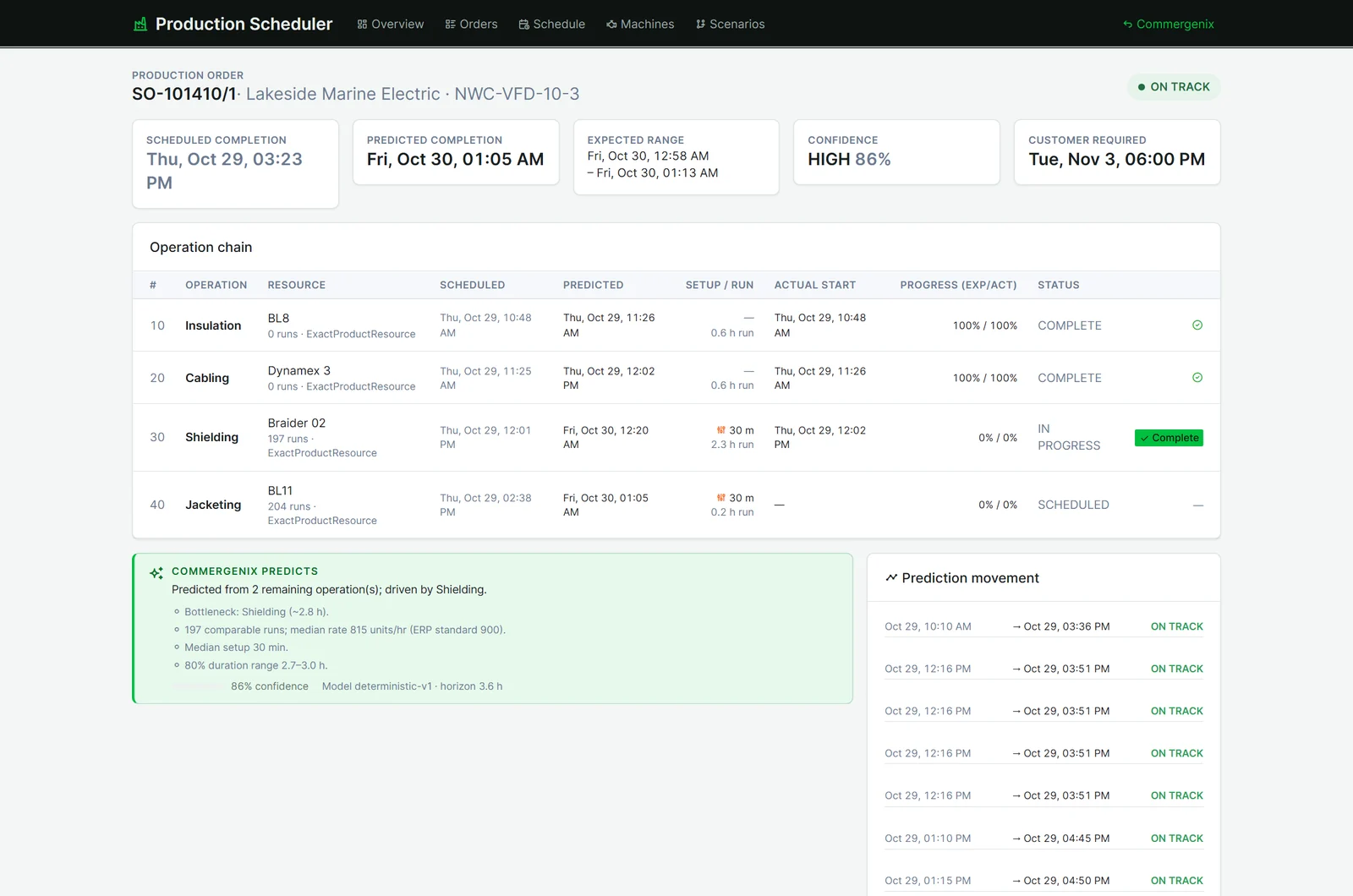
Every prediction explains itself.
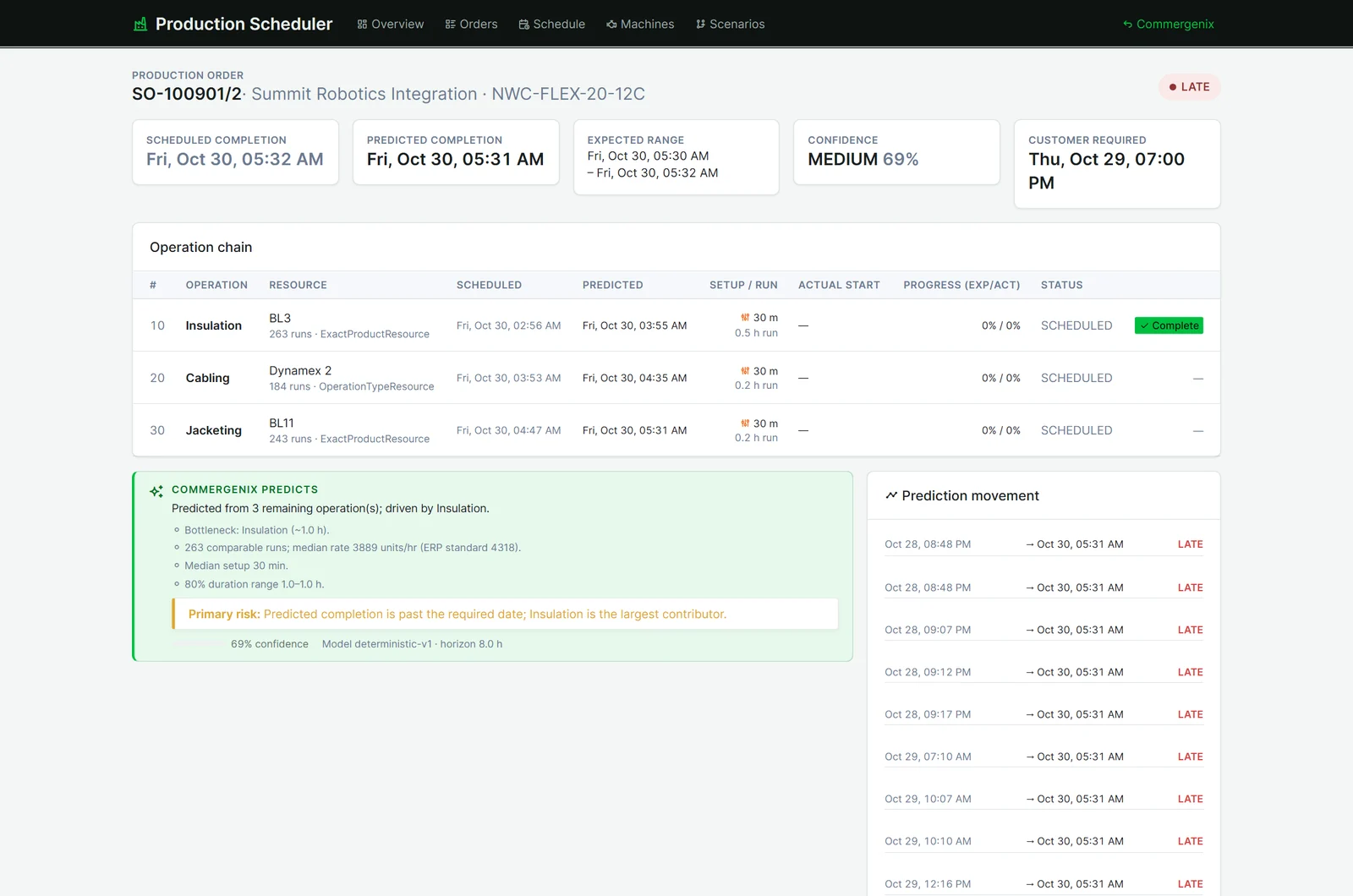
Each order shows its scheduled completion beside the predicted one, the likely range and the confidence. Under it is the full operation chain, with scheduled, predicted and actual start for each step, and how far along it is.
- Commergenix Predicts names the bottleneck operation, the runs it compared, the median rate against the ERP standard, and the median setup.
- Prediction movement keeps every prediction, so you can see when an order started to slip.
Late orders flagged while you can still fix them.
Every order is On track, At risk or Late, judged against the customer’s required date. When an order is predicted to miss, the page says so in plain words and names the operation that contributes most.
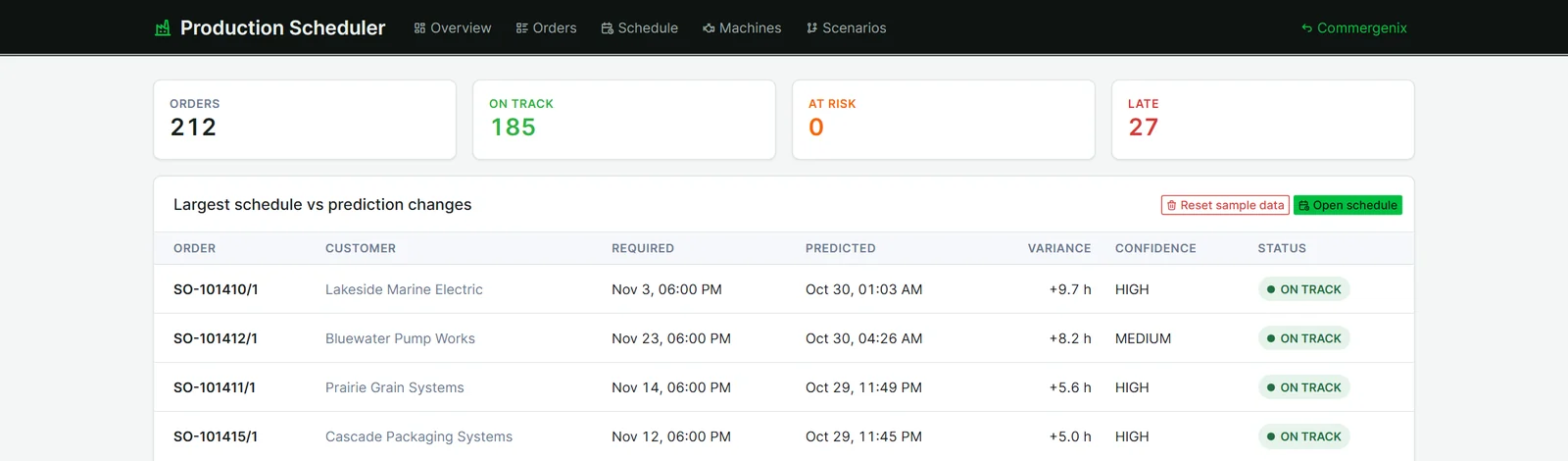
- Counts on every page: late, at risk, on track, and how many predictions got worse.
- The largest changes first: the overview lists the orders whose prediction moved furthest from the schedule.
What each machine really does.
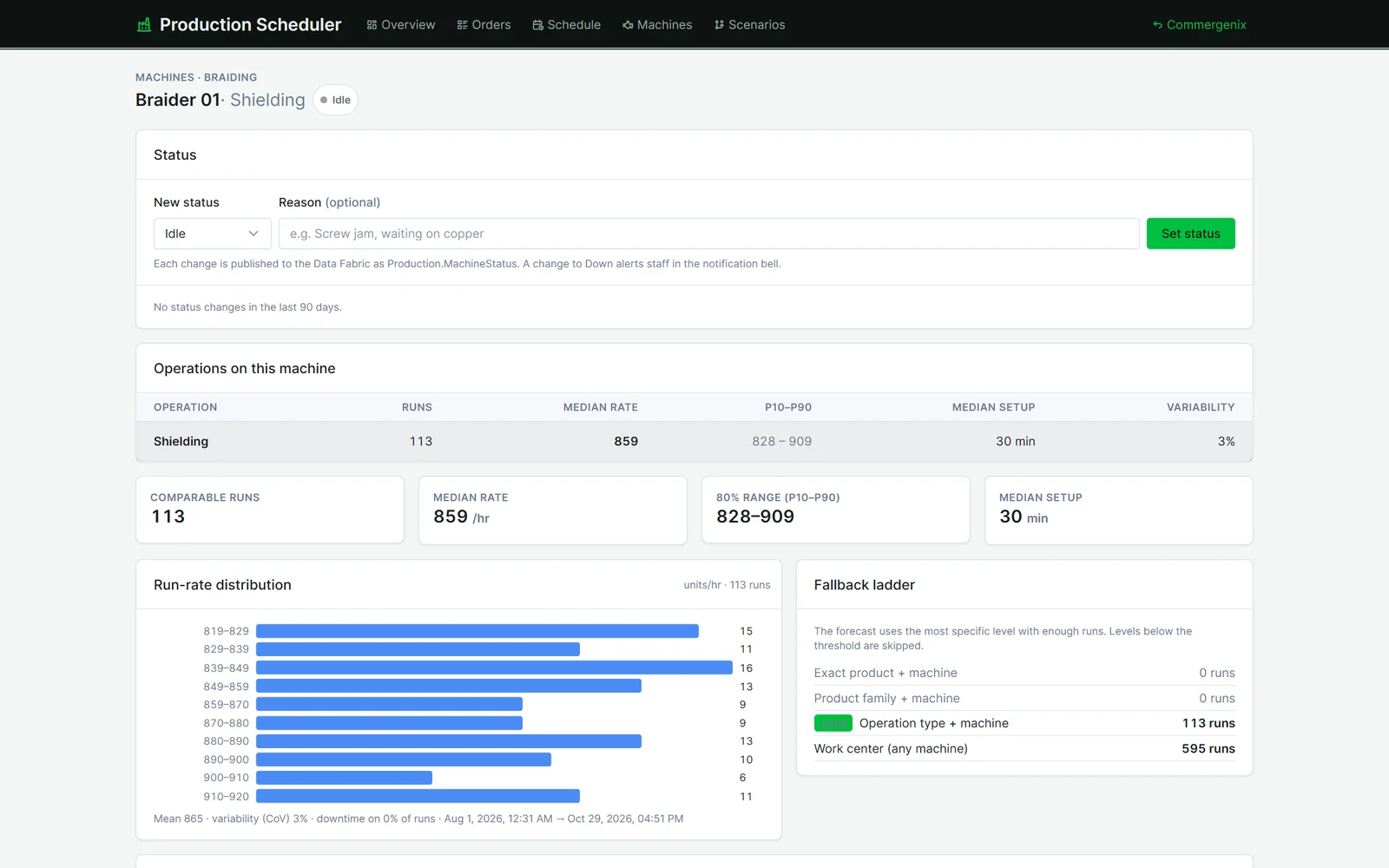
Every machine has its observed numbers: comparable runs, median rate, the 80% range, median setup and variability. A run-rate chart shows the spread.
- The fallback ladder: the forecast uses the most specific history that has enough runs, from the exact product on this machine down to the work center, and shows which level it used.
- Status in one place: mark a machine Down or in Maintenance with a reason. A change to Down alerts staff.
Try a change before the floor feels it.
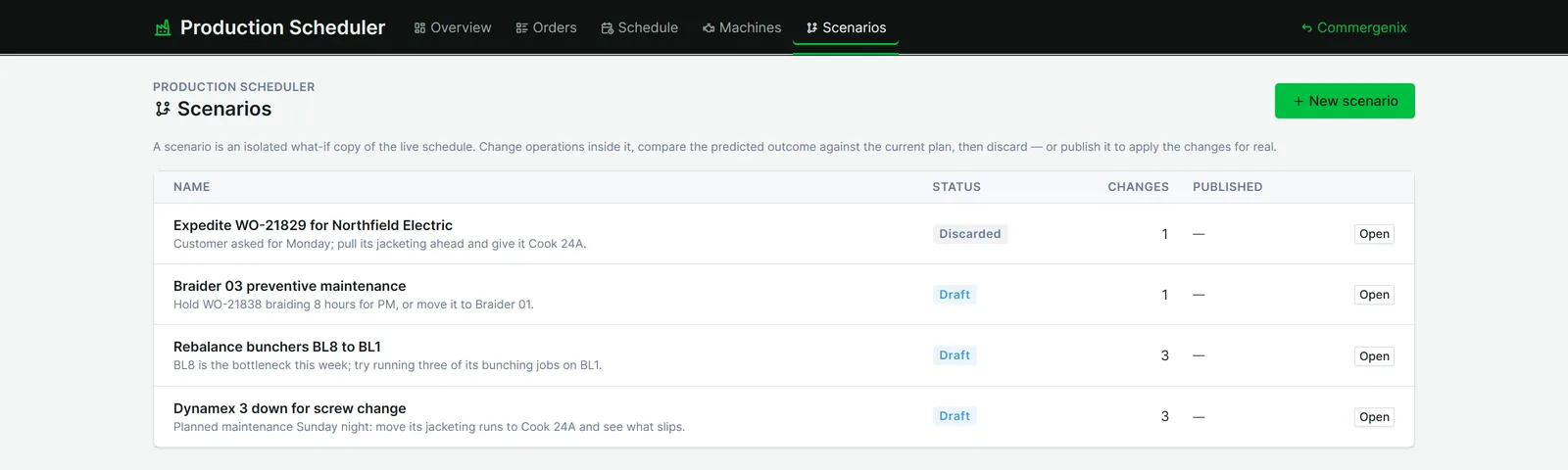
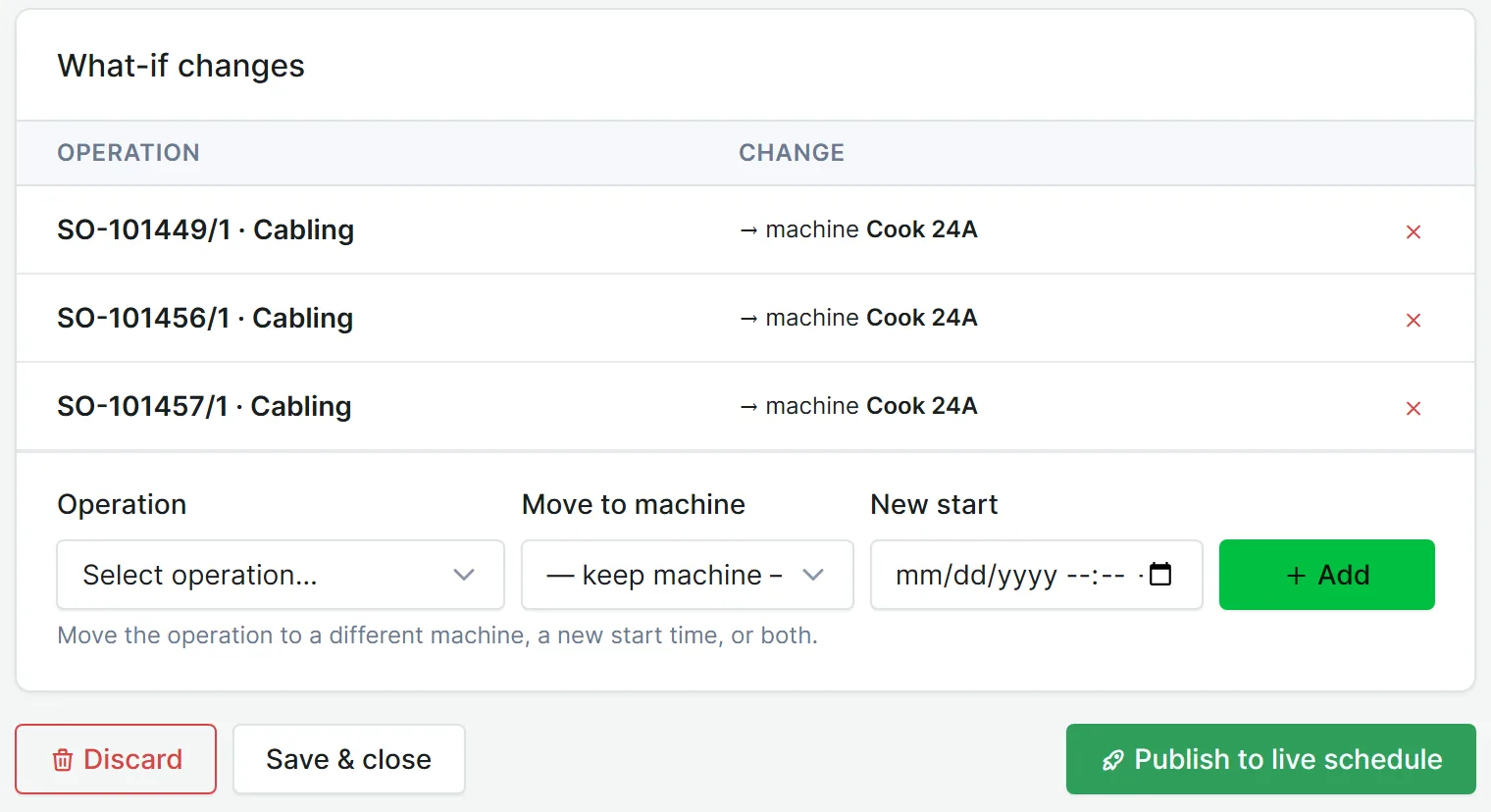
A scenario is a private copy of the live schedule. Move operations to another machine or a new start inside it, and compare the predicted late orders, changeover hours and overtime with the current plan. Then discard it, or publish it to the live schedule. Only a person can publish.
- Name the reason: planned maintenance, a bottleneck to rebalance, a customer asking for an earlier date.
- Kept apart from the live plan until someone publishes, so drafts can sit while you check with the floor.
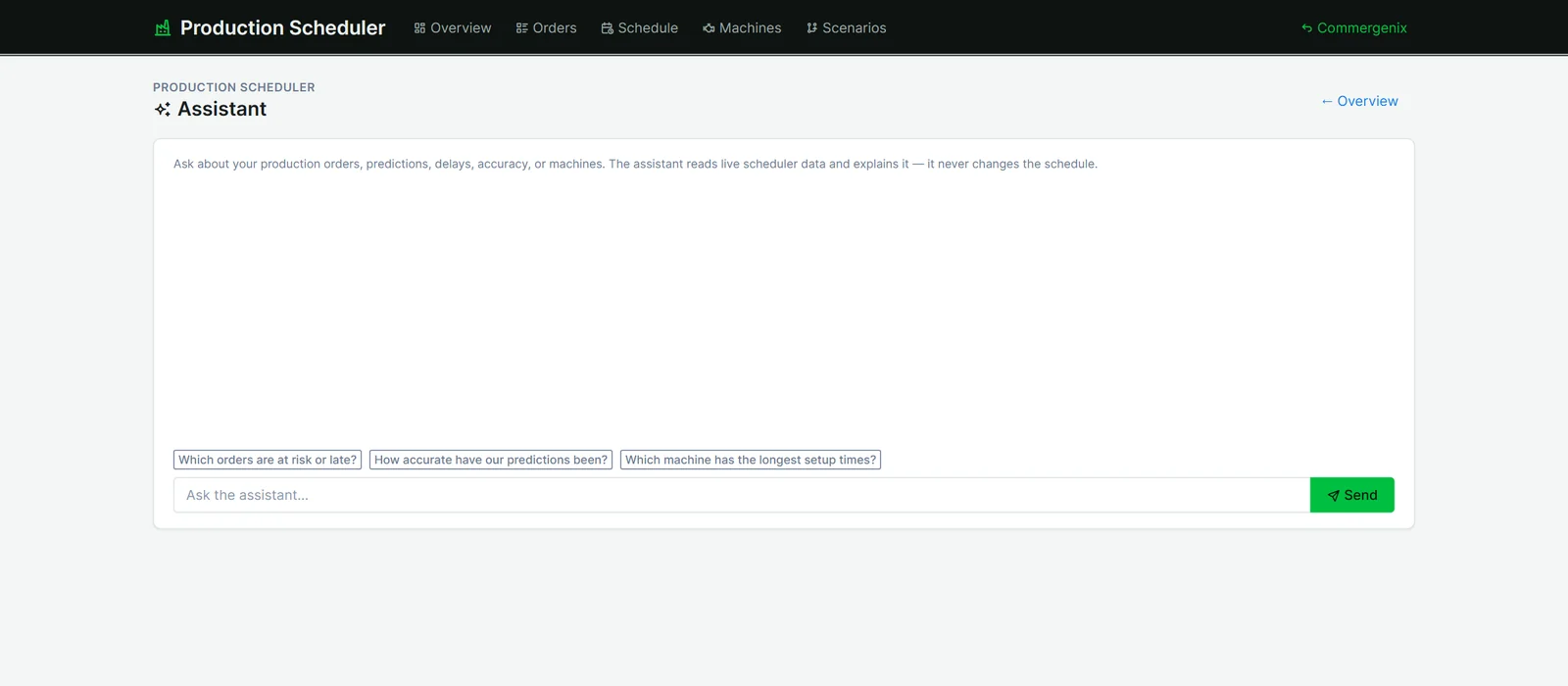
Ask the schedule a question.
The assistant answers questions about your orders, predictions, delays, accuracy and machines in plain language. It reads the scheduler’s data and explains it. It never changes the schedule.
Built on the systems you already run.
Production Scheduler reads orders and plant work from your ERP (Rubicon today) through a connector that keeps the scheduler itself ERP-neutral. With Material Center, each order also shows whether the material for every operation is there and staged at the machine. Changes made in the scheduler are recorded and queued for the plant. Until your plant system can take schedule changes, the board marks them “Changed in Commergenix only”, so nobody assumes the floor knows.
Predictions you can check, decisions people make.
No black box
Predictions come from your run history through a deterministic model, and every one shows its runs, rates and range.
Honest confidence
Few runs, high variability or a long horizon lower the confidence, and the page says why.
Scheduled, predicted, actual
The three are kept separate everywhere, so the plan is never quietly rewritten to match the forecast.
People move the work
Every move is previewed before it’s kept, scenarios need a person to publish, and the AI assistant can only read.
A full history
Each prediction is kept rather than overwritten, and accuracy is measured against actual completions.
Your plant stays yours
Each company’s orders, machines and history are kept separate and shown only to that company’s users.
For plants that run many orders across shared machines.
Wire and cable manufacturers
Extrusion, cabling, braiding, jacketing and rewinding, with work centers and runs modeled the way your plant actually works.
Planners and schedulers
See which orders are slipping, why, and what a move would do, before you make it.
Plant and customer-service leaders
Give customers dates based on how the floor actually runs, not on standard rates.
Common questions
Does it replace our planners?
No. Planners build and change the schedule. Production Scheduler predicts the outcome, flags risk and explains it. Scenarios and moves are always a person’s decision.
Where do the predictions come from?
From your own completed operations. For each step it uses the most specific history with enough runs: the exact product on that machine, then the product family, the operation type, the work center, and finally the ERP standard rate.
What if we don’t have much history yet?
Predictions still appear, falling back to broader history or the ERP standard, with low confidence and the reason shown. Confidence rises as runs accumulate.
Which ERPs does it work with?
Rubicon today. The scheduler talks to the ERP through a connector, so supporting another ERP means a new connector, not a new scheduler.
Does a move on the board change the plant?
The move is recorded and queued for the plant system. Until a plant interface takes schedule changes, the board says the change exists in Commergenix only, and the order lists what the plant hasn’t been told.
Works alongside
Every Commergenix module shares one sign-in, one job engine, and one set of integrations, so each one you add makes the others more useful.
Production Execution
A terminal at each machine, lot scans checked against the plant’s records, and the genealogy of every reel.
Learn more →Material Center
Every reel, spool, lot and remnant tracked as a physical unit: where it is, how much is left, its quality status and the job it’s for.
Learn more →OrderFlow
Won quotes become checked, approved ERP orders, and every open order is followed through the plant until it ships.
Learn more →See your next week of orders, predicted.
Connect your ERP’s orders and plant history, and see which open orders will really make their dates, and why.