OrderFlow
Every open order, and exactly where it stands.
OrderFlow turns a won quote into a checked, approved order in your ERP, brings in the orders entered straight into the ERP, and follows all of them through the plant until they ship: the stage, where the reels are, what happens next, who owns it, and whether it will be ready by its due date.
The customer calls. The answer is already on the screen.
Stage, reels, next step and owner come from the ERP, the plant feed and Material Center, so nobody has to walk out to look.
“Where’s our order SO-101405? We need the 7,800 ft of tray cable for a job on the seventh.”
- Stage
- Red tag
- Where it is
- 1 reel at the Shipping Dock; 1 in the Test Lab
- Next
- Rework or scrap LRB-503964 · Quality & Testing
- Ready to ship
- Depends on the disposition
One reel passed test; the other failed for jacket print (RT-4280). The order desk knows before the customer calls back, and knows who has the next move.
The ERP knows the order. It doesn’t know the plant.
-
“Where’s my order?” takes an hour
Customer service calls the plant, the plant checks the schedule, someone walks out to look at the reels.
-
Won quotes get keyed twice
The quote is in one system, the sales order in another, and a missing PO or phone number is found after the order is booked.
-
Bad news arrives at the dock
A reel failed test on Tuesday. Shipping finds out Thursday, when the truck is waiting.
From accepted quote to shipped reel.
-
From the won quote
Turn an accepted Quote IQ quote into an order, in whole or in part, without retyping it.
-
Your rules, every change
OrderFlow’s checks and your own order rules run every time the order changes, and say how to fix what they find.
-
A person signs off
An approver approves the current version. Editing it afterwards withdraws the approval.
-
Into your ERP
The ERP validates the customer and items, takes the order, and its order and line numbers come back.
-
Through the plant
The plant feed, the scheduler’s forecasts and Material Center keep the stage, place and ship date current.
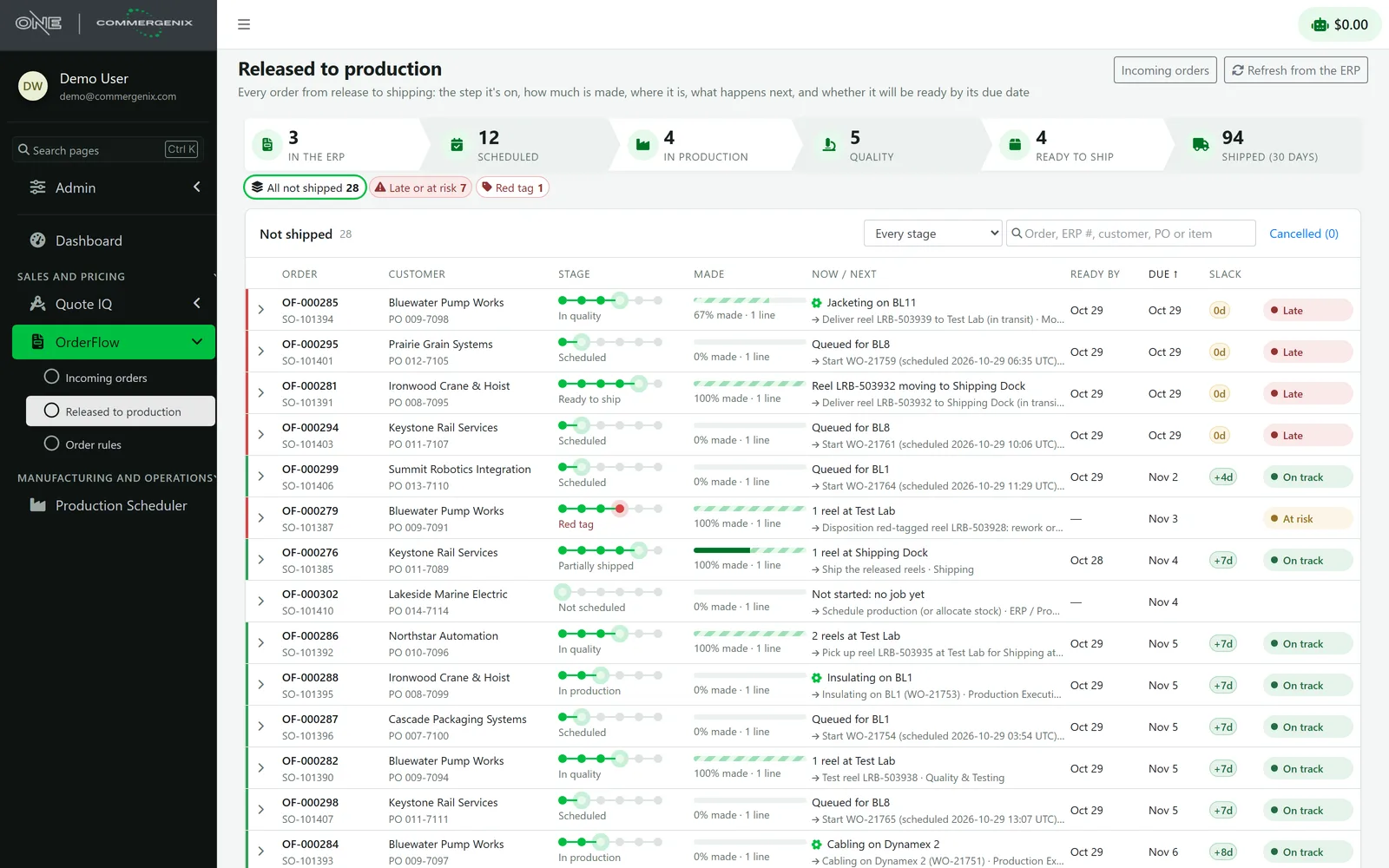
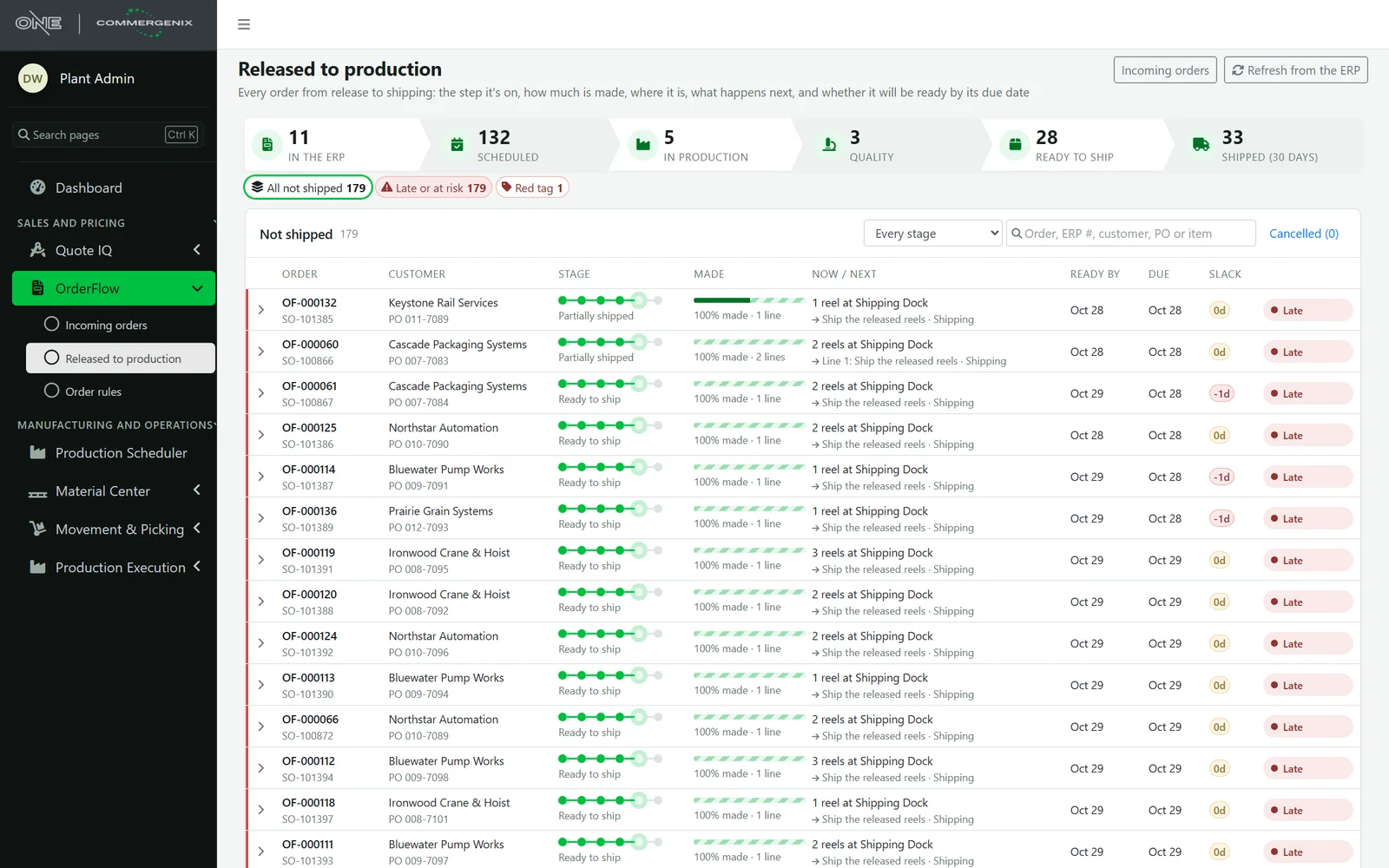
Every order the ERP has, by stage, until it ships.
Orders are counted by stage, from in the ERP through scheduled, in production and quality to ready to ship and shipped. Each row shows a stage tracker, how much is made, where the reels are and what’s next, with ready-by and due dates, slack and risk.
- Late and at-risk first, with a view of their own.
- Refreshed every five minutes, and an order is refreshed when it’s opened.
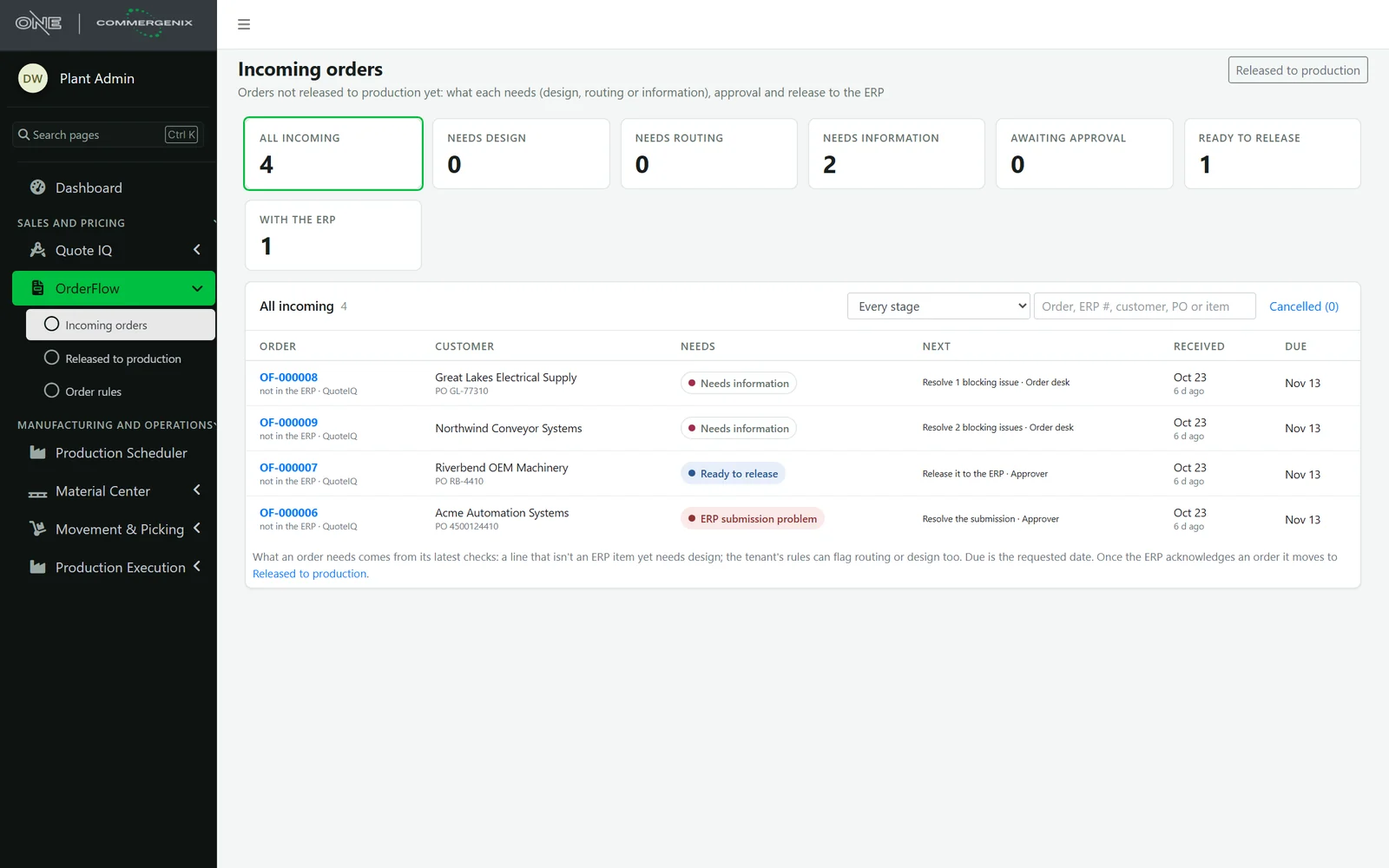
What each new order needs before it can go.
Orders that aren’t in the ERP yet are sorted by what they need: design, routing, information, approval or release, or attention with the ERP. Each one names its next step and who owns it, latest and riskiest first.
- A conversation on every order: notes and questions that stay open until they’re answered.
- Files kept with it: compliance documents, test procedures, drawings and the customer’s paperwork.
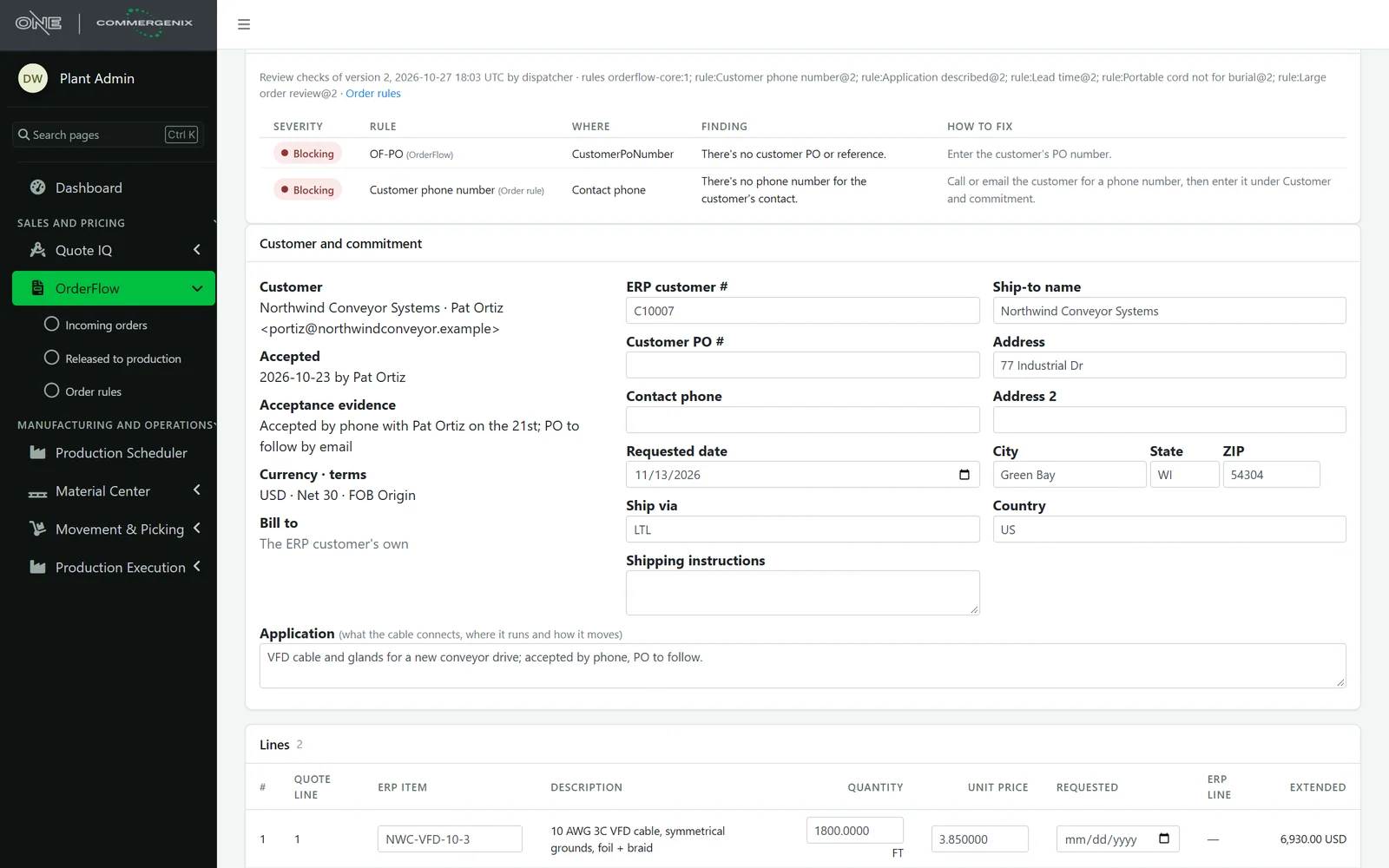
Your order desk’s checklist, enforced.
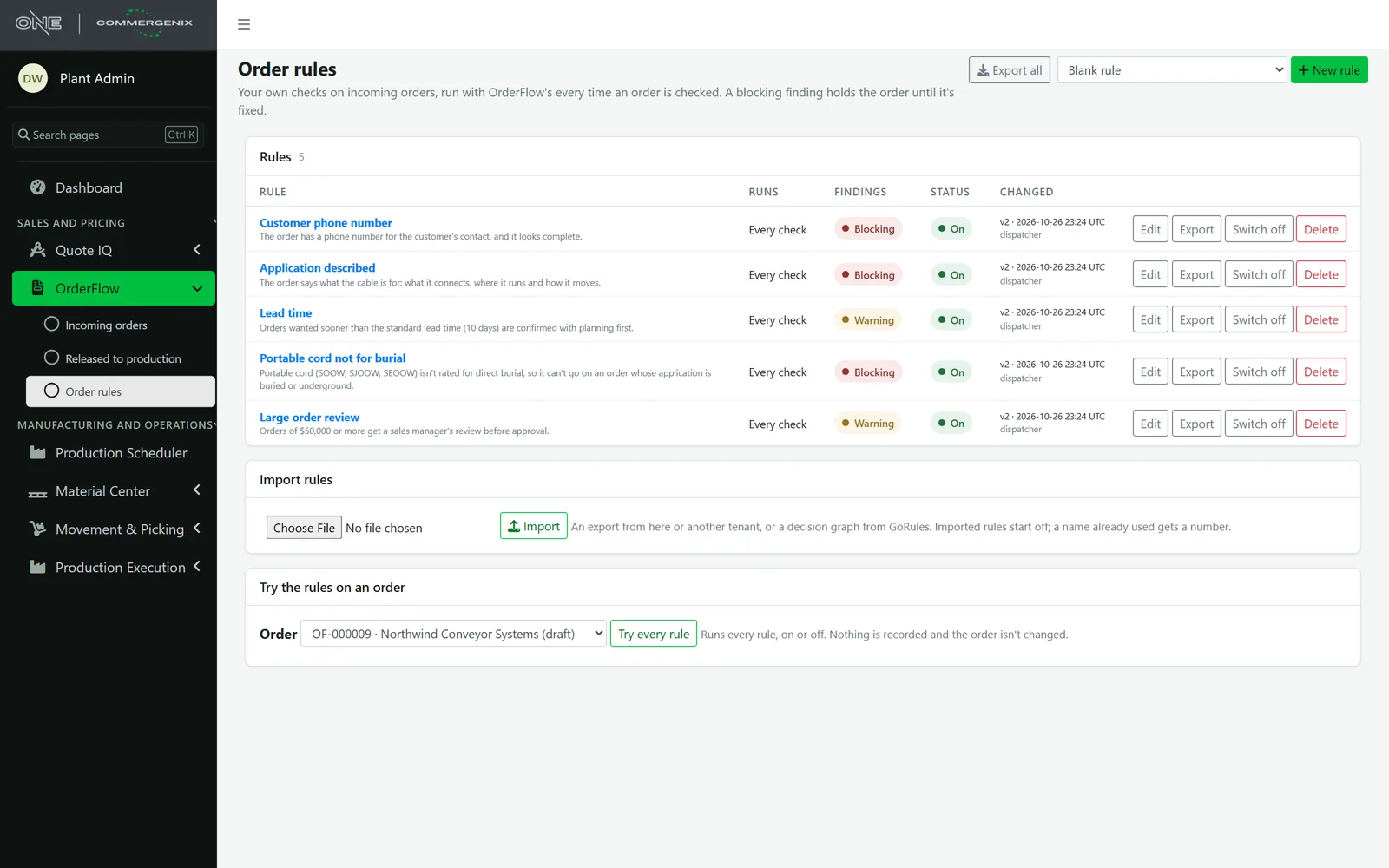
Write the checks your best order-desk person does from memory: a phone number for the contact, the application described, lead time, portable cord not sold for direct burial, a manager’s review on large orders. A blocking finding holds the order until it’s fixed; a warning is shown beside it.
- Try before switching on: run every rule against a real order; nothing is recorded and the order isn’t changed.
- Export and import: move rules between companies, or bring in a decision graph from GoRules.
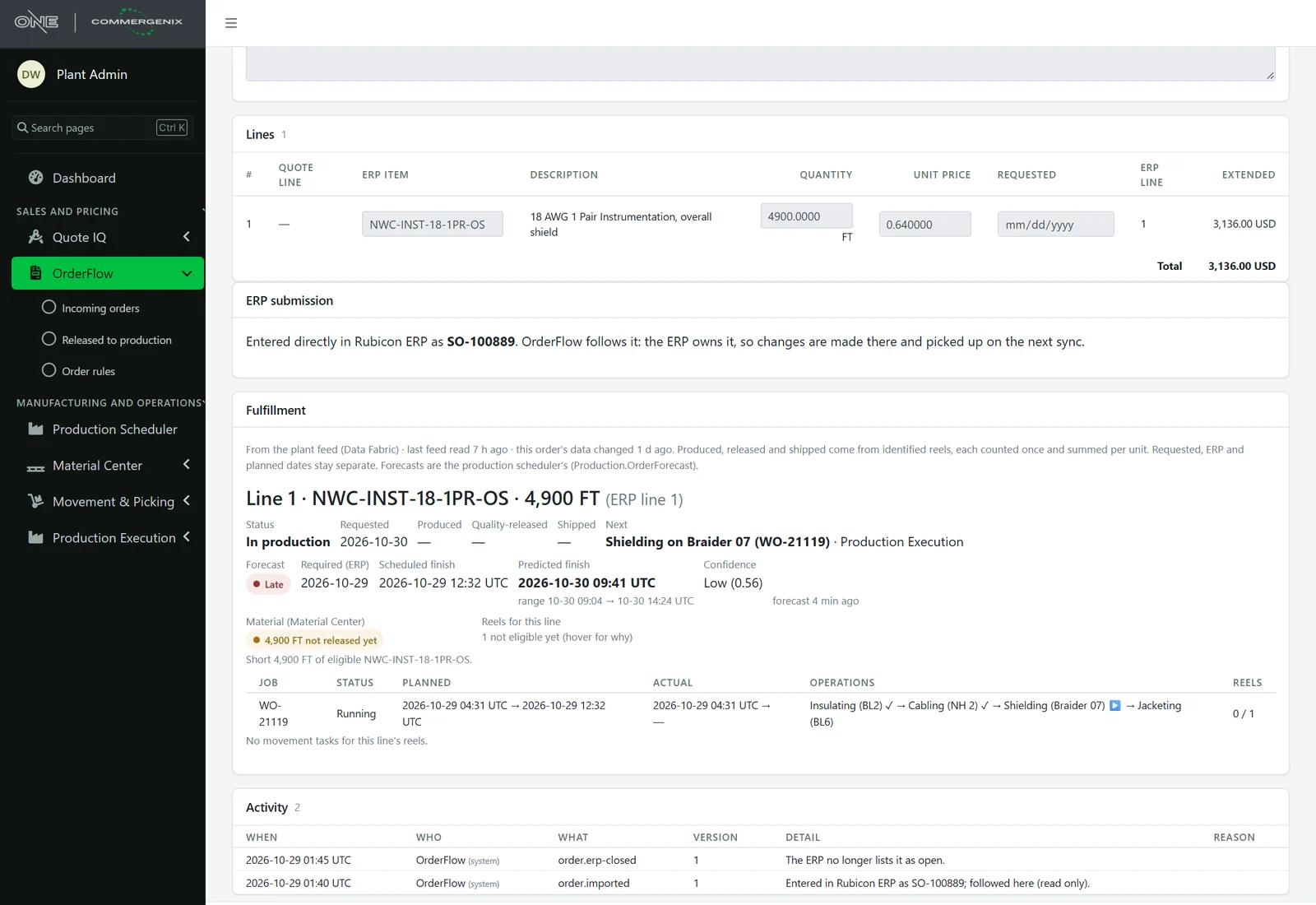
Every line, from the plant floor.
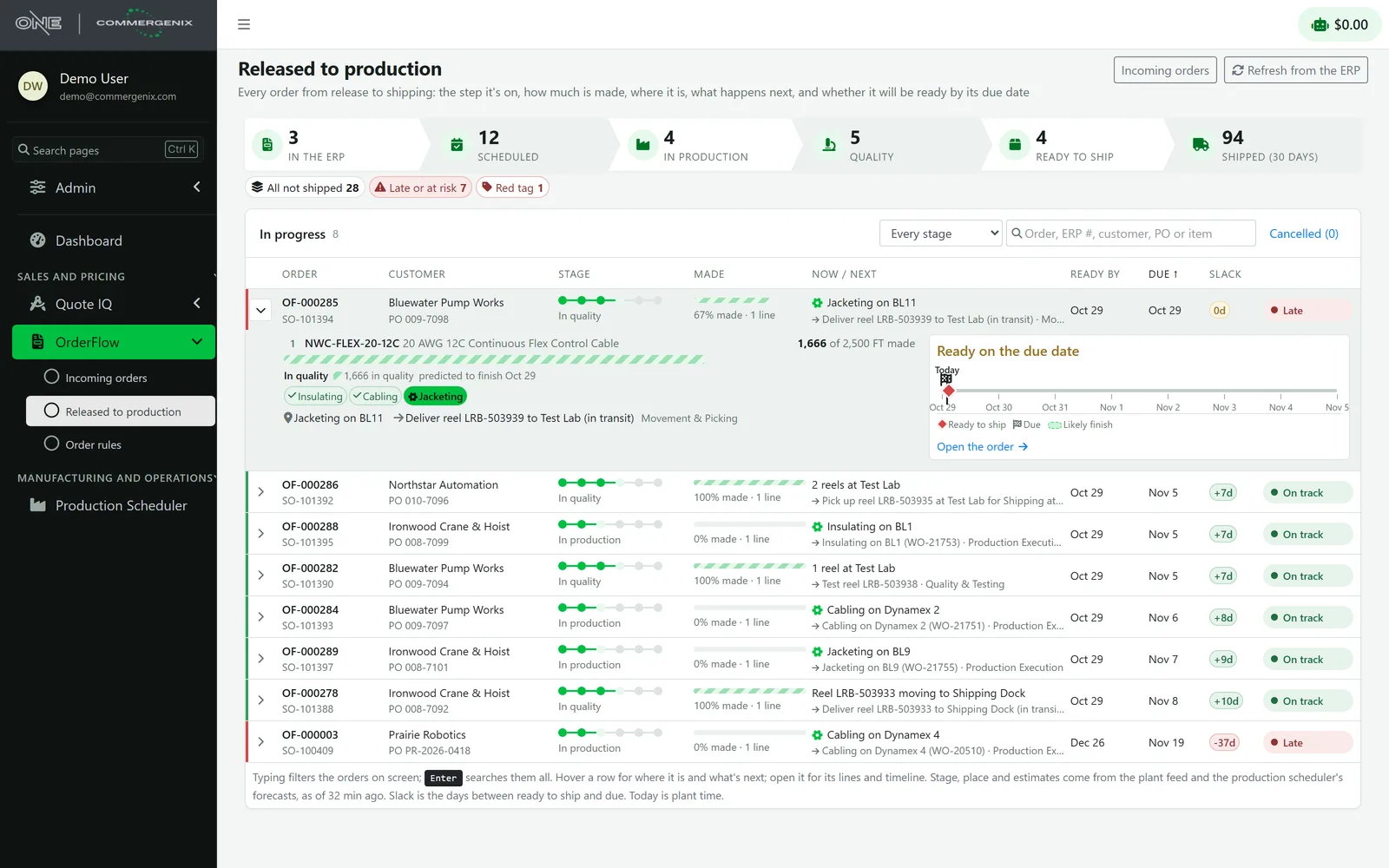
Each line shows what’s been made, quality-released and shipped, the job and the operation running now, and the scheduler’s predicted finish with its confidence. Reels are listed with where they are, their test result and any move under way.
- One honest date: ready to ship comes from released reels, then the scheduler’s forecast, then the plant’s scheduled finish, and the basis is shown beside it.
- Risk in plain words: late, at risk or on track, with the days of slack.
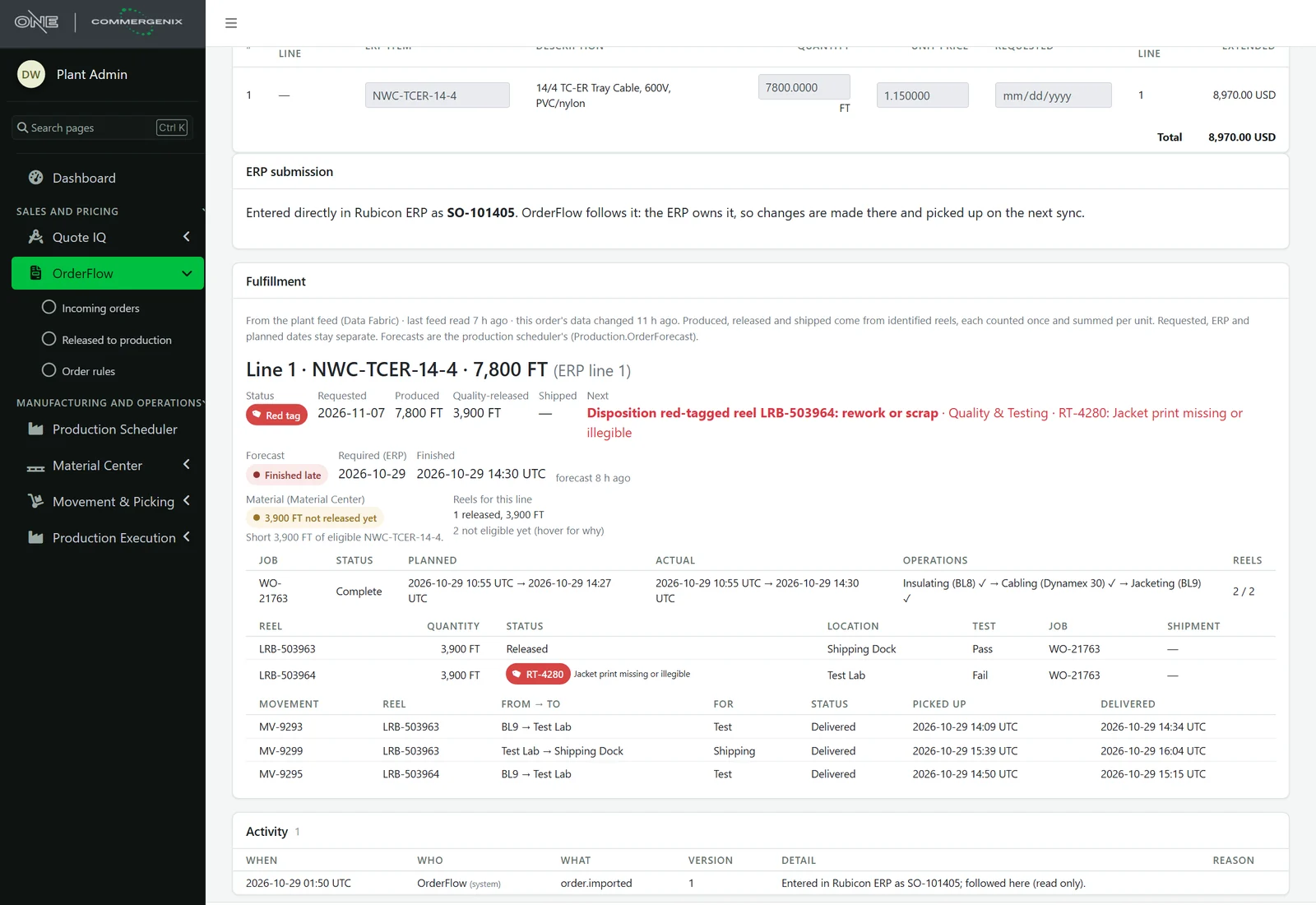
A failed reel stops the order where everyone can see it.
If any reel still to ship is red-tagged, the order is at Red tag, whatever else has happened. Its next step is the disposition (rework and retest, or scrap and remake), owned by Quality & Testing, and it has no ready-to-ship date until that’s decided.
- Its own view: Released to production has a Red tag view, and the dashboard shows a tile when there are any.
Your ERP stays the system of record.
OrderFlow sends orders to Rubicon, Business Central and Plex, and brings in the orders entered directly in the ERP so every open order is in one list. Once the ERP has an order, the ERP is authoritative: imported orders are read-only here and follow the ERP’s header and lines on every sync.
 Rubicon ERP
 Microsoft Dynamics 365 Business Central
 Plex Smart Manufacturing
Nothing reaches the ERP by accident.
Approved means this version
An approval is for the version approved. Any edit withdraws it.
Sent once
The order’s release and its submission are saved together, and an ERP order is never followed twice.
No guessing on duplicates
While a submission’s outcome is unknown, a matching ERP order is left alone until it’s reconciled.
Every check explained
Findings show their severity, the rule and its version, where they apply and how to fix them.
A full record
Every change, approval, release, conversation and file is on the order’s activity, with who and when.
Your data stays yours
Orders are kept per company and shown only to that company’s users.
For everyone who answers “when will it ship?”
Order desk and customer service
Clean orders into the ERP, and a straight answer about any order without calling the plant.
Plant and quality
See which orders are waiting on you, from routing to a red-tag disposition.
Sales and operations leaders
Every open order, late and at-risk first, with the reason it’s late.
Common questions
Do orders have to start in Quote IQ?
No. Orders entered directly in the ERP are brought in and followed the same way, read-only. Quote IQ orders are converted from the accepted quote, so nobody retypes them.
Which ERPs does it work with?
Rubicon, Business Central and Plex. Business Central’s open sales orders are imported; with Rubicon, OrderFlow reads the orders of the customers you list and the ones the plant is working on.
Where do the plant details come from?
From your plant system’s feed, the Production Scheduler’s forecasts and Material Center. The list is refreshed every five minutes, and an order is refreshed when it’s opened.
Can I change an order after it’s in the ERP?
Changes are made in the ERP and picked up on the next sync. OrderFlow doesn’t edit an order the ERP owns.
Can I write my own checks?
Yes. Order rules are edited by admins, can block or warn, and can be tried on a real order before they’re switched on.
Works alongside
Every Commergenix module shares one sign-in, one job engine, and one set of integrations, so each one you add makes the others more useful.
Quote IQ
A smart RFQ form on your website that reads what the customer wrote, asks for what’s missing and routes the request to the right team.
Learn more →Production Scheduler
Your schedule beside a predicted finish for every order, learned from how your machines actually run.
Learn more →Material Center
Every reel, spool, lot and remnant tracked as a physical unit: where it is, how much is left, its quality status and the job it’s for.
Learn more →Answer “where’s my order?” in one click.
Connect your ERP and plant feed, and see every open order with its stage, its reels and its ship date.