Price Director
See what a metals move does to your prices.
Price Director tracks copper, aluminum, steel and silver from the futures market every day, ties each product family to the metal it’s made of, and shows how far your prices need to move to hold margin when the market does.
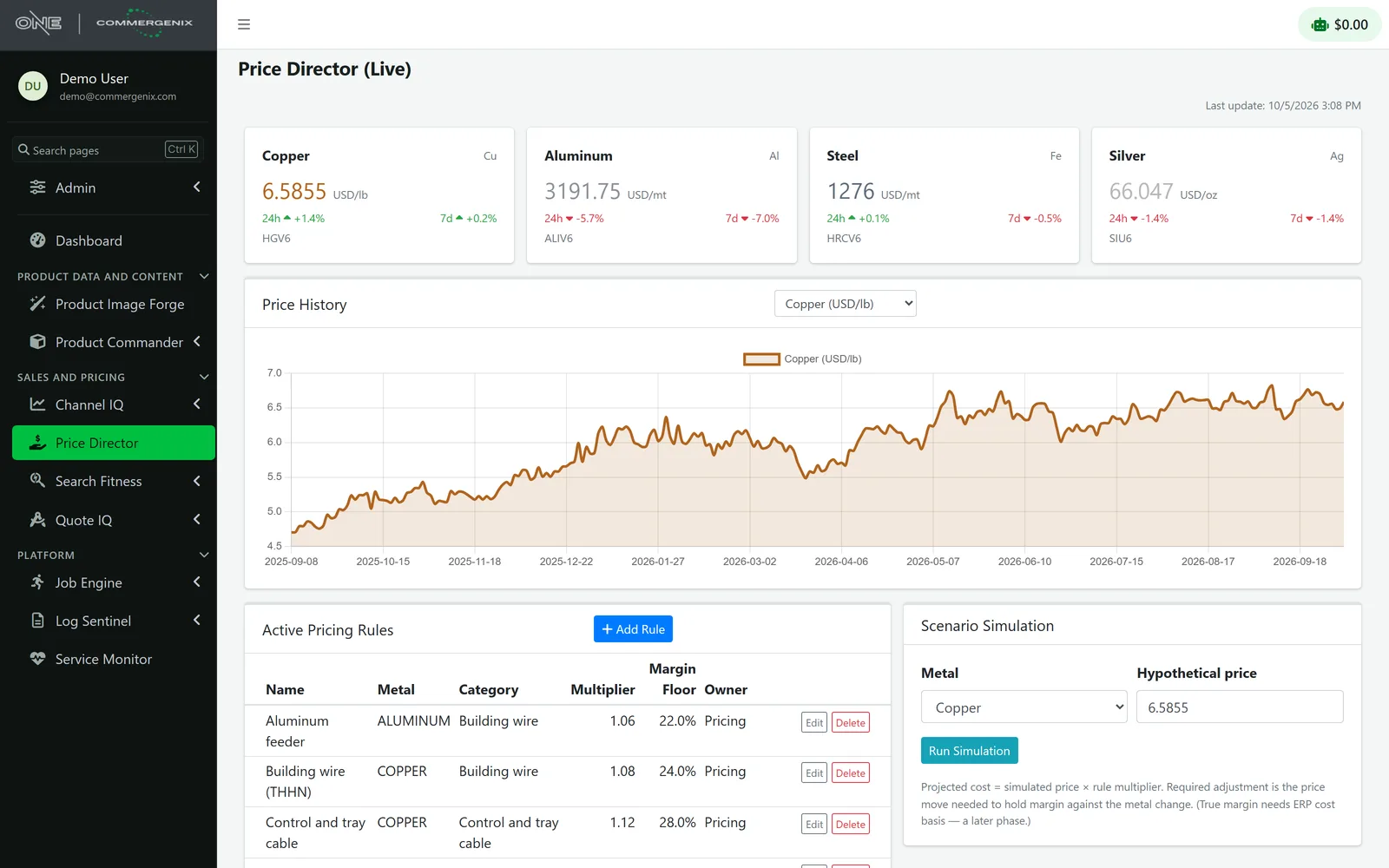
Ask “what if” and get an answer per family.
Type a price for any metal. Every product family made of it gets its projected metal cost and the price move that holds margin.
“Copper is at $6.59 a pound. What if it goes to $7.25?”
A move of +10.09% from today’s price.
- Building wire (THHN)
- Metal cost 7.83 · +10.09%
- Control and tray cable
- Metal cost 8.12 · +10.09%
- Instrumentation cable
- Metal cost 7.61 · +10.09%
- Portable cord
- Metal cost 7.98 · +10.09%
Each family’s rule sets its metal, multiplier and margin floor, so the answer comes back in seconds instead of waiting on a spreadsheet.
Metal is a big share of cost, and it moves every day.
-
Price lists lag the market
By the time someone notices copper is up 10%, weeks of orders have shipped at the old prices.
-
The math lives in one spreadsheet
How much metal cost each family carries, and the margin it must keep, sits in a file only one person understands.
-
“What if” takes a day
Sales asks what a jump in aluminum means for feeder pricing, and the answer waits for that spreadsheet to be rebuilt.
Market prices in, decisions out.
-
Prices every day
A daily job reads the front-month futures contract for each metal from a market-data feed and keeps the history.
-
A rule per family
Each product family names its metal, a multiplier for the metal cost it carries, a margin floor and an owner.
-
Run a scenario
Type a price for any metal and see each family’s projected metal cost and the price move that holds margin.
-
Your team sets prices
The owner of each rule takes the numbers to your price list. Price Director doesn’t change prices itself.
Four metals, a year of history, one screen.
Copper, aluminum, steel and silver, each with its 24-hour and 7-day change and the futures contract it comes from, beside a year of price history, your pricing rules and the scenario simulator.
- Real market prices: front-month futures contracts, with the contract shown on every metal.
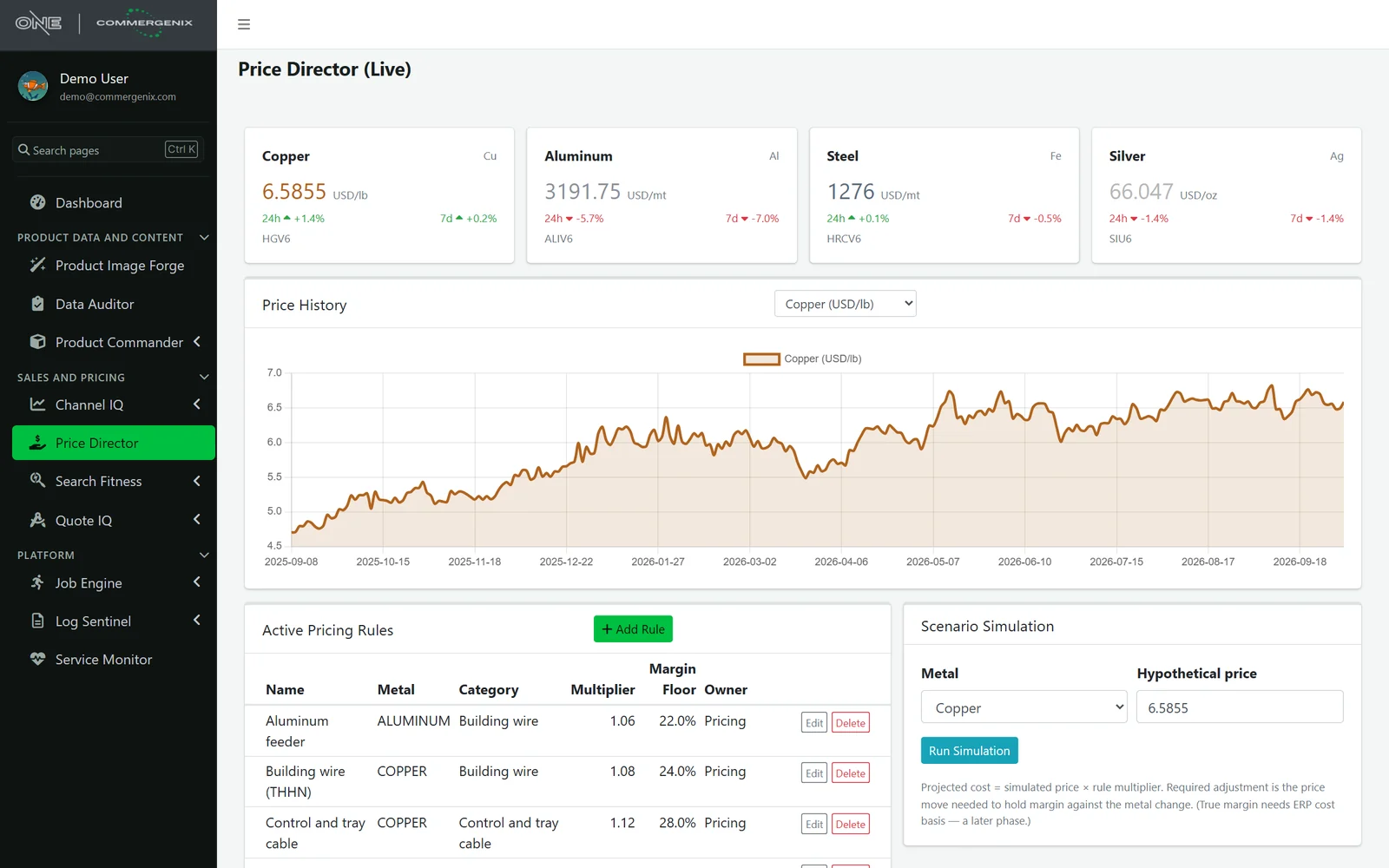
An answer for every family that metal touches.
Pick a metal and type a hypothetical price. Price Director lines up every enabled rule for that metal, with the projected metal cost and the price adjustment needed to hold margin against the move.
- Starts from today’s price, so the change is always measured against the market.
- Only the rules that matter: a copper scenario shows the copper families, an aluminum one the aluminum families.
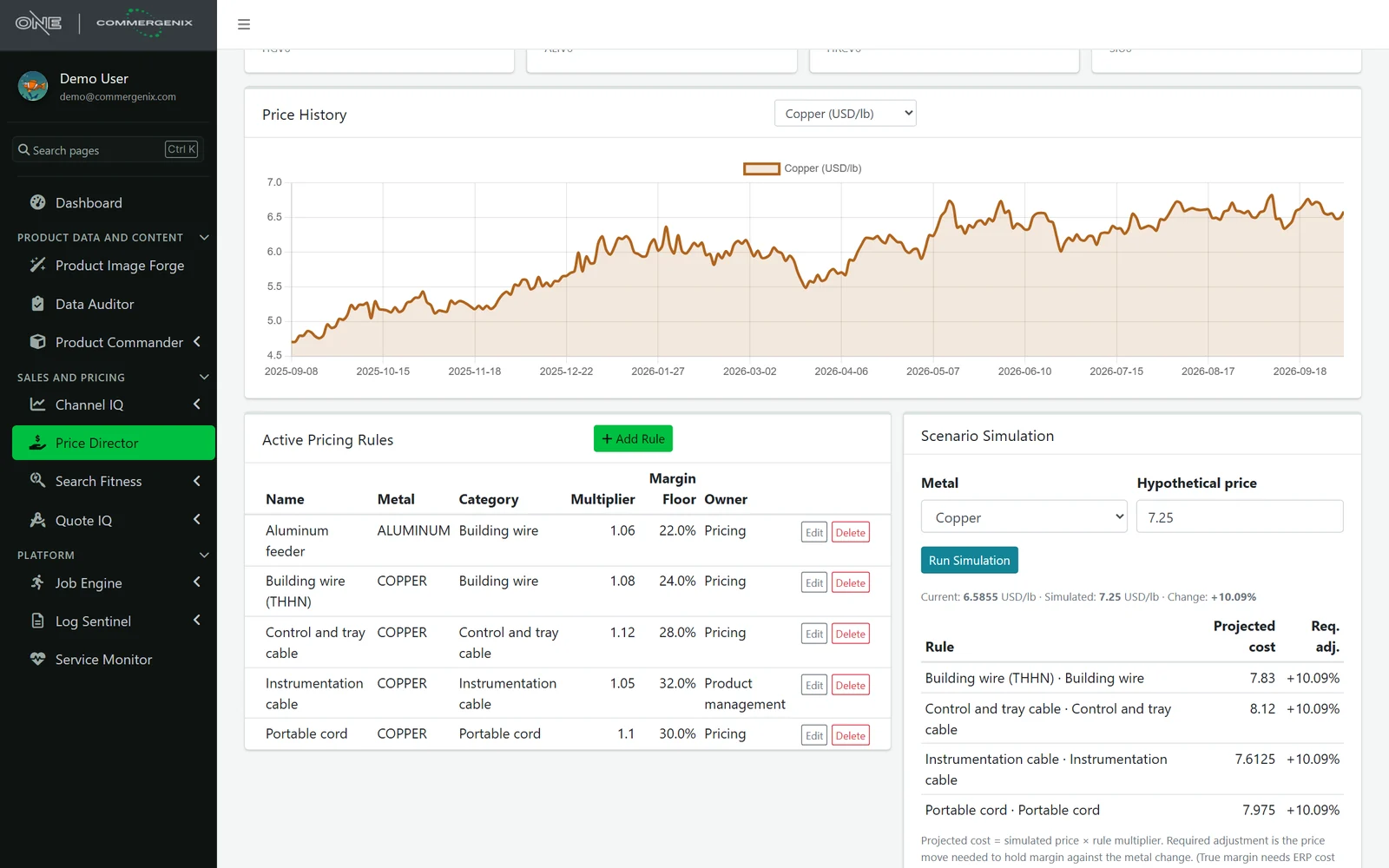
The pricing spreadsheet, as rules everyone can read.
One rule per product family: the metal that drives it, the multiplier that turns the metal price into the family’s metal cost, the margin floor it must keep, and who owns it. Switch a rule off without deleting it.
- An owner on every rule, so each family has someone responsible for its price.
- Kept per company: each account has its own rules.
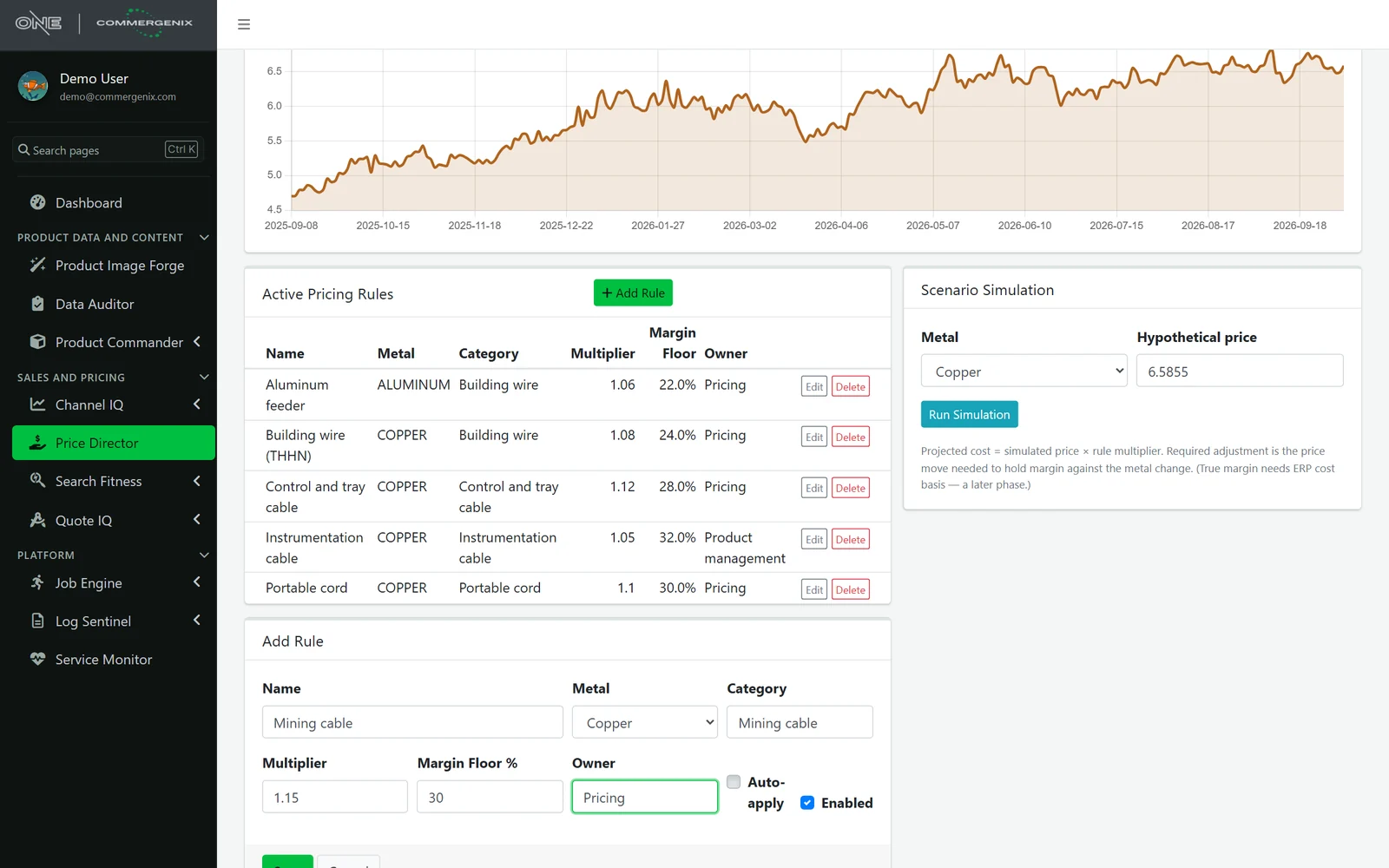
Clear numbers, no surprises.
Real market prices
Front-month futures contracts, with the contract shown on every metal so you know what you’re looking at.
It doesn’t change your prices
Price Director tells you how far to move. Your team changes the price list.
Metal cost, not full cost
Scenarios cover the metal-driven part of cost. True margin from your ERP’s cost basis is planned but not built yet.
For anyone who prices products made of metal.
Wire and cable companies
Copper and aluminum building wire, tray cable and cord, priced against the market instead of last quarter.
Pricing managers
The family-by-family math in one place, with each rule’s owner named.
Sales leaders
An answer to “what happens if copper jumps” in seconds instead of a day.
Common questions
Where do the prices come from?
A market-data feed of exchange futures. Each day a job reads the front-month contract for copper, aluminum, steel (hot-rolled coil) and silver and adds it to the price history.
How often are prices updated?
Once a day. Each metal shows its 24-hour and 7-day change.
Does it update our price list?
No. It shows the move needed to hold margin, and your team decides and changes prices.
Does it know our real margins?
Not yet. Scenarios use the metal-driven part of cost from your rules. Using your ERP’s cost basis for true margin is planned.
Works alongside
Every Commergenix module shares one sign-in, one job engine, and one set of integrations, so each one you add makes the others more useful.
Quote IQ
A smart RFQ form on your website that reads what the customer wrote, asks for what’s missing and routes the request to the right team.
Learn more →OrderFlow
Won quotes become checked, approved ERP orders, and every open order is followed through the plant until it ships.
Learn more →Channel IQ
Analytics across sales channels and web traffic, with configurable dashboards, scheduled reports, and plain-English questions.
Learn more →Put your product families on the market.
Tell us your families and how much metal each carries, and we’ll set up the rules for your first scenario.