Material Center
Know which reel can actually fill the order.
Material Center tracks every physical reel, spool, coil, lot and remnant in your plant: where it is, how much is left, whether quality released it and which job it belongs to. Ask whether a requirement can be met, and get the units that can meet it and the reason each of the others can’t.
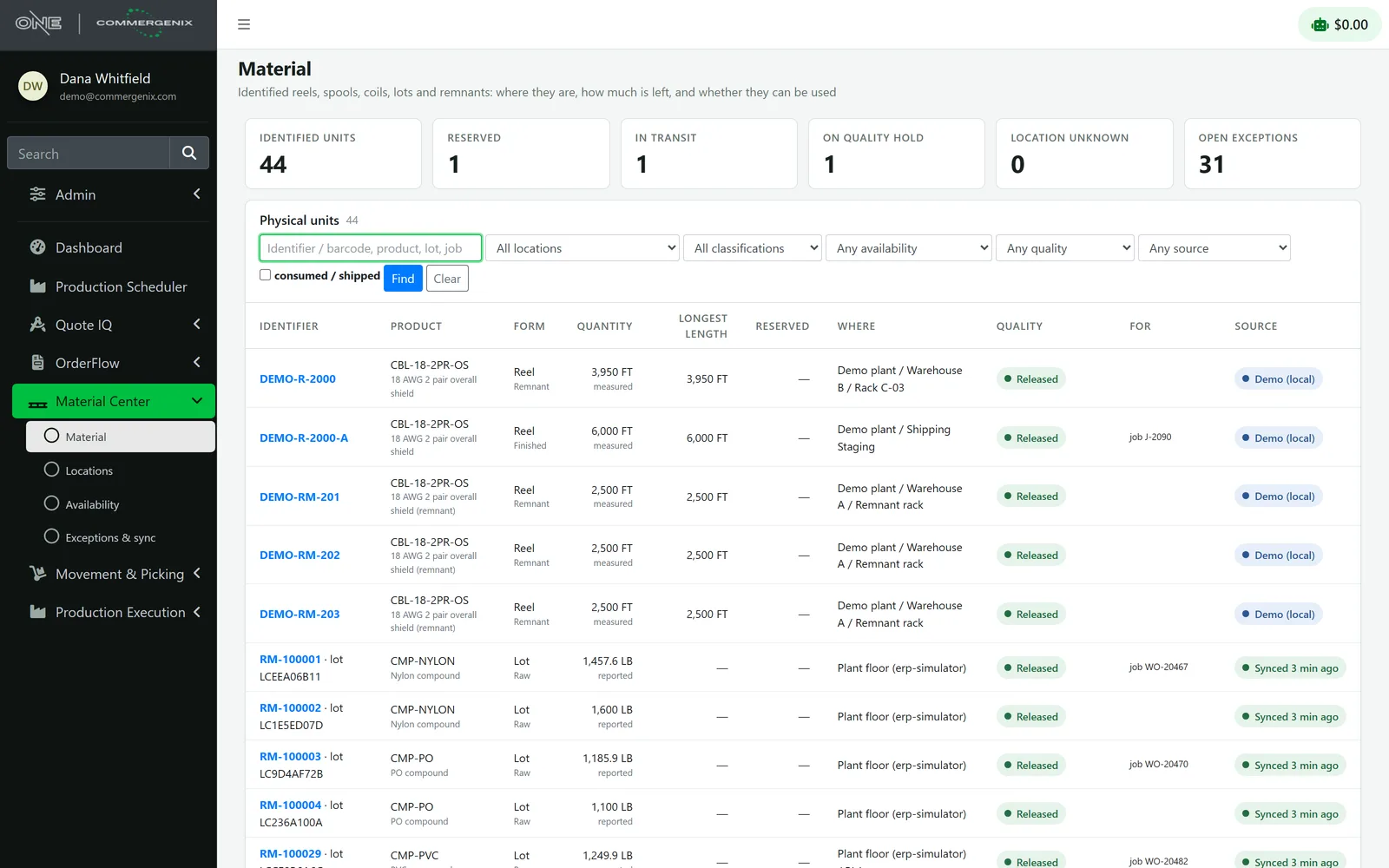
The footage is there. Is the length?
An availability check answers with the units that can fill a requirement, and the reason each of the others can’t.
“Do we have 7,500 ft of CBL-18-2PR-OS in one continuous length? The ERP says we’ve got plenty.”
- Identified units
- 5 reels and remnants · 17,450 ft
- Longest single length
- 6,000 ft
- Result
- Short 7,500 ft
- Why not the others
- Each one listed, with its reason
The footage is there, but in three 2,500 ft remnants and two shorter reels. None of them can be one 7,500 ft run, and nobody finds out at the cutting table.
Your ERP knows a balance. Your plant runs on reels.
-
Footage isn’t a length
Three 10,000 ft reels and thirty 1,000 ft remnants both total 30,000 ft. Only one of them can fill a 7,500 ft cut.
-
Holds and red tags hide
A reel that failed test sits in the balance like any other until someone tries to ship it.
-
Nobody knows where it is
The reel is “in the plant”. Which rack, which staging lane, or whether it’s on a forklift right now is anyone’s guess.
One record per physical unit, kept current.
-
From the plant
Reels, raw material lots and machines come in from your plant system every five minutes; ERP balances come in beside them.
-
Down to the rack
Plant, warehouse, rack, position, staging, test lab: every unit has a place, and moves are recorded as they happen.
-
Can it be met?
Product, quantity, continuous length, location and quality, plus your own eligibility rule, answer whether a requirement can be filled.
-
Hold it for the job
Reserve a unit for a job or order line, so nobody else’s plan counts on it.
-
Where it came from
Cuts, losses and what each unit was made into stay on its history.
Ask once, and see why each unit was or wasn’t chosen.
Give a product, a quantity and the shortest continuous length you can use, and narrow it by location, job or order line. Material Center lists the eligible units and every excluded one with its reasons.
- Reasons, not just a no: too short, on hold, reserved for another job, made for another order, or outside the locations you asked about.
- Suggestions reserve nothing: only a reservation holds a unit.
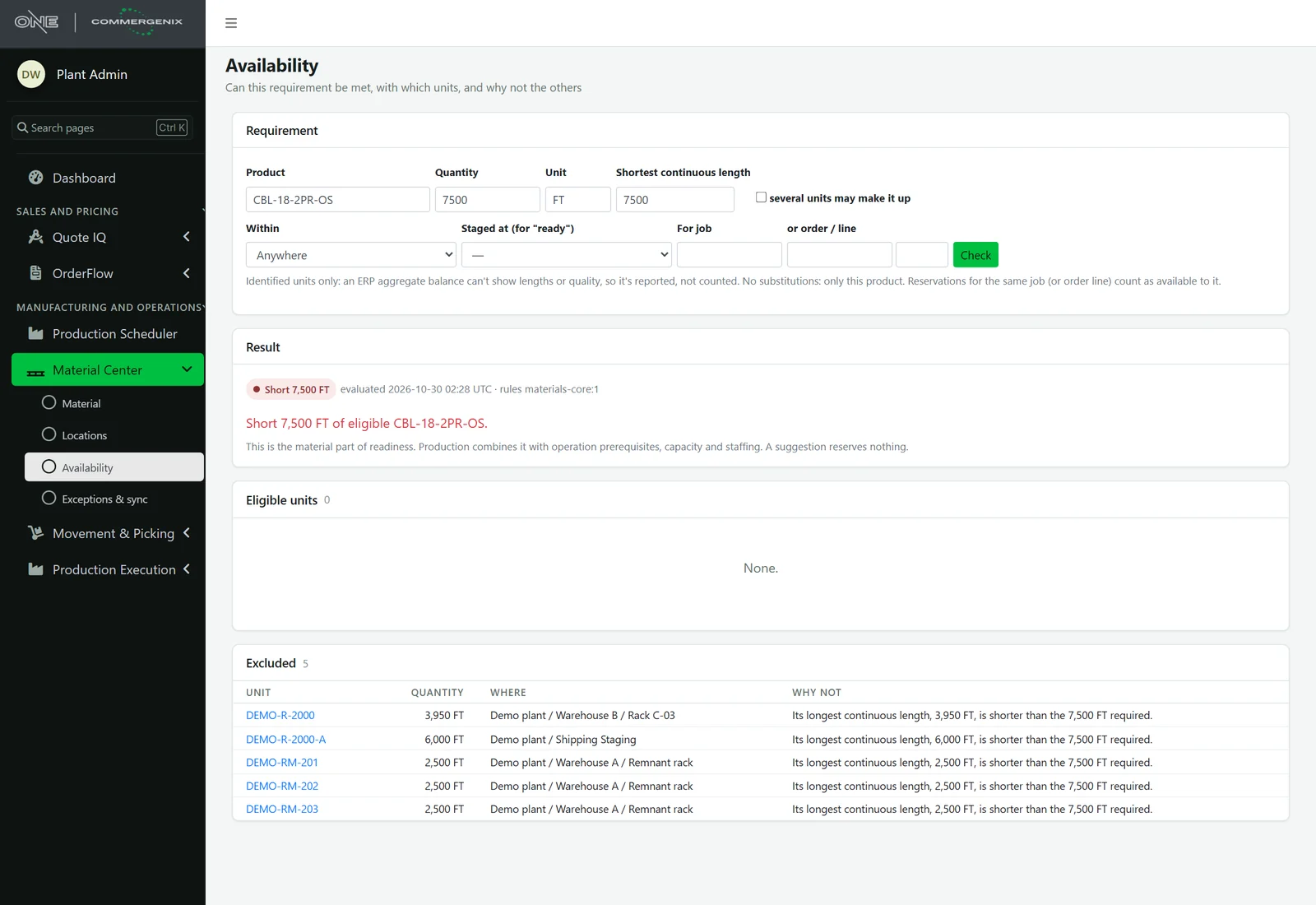
Every reel, where it is, and whether you can use it.
Search by identifier, product, lot or job, and filter by location, classification, availability, quality and source. Each unit shows its quantity and unit, its longest continuous length, what’s reserved, where it is, its quality, the job and order it’s for, and how fresh its data is.
- At a glance: identified units, reserved, in transit, on quality hold, location unknown and open exceptions.
- Units stay units: feet are never added to pounds, and nothing is converted that isn’t exact.
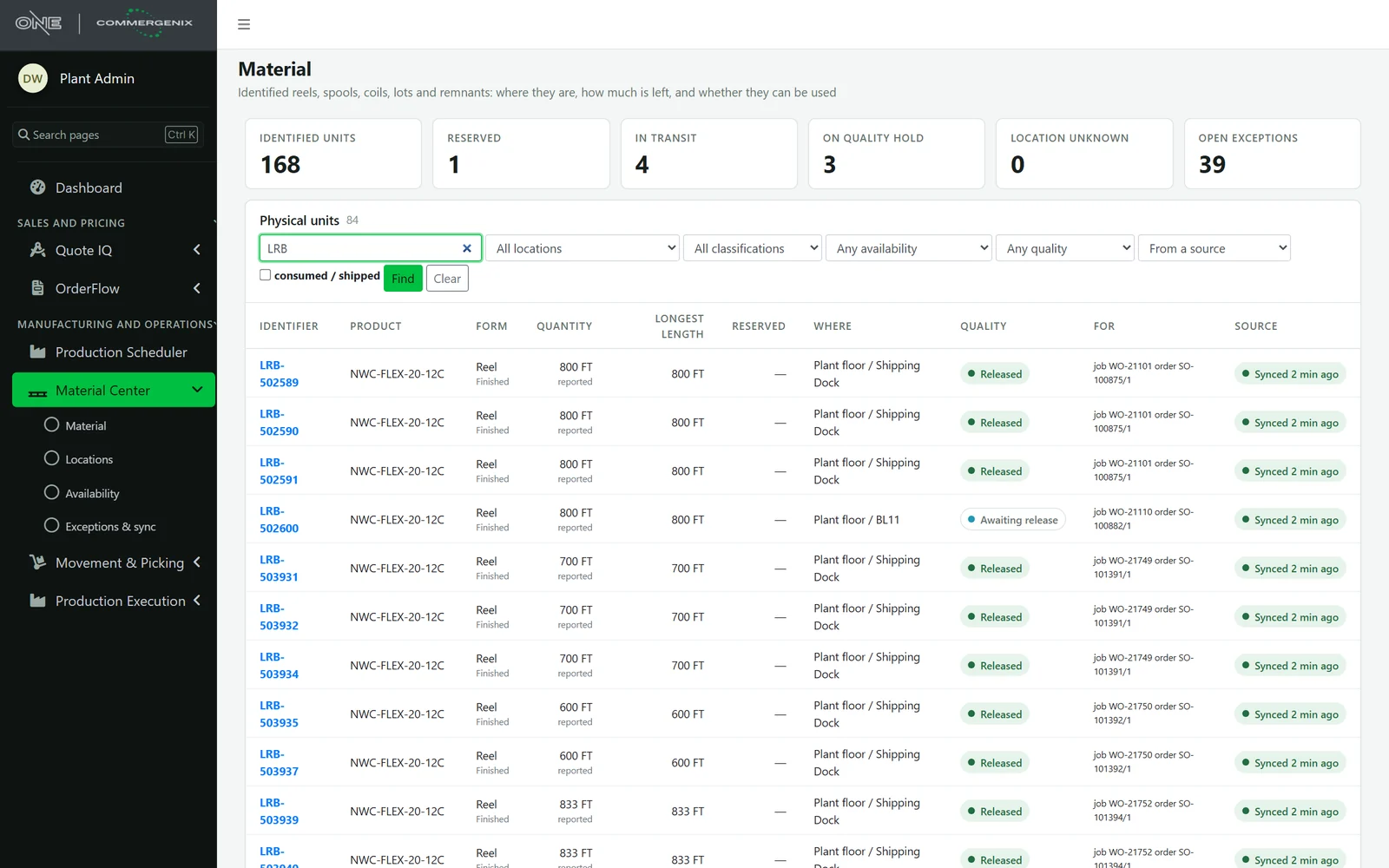
A red tag stops a reel everywhere.
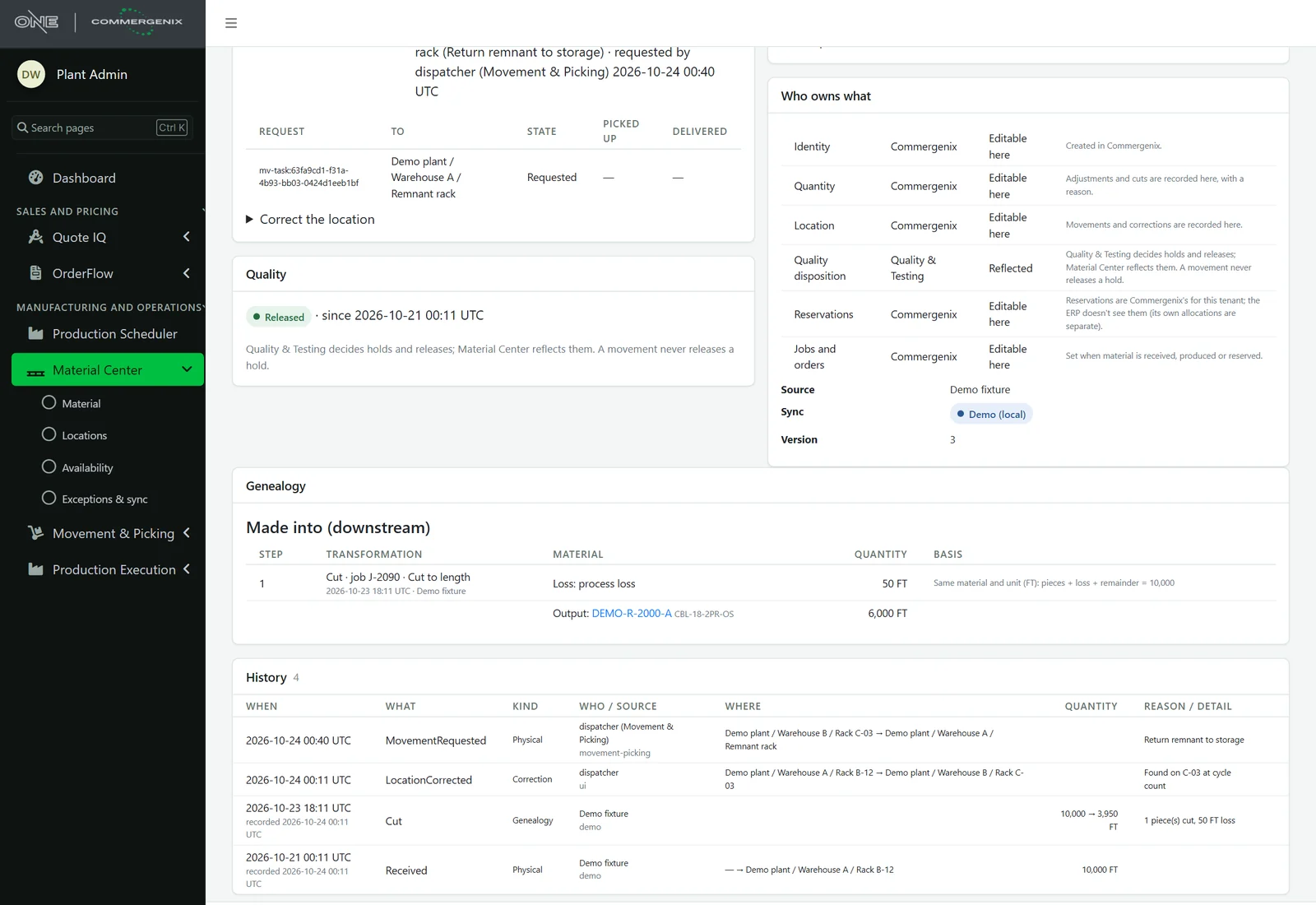
Quality holds, red tags and rejections all stop a unit: it can’t be reserved, allocated, loaded or shipped. The tag number and reason lead, so the floor knows why. Material Center reflects your quality decisions; it never releases a hold on its own, and a move never does either.
- Who owns what: each unit shows which facts come from the plant system or the ERP, and which are recorded here.
- Disabled actions say why: a quantity the plant system owns is corrected there, and the page says so.
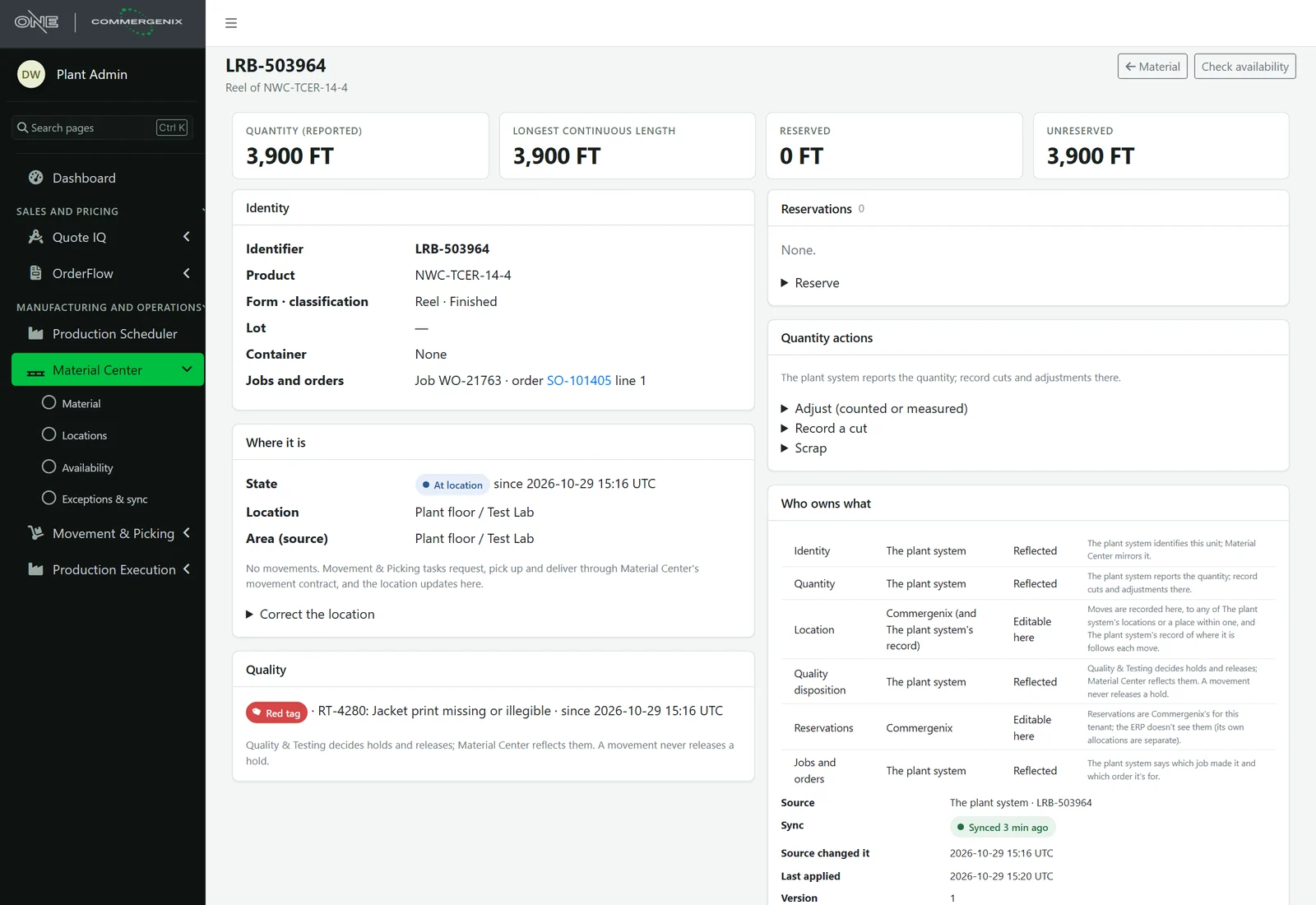
Cut a reel without losing track of it.
A cut keeps the source reel’s identity and history; each piece becomes its own unit and the loss is recorded. Transformations record their job, operation and the basis for the quantities, so you can follow material forward to what it was made into.
- Append-only history: received, cut, moved, corrected. A correction is a new event, never an edit.
- Reusable containers: a refilled spool is never confused with what was on it before.
When the records disagree, you hear about it.
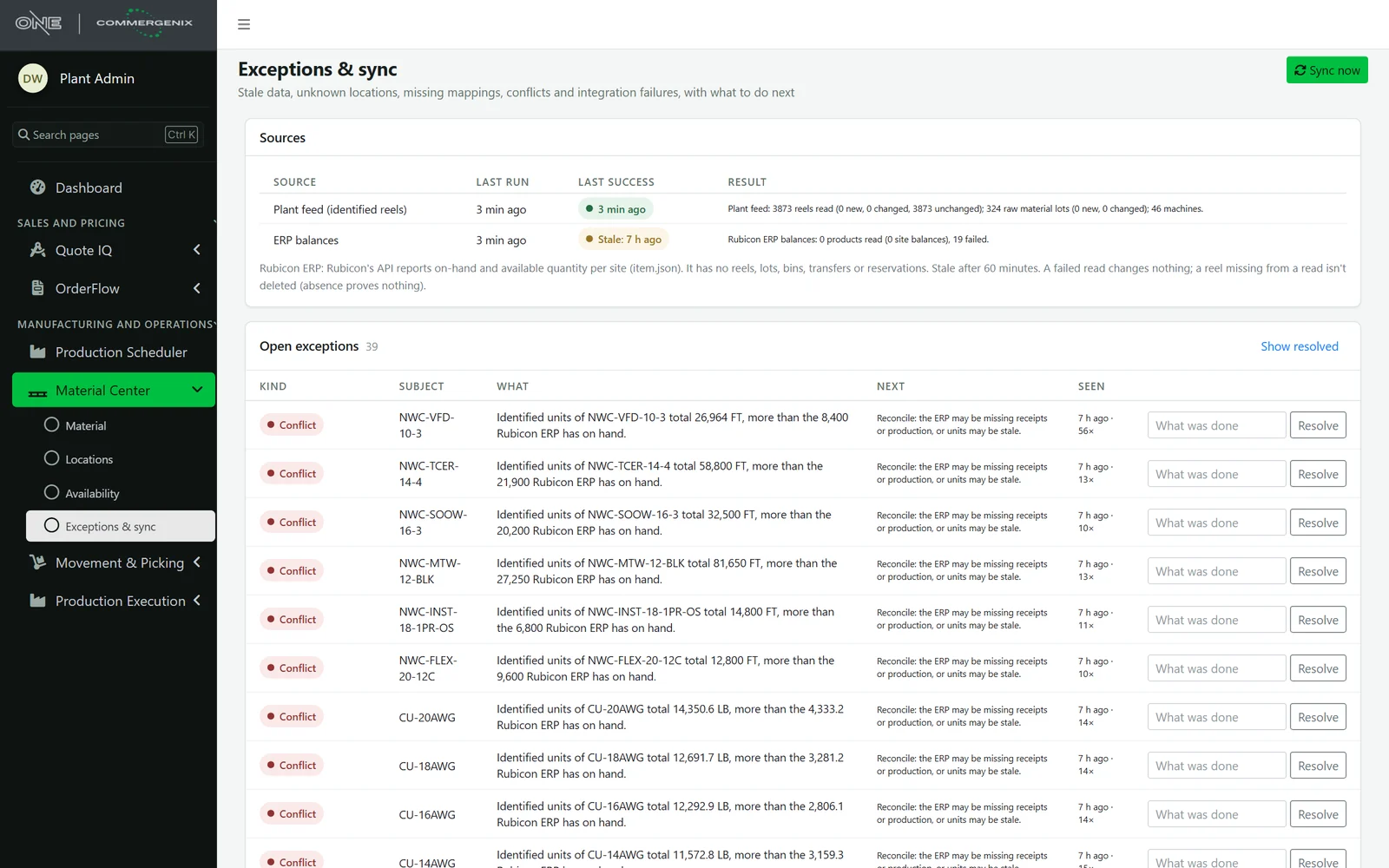
Stale feeds, unknown locations, products the ERP doesn’t know, and identified reels that add up to more than the ERP has on hand are raised as exceptions, each with what to do next. A failed read changes nothing, and a reel missing from one read is never deleted.
- Freshness shown: every source’s last run and last success are on one page.
- Seen again, counted: a repeat bumps the count instead of filling the list.
Beside your ERP, not instead of it.
Material Center reads reels and lots from your plant system and on-hand balances from your ERP (Rubicon today), and shows them side by side without adding them together. The Production Scheduler and OrderFlow ask it whether a job’s or an order line’s material is ready, and Movement & Picking moves reels through it.
Every fact has an owner.
No substitutions
Only the requested product counts. Quality must be released; unknown counts as not released.
Suggestions reserve nothing
An availability check proposes units. Only a reservation holds one, and only one active move per unit is allowed.
Nothing is rewritten
History is append-only, and a correction is recorded as its own event with a reason.
Late news can’t undo the present
A confirmation older than a unit’s last move is recorded but doesn’t move it back.
Roles decide actions
Viewers view; users reserve and move; admins correct locations, adjust quantities and record cuts.
Your data stays yours
Units, locations and history are kept per company and shown only to that company’s users.
For plants that sell by the foot.
Wire and cable manufacturers
Reels, remnants and raw material lots, tracked as the physical units they are.
Planners and the order desk
Know before promising whether the material exists in a length you can use.
Quality and shipping
Held and red-tagged reels are stopped and visible, not discovered at the dock.
Common questions
Does it replace inventory in my ERP?
No. The ERP keeps its balances and stays authoritative for them. Material Center adds the physical units behind those balances and flags it when the two disagree.
Where do the reels come from?
From your plant system’s feed, refreshed every five minutes. Units can also be created in Commergenix, for example the pieces of a cut.
Can it tell me why a reel wasn’t chosen?
Yes. Every excluded unit is listed with its reasons: too short, on hold, reserved for another job, made for another order, or outside the locations you asked about.
Can I add my own rules?
Yes. Your eligibility rule runs on every candidate and can exclude one with a reason or add a warning. It can’t make an ineligible unit eligible.
Which ERPs does it read?
Rubicon on-hand balances today. Rubicon’s API reports balances per item and site only, so reels and lots come from the plant system.
Works alongside
Every Commergenix module shares one sign-in, one job engine, and one set of integrations, so each one you add makes the others more useful.
Movement & Picking
Moves on any phone or scanner, verified by scan at pickup and at delivery, so the right reel reaches the right place.
Learn more →Production Execution
A terminal at each machine, lot scans checked against the plant’s records, and the genealogy of every reel.
Learn more →Production Scheduler
Your schedule beside a predicted finish for every order, learned from how your machines actually run.
Learn more →Find out what’s really on your floor.
Connect your plant feed and see every reel with its length, place, quality and job beside the balances your ERP reports.