PIM Integration
Your PIM is the source of truth. Your storefront should agree with it.
PIM Integration keeps your ecommerce catalog in step with your PIM: names, descriptions, specs, categories and pictures. It runs on a schedule and the moment a product changes, and a failed sync never skips a product.
Enriched once in the PIM. Right on the website.
When your team updates a product in the PIM, the change reaches the storefront on its own. Nobody re-keys data, exports spreadsheets or bulk-uploads anything.
“Corrected the overall diameter on the 16 AWG tray cable, added two product photos, and moved the cut sheet image to first.”
- Specification
- Overall diameter updated, still filterable
- Pictures
- 2 uploaded, the rest reordered
- Main image
- The new first picture
- Left alone
- SEO slug, tags, hand-picked categories
Pushed by webhook within moments, or picked up on the next scheduled run. Only the fields the map owns are written.
The PIM holds the right data. The storefront drifts away from it.
-
Fixed in one place only
A spec gets corrected in the PIM and the website still shows the old value.
-
Pictures that never arrive
New images are added to the PIM and never uploaded to the store.
-
Imports that overwrite
One-off imports quietly overwrite pages someone curated by hand.
Automatic, repeatable and visible.
-
Map once
An attribute map decides what lands where: name, descriptions, price and grouped specification attributes. It is validated before it is saved.
-
Load the catalog
The first run loads the full catalog. After that, each run picks up only what changed, with a small overlap so edits made mid-run are not missed.
-
Sync on change
PIM webhooks push single-product changes within moments, and a scheduled batch sync, nightly for example, catches everything else.
-
Never skip a product
The change window only moves forward when a whole run succeeds. If anything fails, the next run retries the same window.
-
See every run
A status page shows each run with its counts, how far the sync has caught up, and recent webhook deliveries.
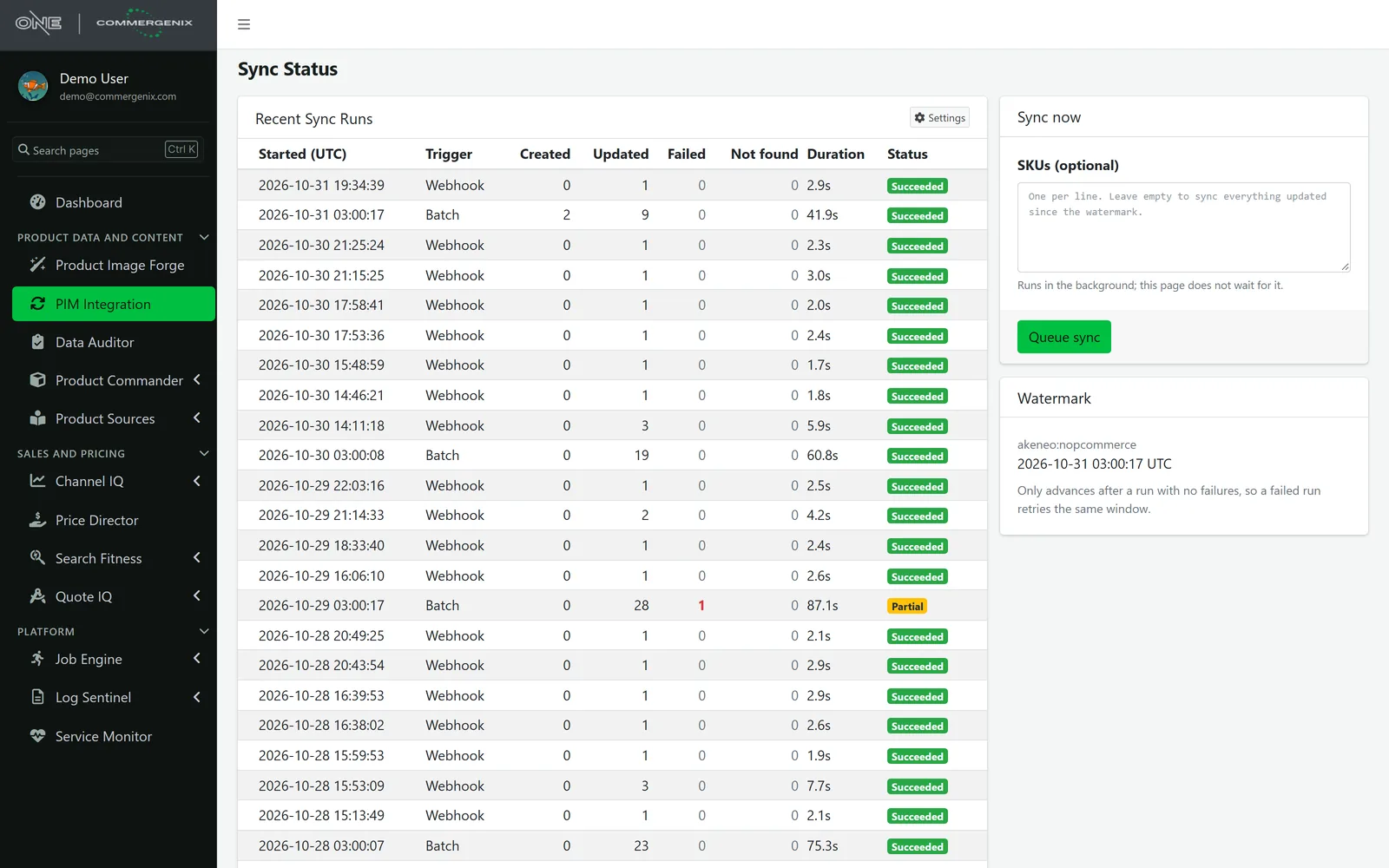
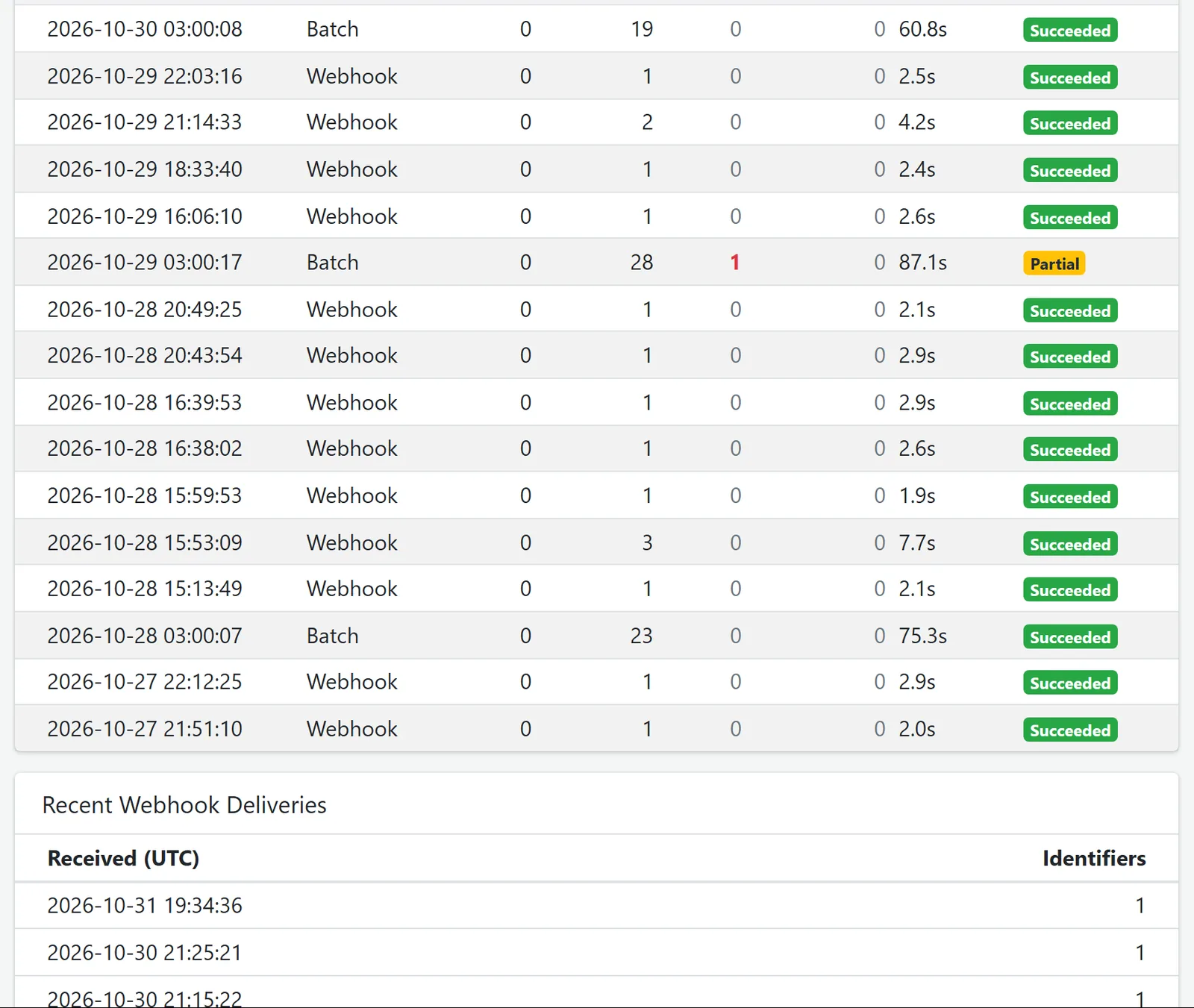
Every run, and what it did.
Each run is listed with what started it (the nightly batch, a webhook or a person), how many products it created and updated, how many failed or were not found, and how long it took. A run with a failure is marked Partial, and the watermark stays put until a run comes back clean.
- Webhook deliveries are listed as they arrive, with how many products each one named.
- Sync now: paste SKUs to push them right away, or leave it empty to sync everything changed since the watermark.
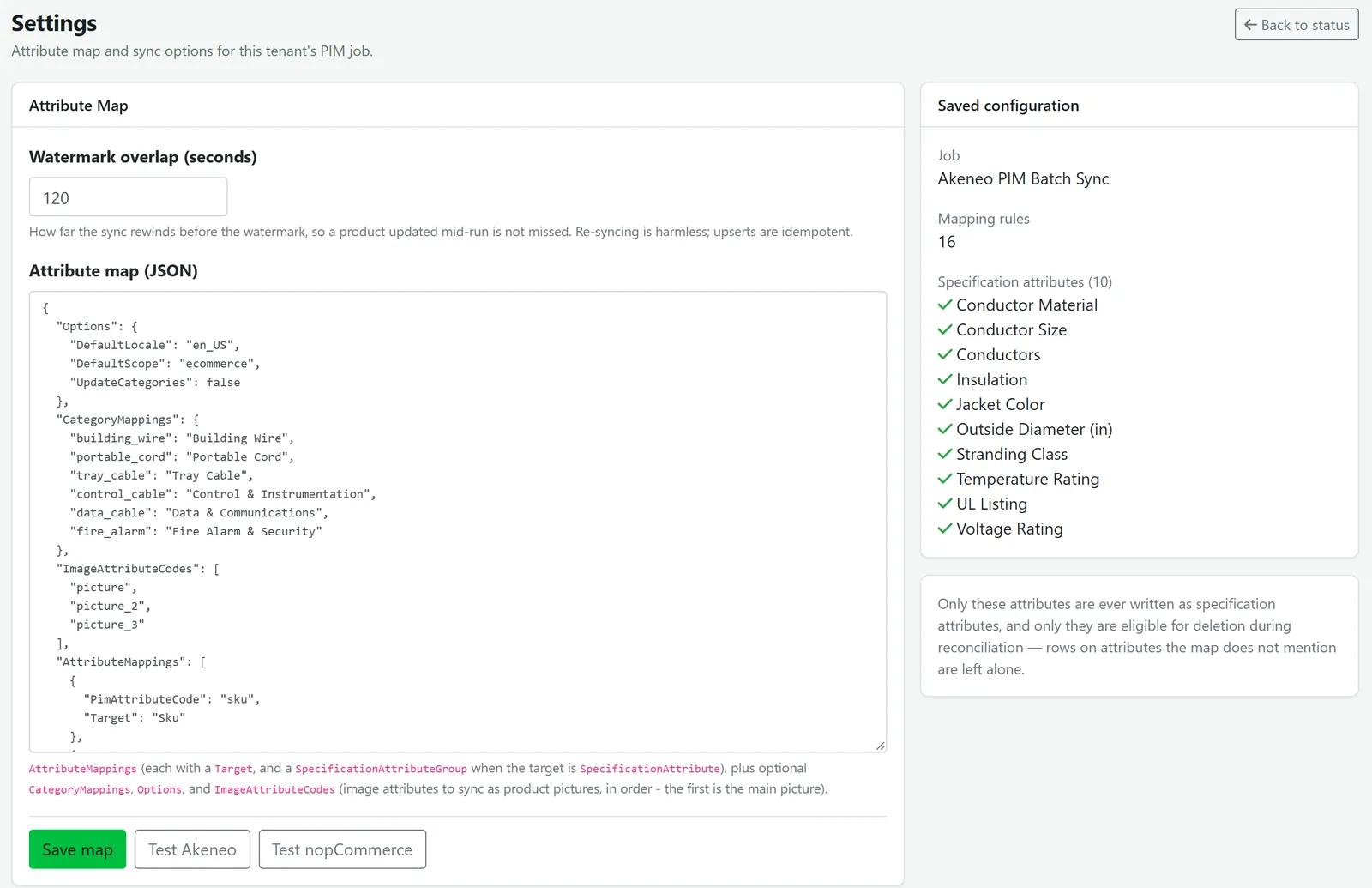
Your catalog, mapped the way you sell it.
The attribute map says which PIM attributes become which store fields, which become specification attributes customers can filter on, how PIM categories map to store categories, and which image attributes become pictures, in order. It is checked before it is saved, and the summary lists every specification attribute the sync will own.
- Test both ends: check the PIM and the store connections from the same page.
- Categories on creation only, if you set them by hand in the store.
What PIM Integration does.
Scheduled and real-time sync
A scheduled batch sync picks up everything that changed since the last good run, and webhooks push single-product changes within moments. Resync specific SKUs on demand.
No silent gaps
Each sync covers a change window that only moves forward when the whole run succeeds, so a product is never skipped.
Mapping you control
Choose what lands where, and which specs customers can filter on, per product line. Limit a sync to product lines by SKU prefix.
Updates that respect your storefront
Only the fields the map owns are changed. Tags, SEO slugs, manufacturers, stores and hand-curated categories stay as they are. Categories can be set on creation only.
Smart image sync
PIM images become store pictures in your order, the first one as the main image. Re-syncs upload only new images, identical pictures are reused, and pictures added by hand in the store are never touched.
Visible and accountable
Every run, scheduled, webhook or manual, is listed with created, updated, failed and not-found counts.
Clear rules about who owns what.
One direction
From the PIM to the storefront. The PIM is authoritative for mapped fields, and the store keeps ownership of everything else.
Conflicts settled up front
The PIM wins for the fields the map owns. Re-running with no PIM changes changes nothing.
Unmapped stays put
Attributes without a mapping are tracked but never written to the store. Specification attributes need a group.
Signed webhooks
Webhook deliveries are verified with a signature using a shared secret. Unsigned or wrongly signed deliveries are rejected.
Akeneo PIM to nopCommerce.
Today PIM Integration connects Akeneo PIM as the source to a nopCommerce storefront as the target. The source and target are pluggable adapters, so tell us what you run.
For teams that manage product content in a PIM and sell through a web store.
Manufacturers and distributors
Keep the storefront in step with the product content your team already maintains.
Technical catalogs
Lots of specification attributes, like wire and cable, with the right ones filterable on the site.
Ecommerce teams
Stop re-keying and bulk-uploading, and keep the pages you curate by hand.
Common questions
Which PIM and ecommerce platforms do you support?
Akeneo PIM to nopCommerce today. Connectors are pluggable adapters, so tell us what you run.
Will the sync overwrite changes we make directly in the store?
Only for fields you’ve mapped. SEO slugs, tags, manufacturers, store assignments, hand-added pictures and, if you choose, categories are left alone.
How quickly do PIM changes reach the website?
Within moments when webhooks are on, and on the next scheduled run otherwise. You can also push specific SKUs right away.
What happens if a sync fails partway through?
The run is recorded with its errors, and the next run retries the same changes. Nothing is silently skipped.
Can we sync only part of our catalog?
Yes. Limit a sync to product lines by SKU prefix, and decide per product line which specs customers can filter on.
Works alongside
Every Commergenix module shares one sign-in, one job engine, and one set of integrations, so each one you add makes the others more useful.
Product Commander
Shows what’s missing across your catalog, lines up every source of product data, and saves approved values to the system you sell from.
Learn more →Product Sources
Reads manufacturer catalogs and spec sheets for the values your products are missing, each with the page it came from, for a person to approve.
Learn more →Data Auditor
Rule-based data-quality audits of your PIM, with run history and detail on every issue found.
Learn more →Tell us about your PIM and your store.
We’ll show you how the sync would map your catalog, and tell you honestly what it would and wouldn’t own.