CableViz Studio
Build the cable from the spec, then check it.
CableViz Studio turns a cable’s spec into a structured construction: every conductor, layer and material, with real dimensions. From that one record it draws the cross-section, builds the 3D model and renders the product shots, and it checks each one against the spec before anyone publishes it.
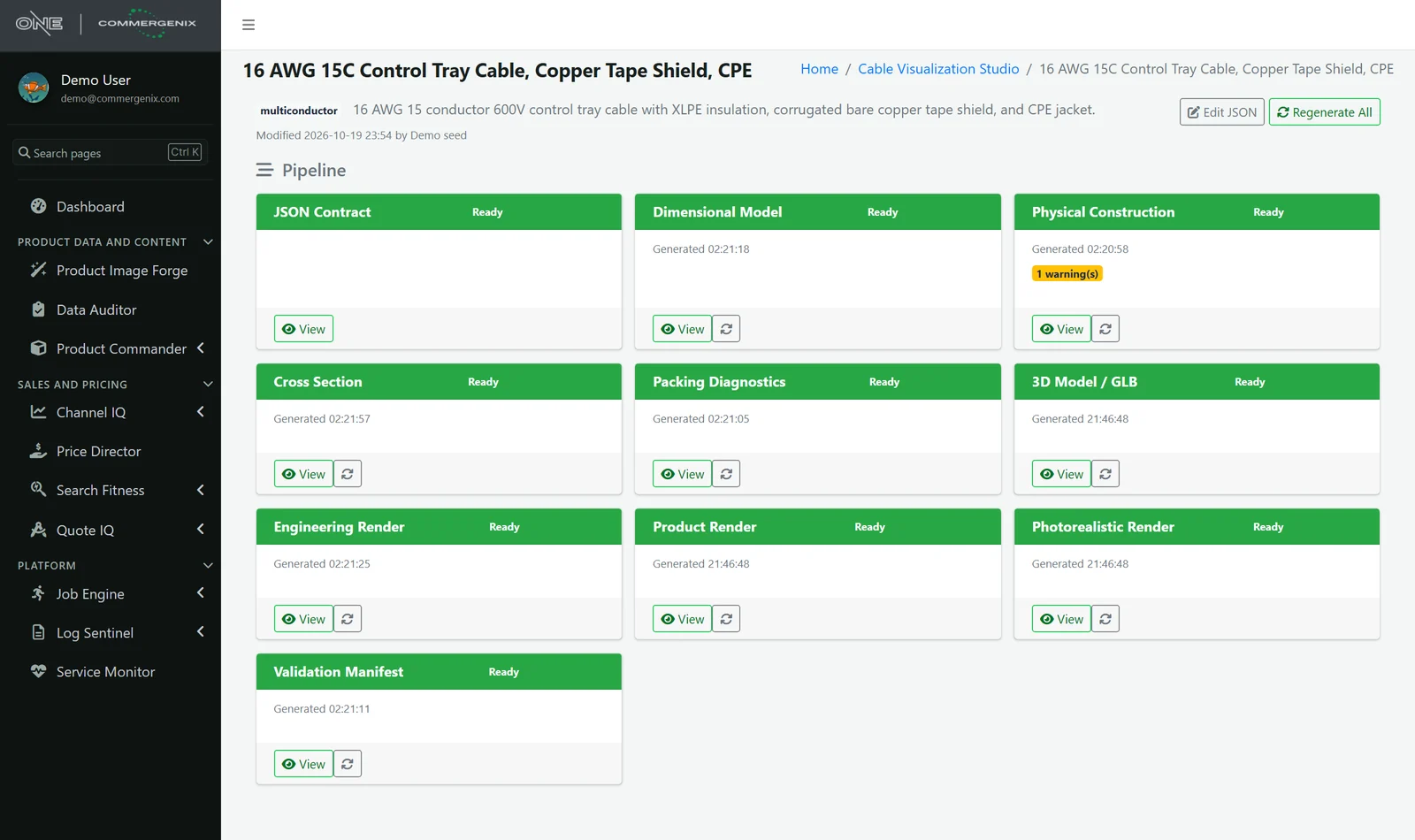
The spec is a sentence. CableViz builds the cable and checks it.
One design, ten outputs, each built from the same record and each checked against the spec.
“16 AWG 15 conductor 600V control tray cable with XLPE insulation, corrugated bare copper tape shield, and CPE jacket. Overall diameter 0.729 in.”
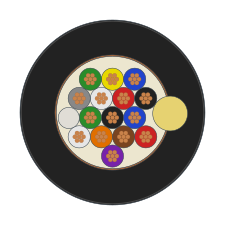
- Conductors
- 15 defined · 15 built
- Overall diameter
- 18.517 mm, matches 0.729 in
- Layers
- Binder · shield · 1.524 mm jacket
- Packing
- 66.3% vs 75% target: flagged
The jacket compound isn’t in the material library yet, so the render shows which material it fell back to instead of guessing quietly.
Cable pictures and cable specs drift apart.
-
Drawn by hand, once
Cross-sections and renders get made in a design tool for a few hero products. The rest of the catalog gets a stock photo or nothing.
-
Nobody checks the picture
A 15-conductor cable drawn with 12, a shield that isn’t there, a jacket the wrong colour: nobody notices until a customer does.
-
The spec lives in prose
Conductor counts, insulation, shields and diameters are written in a paragraph, not stored as data that anything can be built or checked from.
One contract in, every view out.
-
Start from words or a spec page
Describe the cable, or give the manufacturer’s spec or URL. AI drafts the contract, and you review it before it’s saved.
-
Real dimensions
Conductor, insulation, shield and jacket sizes are worked out and recorded with their source: the manufacturer, a rule, or a default.
-
Pack the core
The conductors are packed into the core and the layers built around them, with the overall diameter checked against the spec.
-
Every view from one model
Cross-section, engineering render, 3D model, product render and photorealistic shots, all from the same construction.
-
Validate before publishing
A validation report compares what was rendered with what was defined, and flags anything that doesn’t add up.
From a sentence or a spec page to a draft cable.
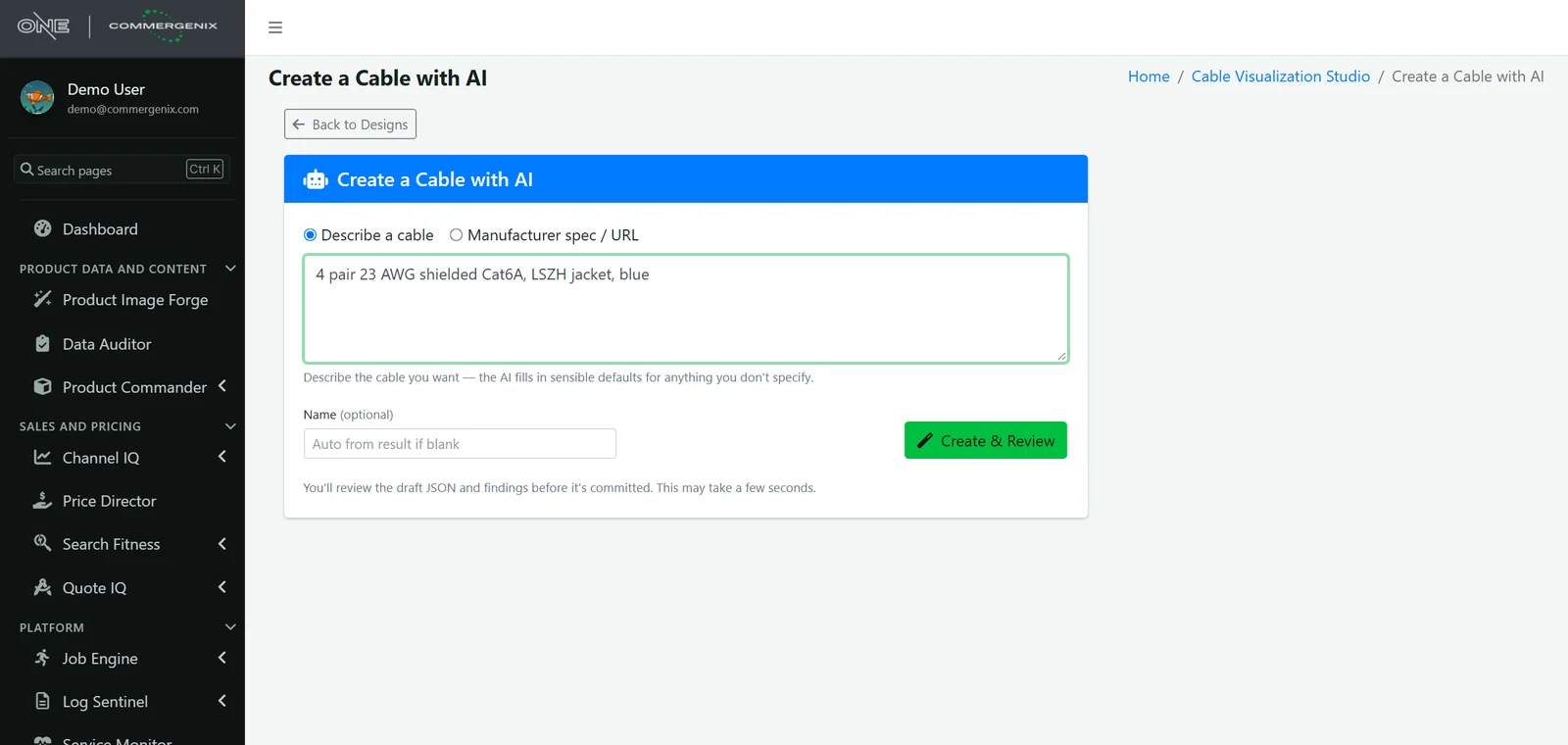
Type what the cable is, or point at the manufacturer’s spec. The AI fills in sensible defaults for anything you leave out, and shows you the draft and its findings before anything is saved.
- Interpret a manufacturer page: get a confidence score, findings and warnings, and optionally merge it into the contract you already have.
- Edit the JSON directly when you know exactly what you want.
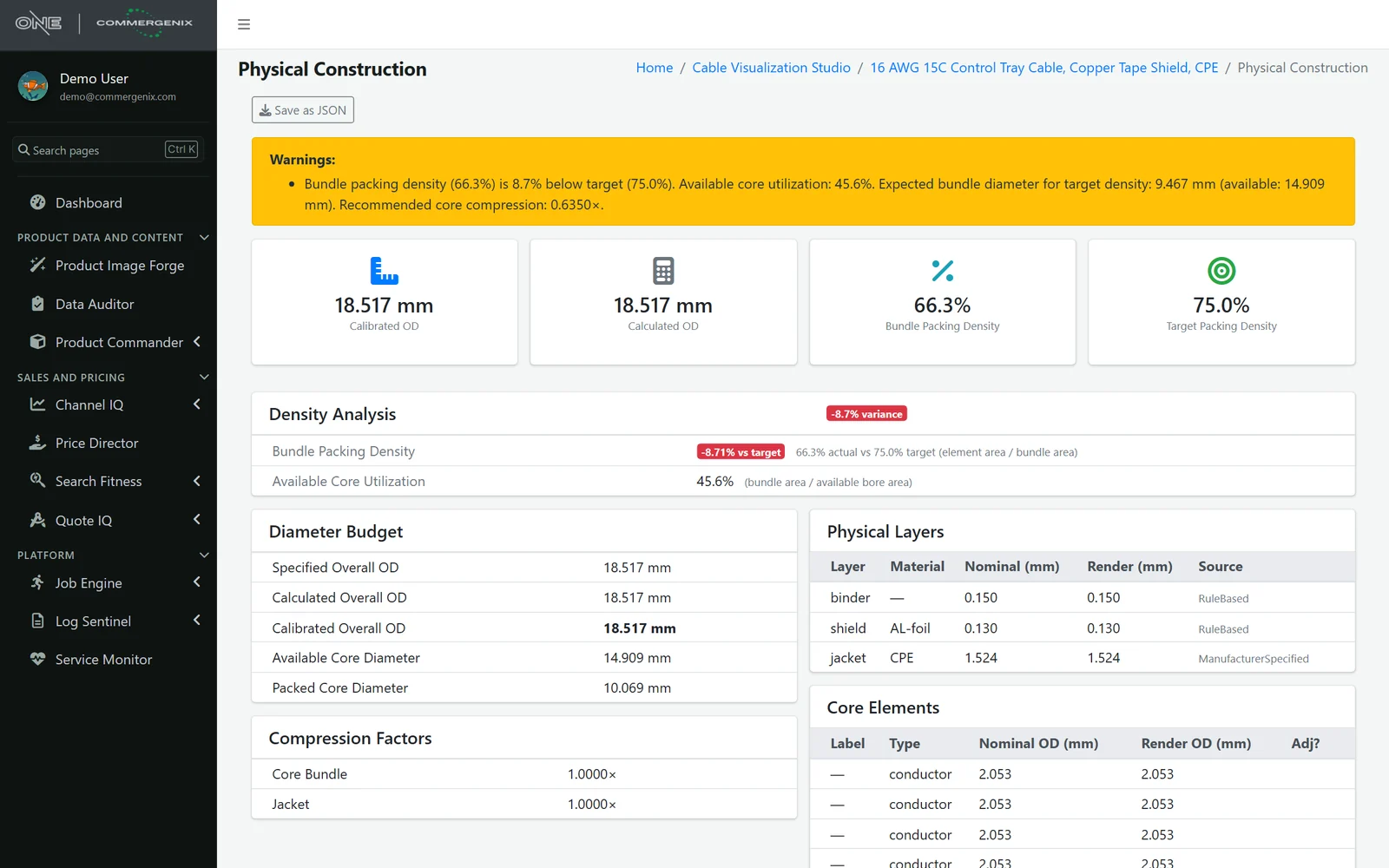
The numbers behind the picture.
Every design gets a diameter budget: the specified, calculated and calibrated overall diameter, the core space available and the bundle that has to fit in it. Each layer shows its thickness and where that number came from.
- Packing density against target, so a construction that doesn’t pack the way the spec implies is flagged, not hidden.
- Packing diagnostics: gaps between elements, the packed bundle diameter and the margin left in the bore.
- Save as JSON from every stage.
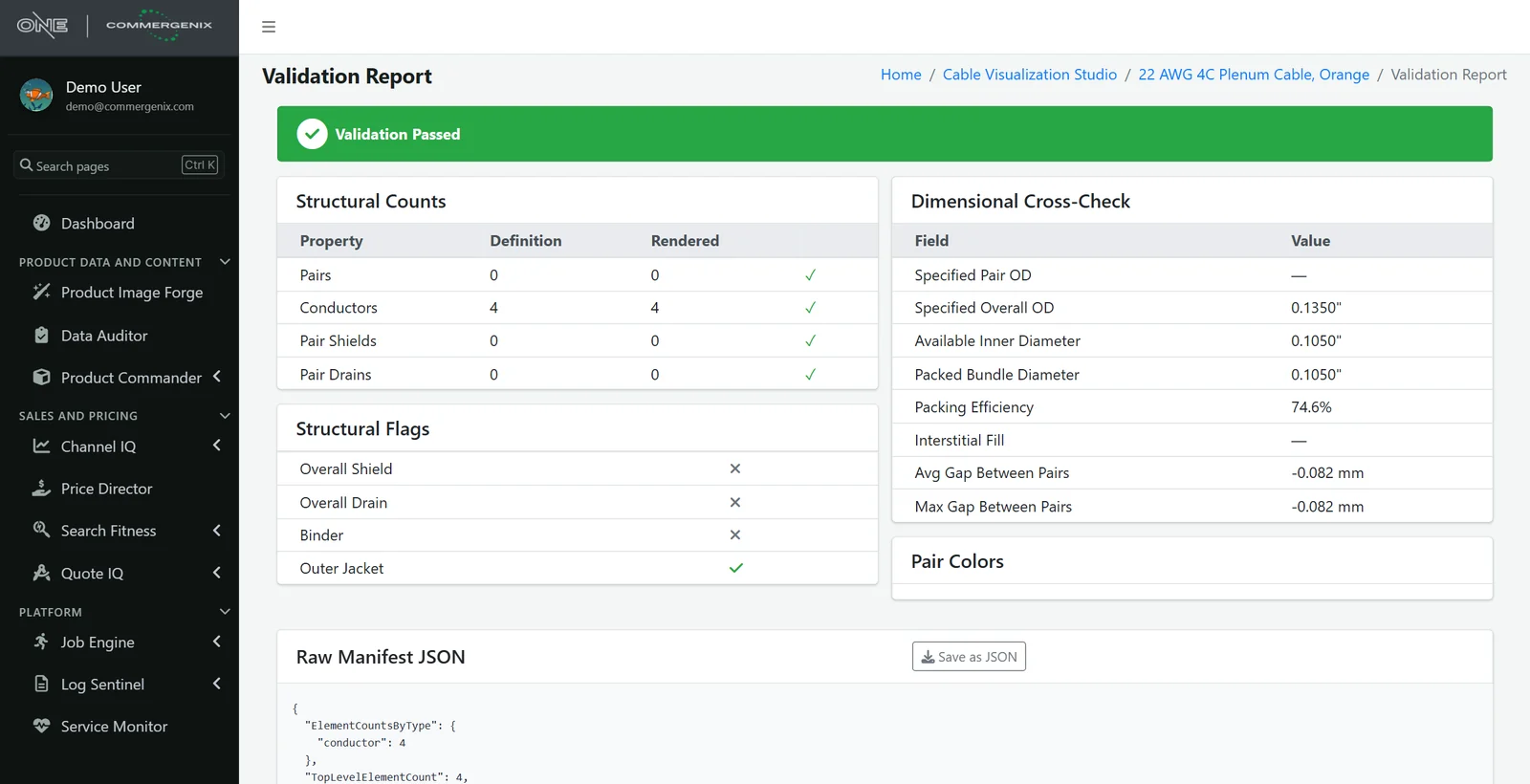
The render is checked against the definition.
Before a design is used, CableViz compares what it rendered with what was defined: pairs, conductors, pair shields and drains, the overall shield, drain, binder and jacket, and a dimensional cross-check of diameter and packing.
- Pass or fail at the top, with every count and flag underneath.
- A machine-readable manifest you can keep with the product.
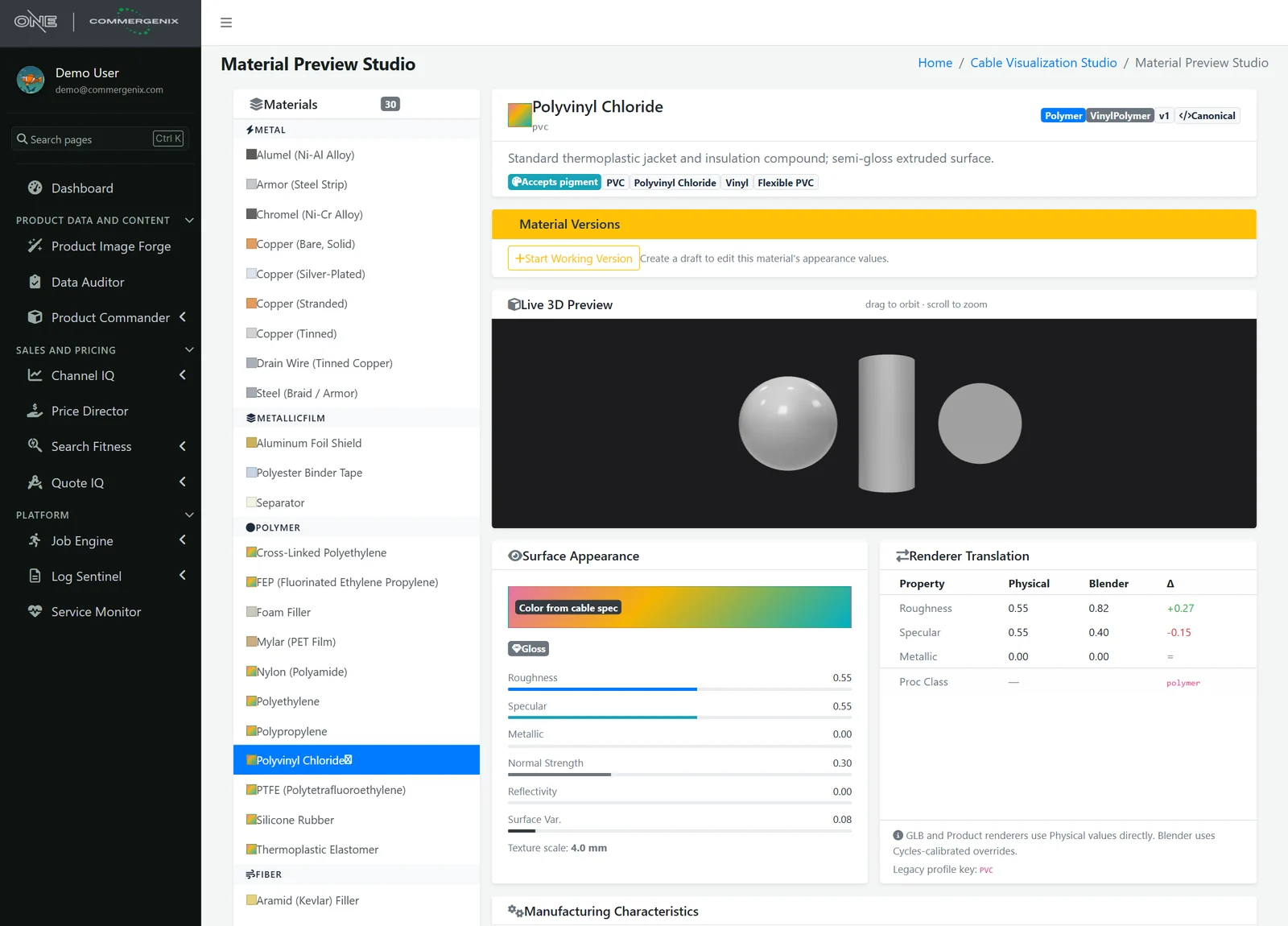
One material library behind every renderer.
Copper, tinned copper, foils, braids, PVC, XLPE, FEP and more: 30 materials, each described once and used by the 3D model, the product renders and the photorealistic renderer. Preview a material in 3D and see how its values translate for each renderer.
- Versioned: start a working version, adjust it, then publish it, with the original kept.
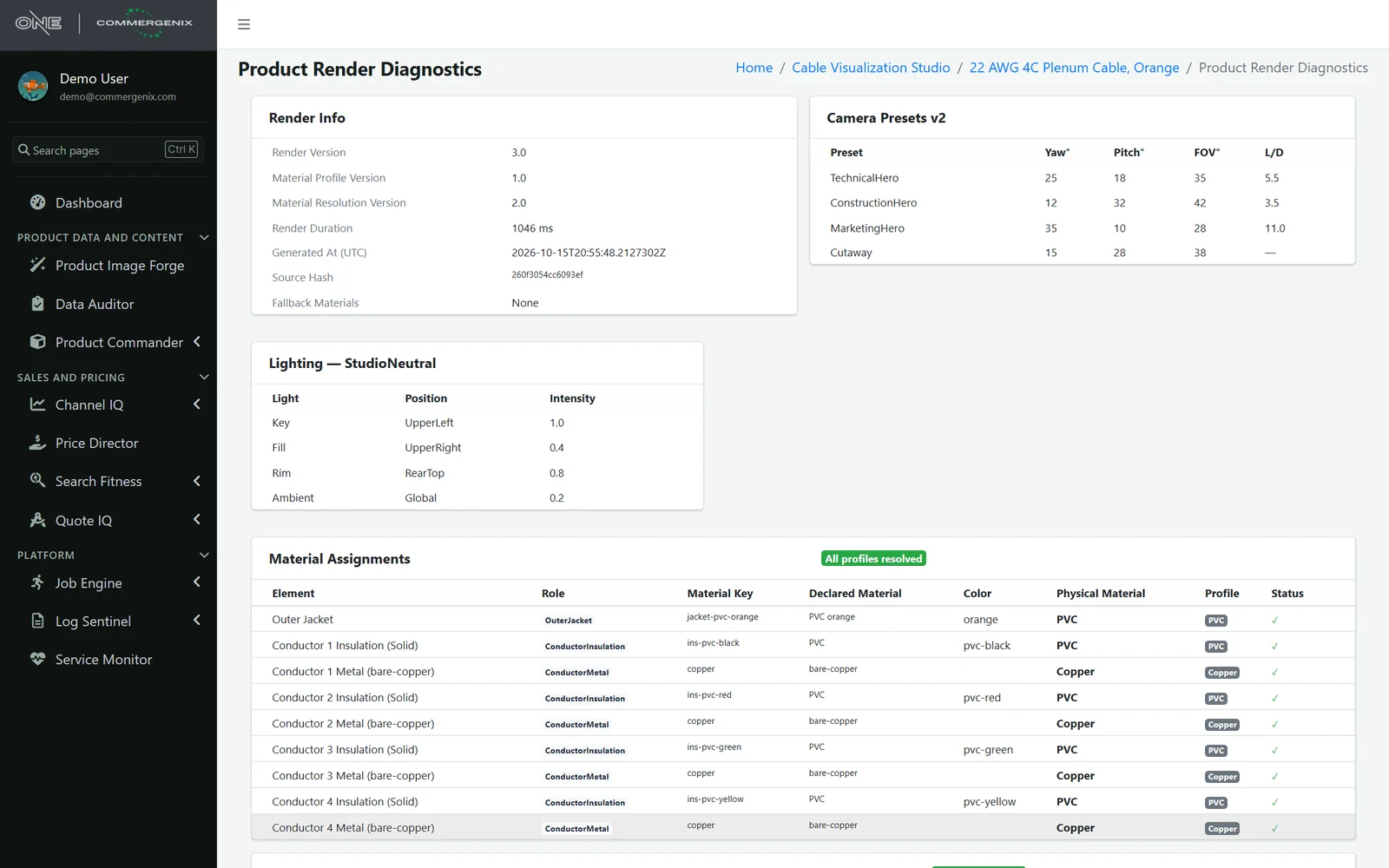
- Every assignment shown: each element lists the material it resolved to, and any fallback is flagged.
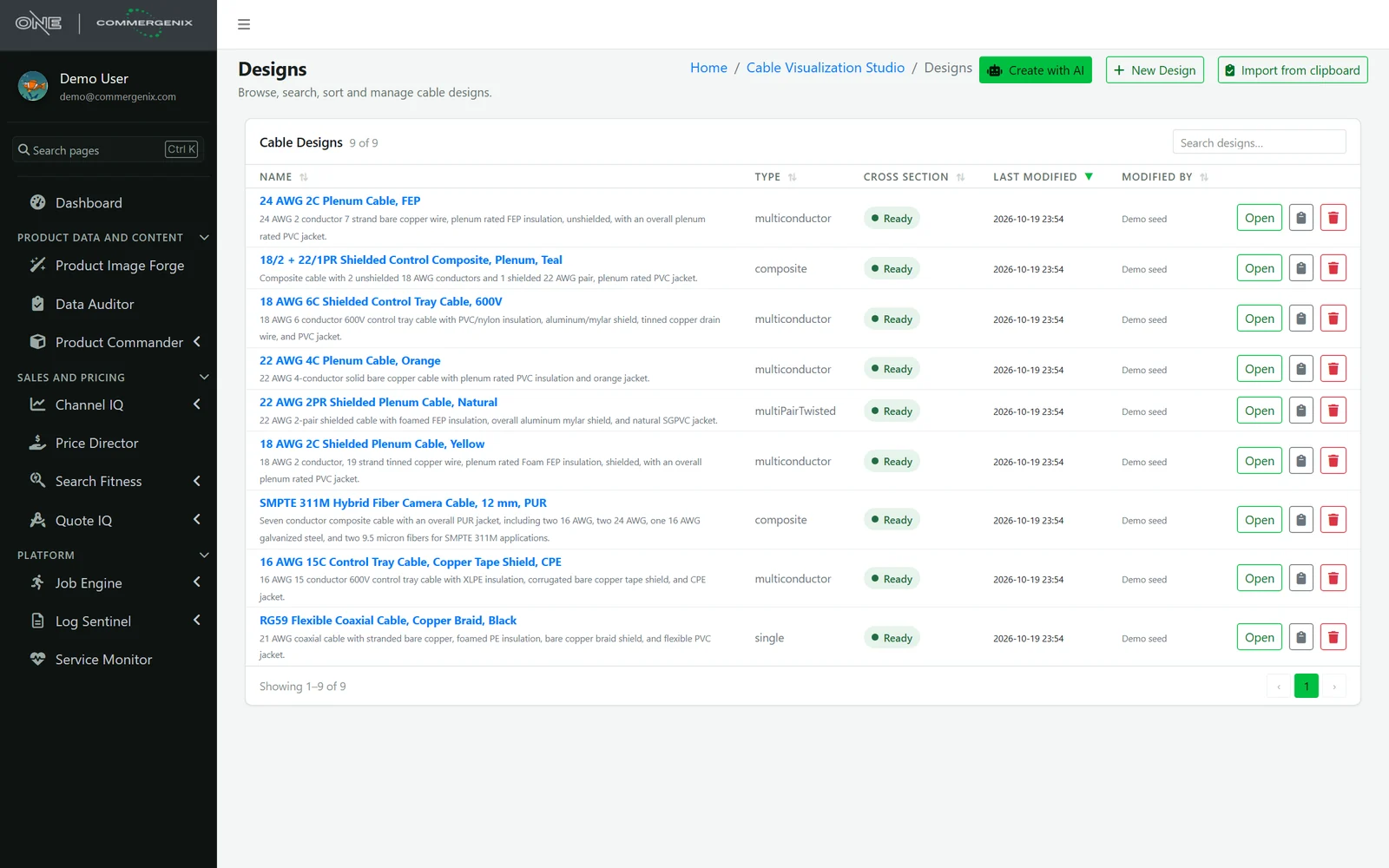
Every cable in one place, ready to render.
Search and sort your designs by type and status, open any one to see its whole pipeline, and regenerate a stage when the contract changes. Outputs know when they’re out of date.
- Downloads for every output: SVG and PNG cross-sections, GLB 3D models, render images and JSON.
- Feeds Product Image Forge, which turns these designs into store-ready product images.
Catalog-consistent shots, set once.
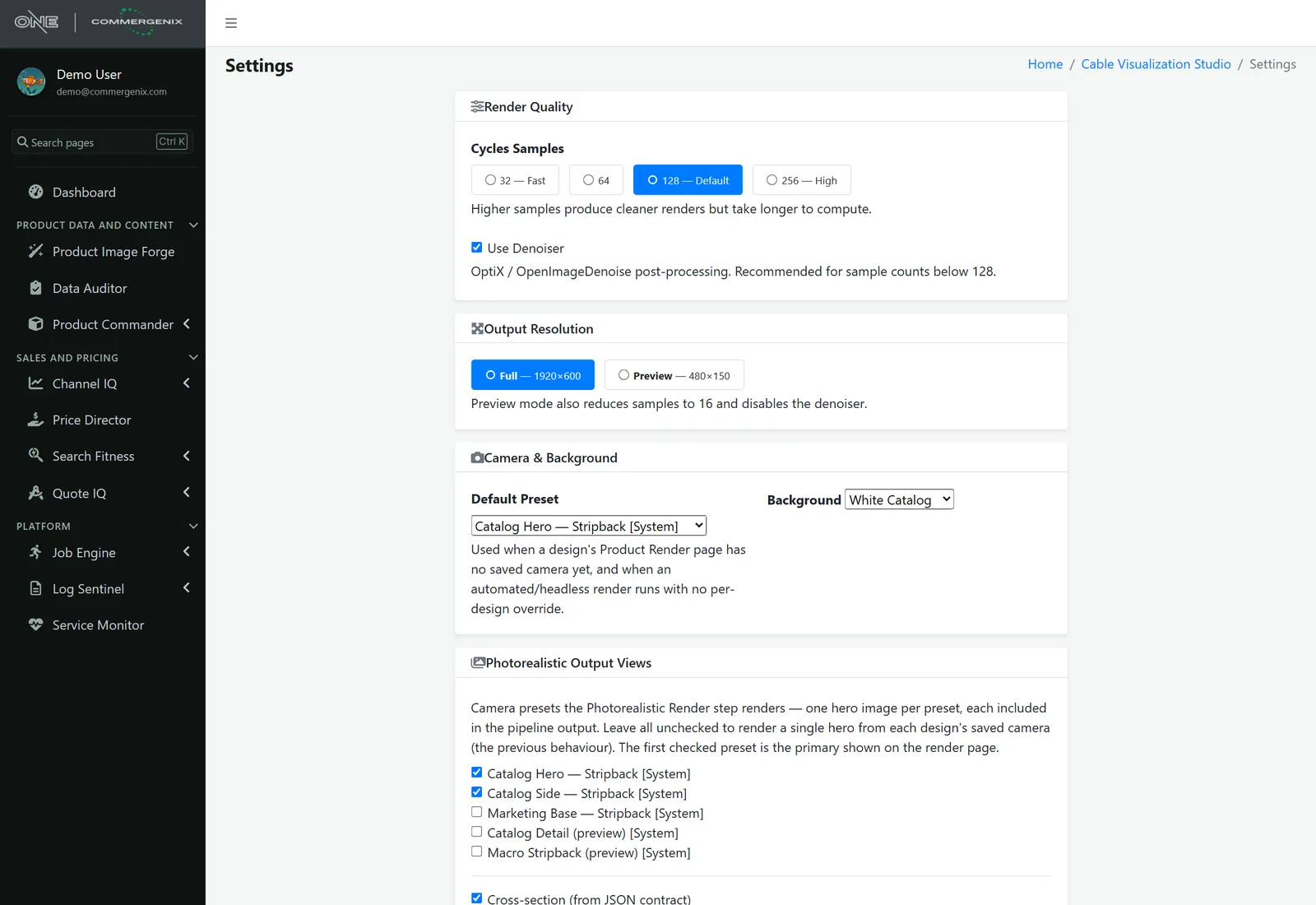
Choose render quality, output size, the default camera and background, and which views every design gets: catalog hero, catalog side, marketing base and more. Every cable in the catalog is shot the same way.
Pictures you can stand behind.
Built from data, not imagined
Cross-sections and renders are drawn from the cable’s contract. AI only helps draft the contract, and you review it first.
Every number has a source
Dimensions are marked as manufacturer-specified, rule-based or defaulted, so you know which ones to confirm.
Checked before it ships
The validation report compares the render with the definition and shows a clear pass or fail.
No silent guesses
Packing that misses its target, and materials that fall back to a default, are flagged on the design.
Out-of-date outputs say so
Change the contract or the camera and the outputs built from the old version are marked out of date.
AI usage you can see
AI drafting is metered per company, so you know what it costs.
For people who sell wire and cable.
Wire and cable manufacturers
Accurate cross-sections and renders for the whole line, not only the flagship products.
Distributors
Consistent, spec-correct images across brands that never sent you any.
Product and engineering teams
A structured record of each construction that can be checked, exported and reused.
Common questions
Is this an AI image generator?
No. The images are rendered from the cable’s construction, so the conductor count, colours and layers are the ones in the spec. AI is used to draft that construction from a description or a spec page, and you review it before it’s saved.
What kinds of cable does it handle?
The demo designs include multiconductor, multi-pair twisted, composite, coaxial and hybrid fiber cables, with shields, drains, binders, fillers and jackets.
How is it different from Product Image Forge?
CableViz Studio is where each cable’s construction is defined, built and checked. Product Image Forge uses those designs to produce product images for your store at catalog scale.
What can I export?
Cross-sections as SVG or PNG, the 3D model as GLB, the rendered images, and the contract, construction and validation data as JSON.
What if the spec is incomplete?
Missing dimensions are filled from rules or defaults and marked that way, so you can see which values came from the manufacturer and which still need confirming.
Works alongside
Every Commergenix module shares one sign-in, one job engine, and one set of integrations, so each one you add makes the others more useful.
Product Image Forge
Turns CableViz Studio designs into store-ready product images, at catalog scale.
Learn more →Product Commander
Shows what’s missing across your catalog, lines up every source of product data, and saves approved values to the system you sell from.
Learn more →Product Sources
Reads manufacturer catalogs and spec sheets for the values your products are missing, each with the page it came from, for a person to approve.
Learn more →Send us a few spec sheets.
We’ll build those cables in CableViz Studio and show you the cross-sections, renders and validation for each.